Answer

Change the default mouse and zoom setting in Lucid

  • September 5, 2025
  • 2 replies
  • 34 views

Forum|alt.badge.img

I wonder - who is the “brilliant” mind that came up with the dumbest idea to assign zoom in/out by default to the mouse scroll wheel?

SCROLL wheel - hence the name. Not ZOOM wheel!

At the very least, could you please add the ability to modify default actions and assign zoom to, say, Ctrl + Scroll?

Best answer by Shantel Gillette

Good afternoon ​@R A,

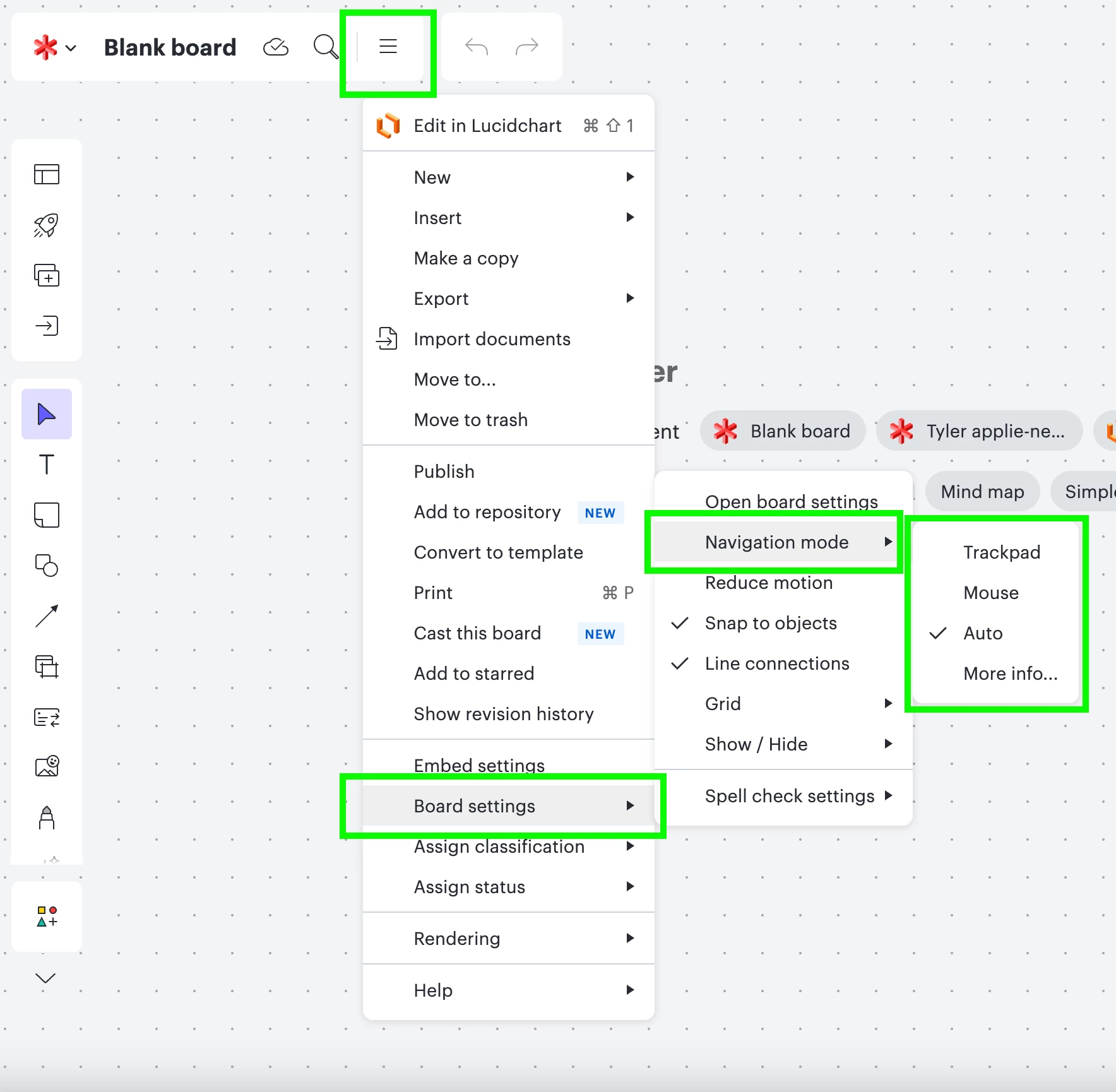
Thank you for posting in the Lucid Community. You’ve probably already found this, but in case you haven’t, here is how you can change those settings in Lucidspark. The steps are similar in Lucidchart. Is this useful for you?


Comments

Shantel Gillette
Forum|alt.badge.img+5
  • Lucid product team
  • Answer
  • September 5, 2025

Good afternoon ​@R A,

Thank you for posting in the Lucid Community. You’ve probably already found this, but in case you haven’t, here is how you can change those settings in Lucidspark. The steps are similar in Lucidchart. Is this useful for you?


Forum|alt.badge.img
  • Author
  • September 6, 2025

Awesome! Changed it to trackpad and now my mouse works wonders!

Thanks a lot - this is super helpful.