Question

Cannot select layer lock button

  • May 7, 2026
  • 5 replies
  • 65 views

Forum|alt.badge.img+1

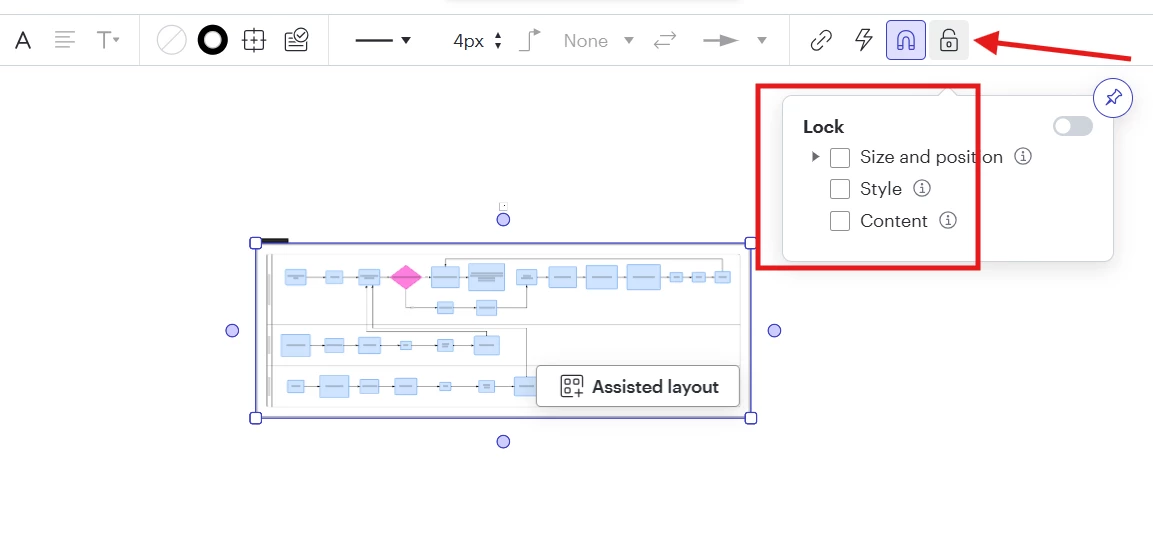
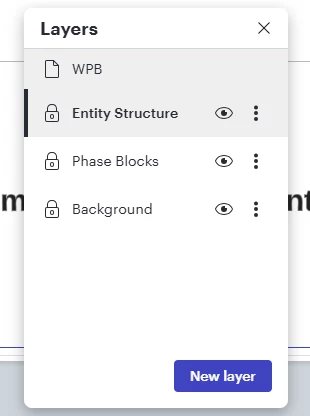
The quick button (lockpad) for the layer lock is not working. 

Comments

Humas1985
Lucid Legend Level 10
Forum|alt.badge.img+24
  • Lucid Legend Level 10
  • May 7, 2026

Hi ​@MSmidowicz 

 To your point the lock is disabled or not responding ?

Thanks


Forum|alt.badge.img+1
  • Author
  • May 7, 2026

 It’s this lock, the quick button on the left (padlock) doesn’t work. Before this update, you could click on the padlock and it would lock and unlock the layer. Now, you have to click on the 3 vertical dots and then select lock/unlock layer. It may be a bug, because you can still click on the eye icon to hide the layer. However, if the ability to click the padlock to lock/unlock a layer has been taken away, that’s very frustrating


Forum|alt.badge.img+1
  • Author
  • May 7, 2026

You can also right click on the layer while it’s unlocked to bring up the menu and select lock/unlock layer, but I’m not able to right click the layer to unlock it when it is locked. 


Leianne C
Forum|alt.badge.img+15
  • Lucid support team
  • May 13, 2026

Hi ​@MSmidowicz, thank you for posting in the community and sharing that information. This is likely related to a recent UI update. I am checking internally for some additional insight and will update this thread as soon as I have more details. 

Please feel free to let us know if you have any additional questions in the meantime! 


Forum|alt.badge.img+1
  • Author
  • May 13, 2026

Hi ​@MSmidowicz, thank you for posting in the community and sharing that information. This is likely related to a recent UI update. I am checking internally for some additional insight and will update this thread as soon as I have more details. 

Please feel free to let us know if you have any additional questions in the meantime! 

Hi ​@Leianne C , 

Thank you very much, I appreciate it! There are a couple more items that we’ve ran into that might need to be looked at as well: 

  1. The layers will randomly lock themselves. Usually, this happens when we have multiple layers unlocked. The layer(s) that we are not actively working in will lock on their own. Since we are building blueprints for our clients, having to constantly unlock the layers again increases our total build time. 
  2. When naming the layers, we used to be able to just double click on the layer name and rename it. Now, we have to click on the 3 vertical dots, select Rename from the menu, and then type the name there. This also adds to our total build time. We’d like to be able to double click on the layer name like we used to. 
  3. We are also having issues with picklist fields in Smartfields. If we are zoomed out too much, the pickfield dropdown menu on the object will not remain in place. We have to zoom in to at least 25% for the menu to stay open. 

Thanks again!