Solved

Can't move my arrow

  • March 27, 2026
  • 2 replies
  • 8 views

Forum|alt.badge.img

WHAT

  • After inputting an arrow object, placing it somewhere, changing its color or or size, Lucid won’t allow me to move the object position to a frame.

EXPECTED BEHAVIOR

  • Regardless of when: ANY object (including arrows) can be placed in a different place.

STEPS TO REPLICATE

  1. Input a frame.
  2. Input a randome image.
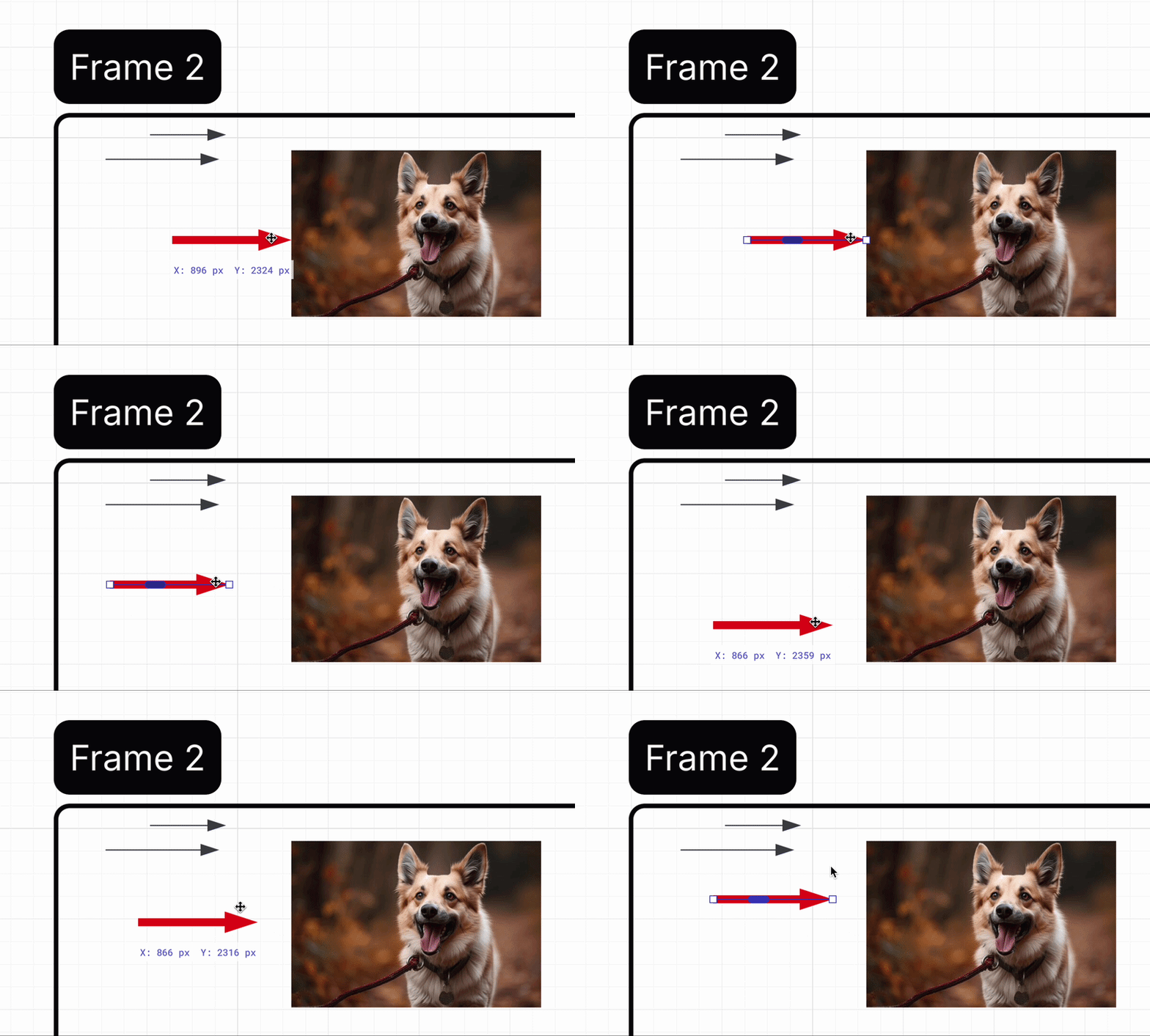
  3. Input one arrow, touching the image within the frame, and also background “blank” space of the frame.
  4. Configure the arrow:
    1. Change thickness
    2. Change colour
  5. Input two more arrows.
  6. Go back to your first arrow, and it wont let you change is position as an entire object (lets say, moving your first top arrow to the bottom).

TROUBLESHOOTING

  • Arrow does not have “Lock” on.
  • “Lock” frame and the “Image” object and try to move the arrow.
  • Trying “cmd”, “option”, “shift” while trying to click different positions of the arrow.
  • Replicating the process in a different lucid workspace.

CONTEXT

  • Lucid Web - Lucid Spark
  • MacOS - MacBook Air - M2 → Up-to-date
  • Browser = Chrome (up to date as of 3/27)


Thank you for your help,

AdG

Best answer by Ambar D

Hi ​@goeyen, thanks for posting in the Lucid Community! Thanks ​@aparrish for linking to that thread. It looks like that thread is from several years back, so wanted to jump in with some additional steps and suggestions.

@goeyen Would you mind providing me with a screen recording or screenshot of what you’re seeing on your end so that I can take a closer look? I’m unable to reproduce this behavior, but I’d like to see what this looks like on your end.


Two additional questions to start out- 

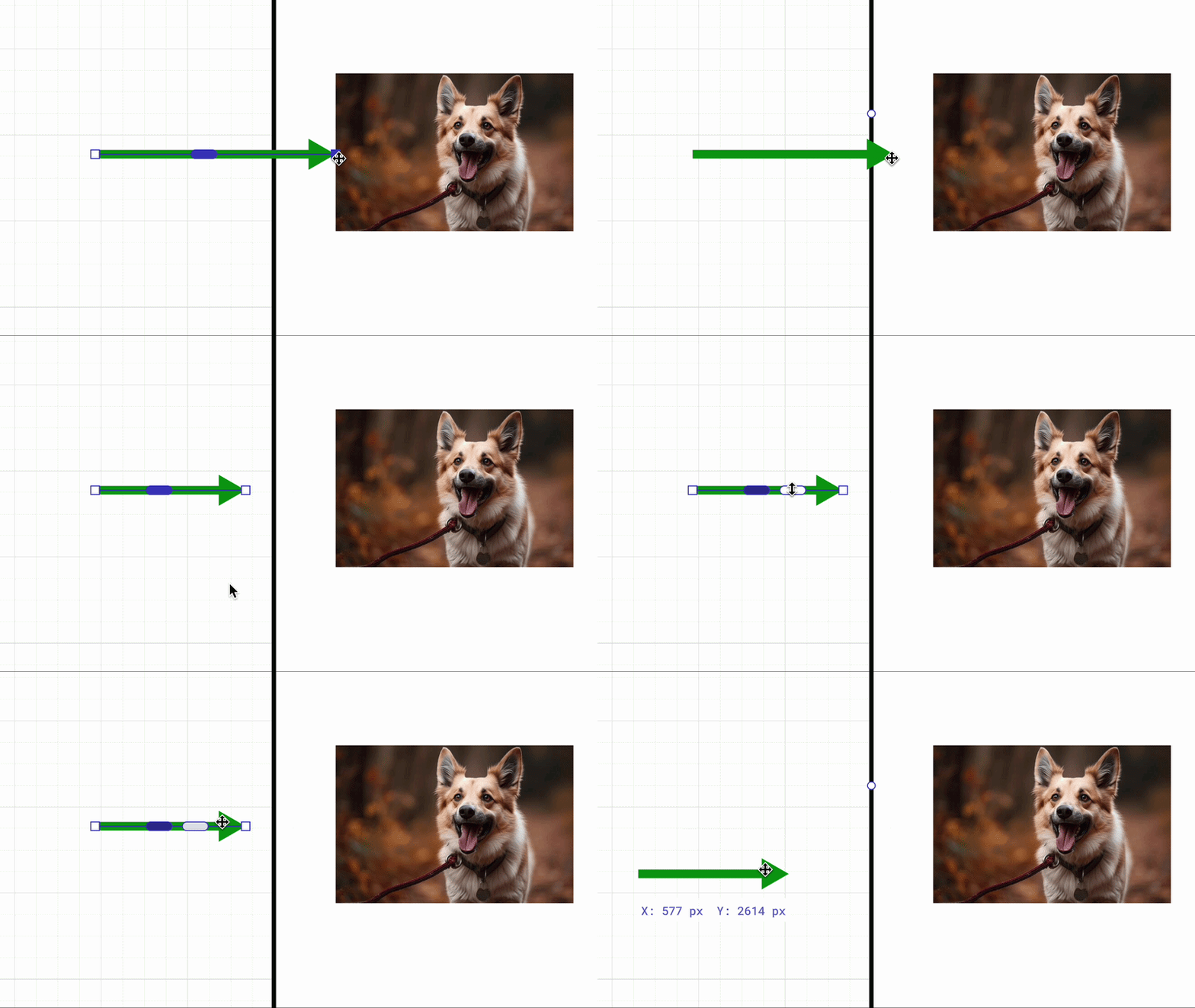
  1. Are you able to move the line endpoint as shown below? When clicking on the line, you should see the line end point light up, allowing you to drag it.


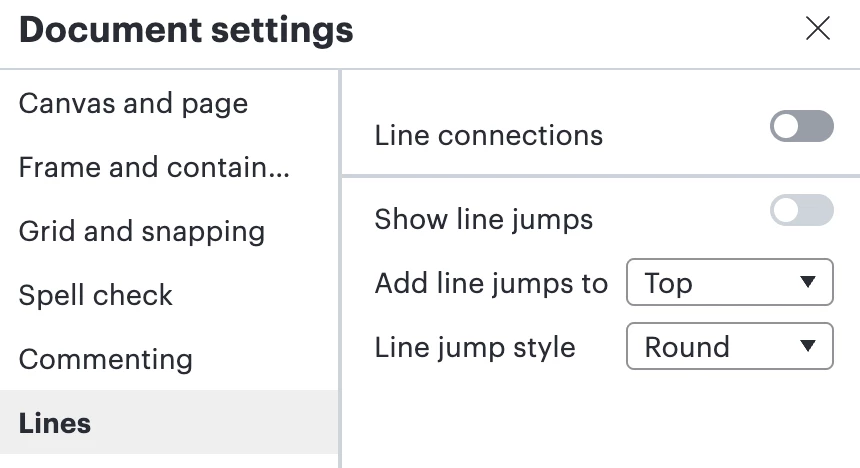
  1. If you toggle off line connections in document settings, then try to drag your line as you’d like, does that work for you?


Comments

aparrish
Lucid Legend Level 7
Forum|alt.badge.img+15
  • Lucid Legend Level 7
  • March 28, 2026

@goeyen thank you so much for providing details, steps to replicate, what you’ve already tried, and what you’re using. That’s very helpful!

This is a known issue. Please check out this thread for a solution: 


Ambar D
Forum|alt.badge.img+11
  • Lucid community team
  • Answer
  • March 31, 2026

Hi ​@goeyen, thanks for posting in the Lucid Community! Thanks ​@aparrish for linking to that thread. It looks like that thread is from several years back, so wanted to jump in with some additional steps and suggestions.

@goeyen Would you mind providing me with a screen recording or screenshot of what you’re seeing on your end so that I can take a closer look? I’m unable to reproduce this behavior, but I’d like to see what this looks like on your end.


Two additional questions to start out- 

  1. Are you able to move the line endpoint as shown below? When clicking on the line, you should see the line end point light up, allowing you to drag it.


  1. If you toggle off line connections in document settings, then try to drag your line as you’d like, does that work for you?