
Solved
Can I hide the drop-down arrow in an entity header to decrease the width?
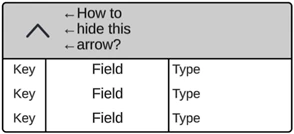
It seems that a drop-down arrow to hide/show the contents of an Entity (key/field/type) was recently added to the Entity’s header, which increases the minimum width of the shape. This is an issue for my use case as I need the Entity to be smaller than this now allows.
I haven’t been able to find a way to disable this drop-down arrow from poking around the menus, but I’m hoping there’s an easy toggle or something like that to turn it off. Picture for reference:
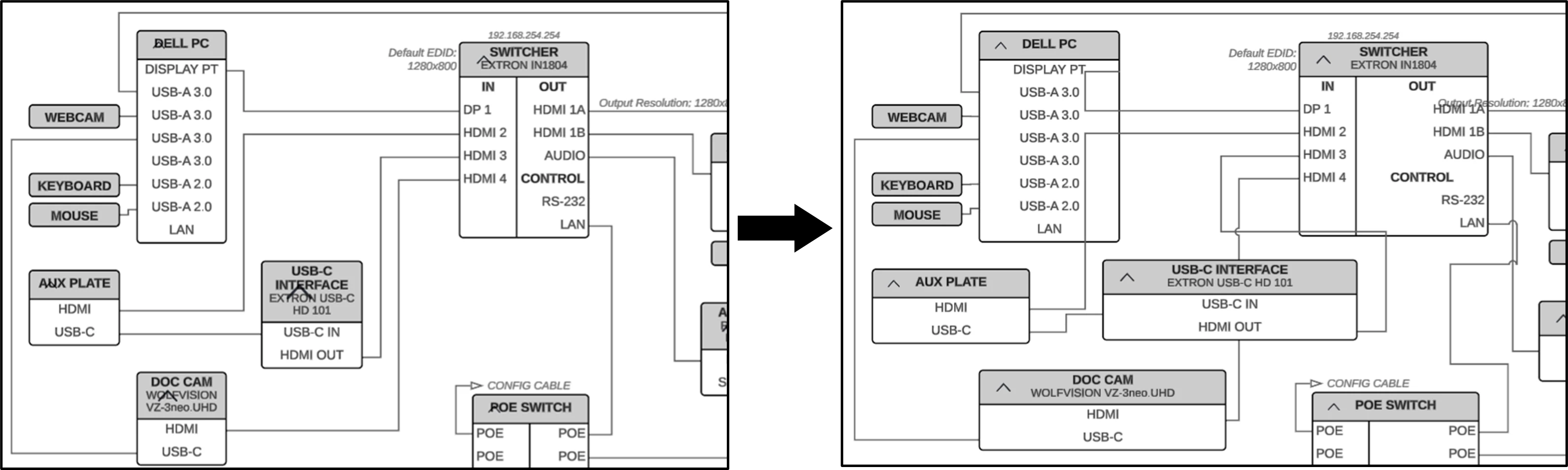
And as an example of how it’s caused an issue - here’s a before and after of an existing document, with the ‘after’ being if I attempt to move the layer with the entities, which causes them all to re-adjust their size because of the arrow:

 Your privacy choices


