Thanks for clarifying. In this case it unfortunately isn't possible to export your org chart data in a format that can then be directly uploaded again into Lucidchart's org chart tool. When importing data via the tool from Excel you'll need to follow the formatting outlined in this Create an Org Chart article from the Lucid Help Center. At a minimum each employee requires a name and supervisor ID. From there you can add additional data fields such as role and contact information in subsequent columns.
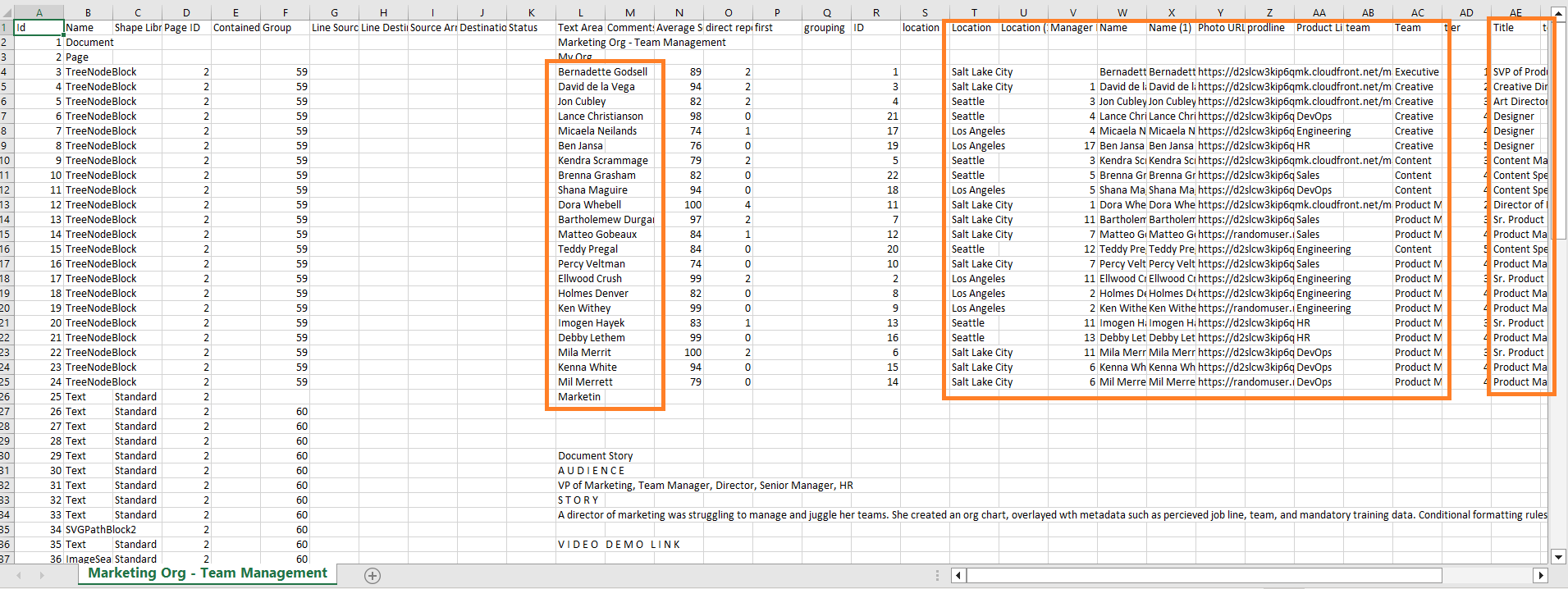
If you have this data stored elsewhere in a spreadsheet I recommend editing it there and then uploading it as described in that same article. However if these details don't currently exist in a spreadsheet your best option for export would be shape data which you can perform within the diagram via File > Export > CSV of Shape Data. This won't export the data in the exact format described above but many of the component pieces such as employee name and existing relevant information that you've added manually will be there and can be rearranged into the proper format for import. I've included a screenshot of an example CSV data export below to illustrate this.
I hope this helps! Please let me know if you have more questions.



 Your privacy choices


