Solved

Can I copy a tab/page from one Lucidchart document to a different Lucidchart document?

  • January 13, 2026
  • 3 replies
  • 15 views

Forum|alt.badge.img+1

I have a Lucidchart (A) one of the business teams have provided and I want to include a copy as another tab in a set of related processes in my Lucidchart (B) - how can I get a copy into (B)?

  • There is no option to Export as a  Lucidchart from (A) and import it to (B) (I’ve tried various methods but to no avail)
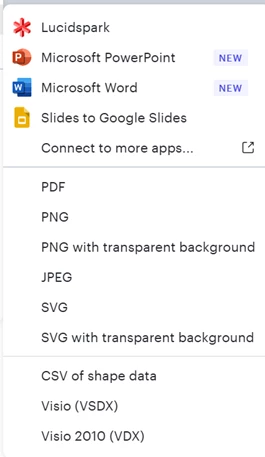
Export options
  • Copy and paste this is not working well at all because I then have to manually resize, reformat, adjust swim lanes, text, shapes etc. whereas I want to copy all (including page settings for (A) as-is, into (B). There are many more processes I need to move so I am looking for an efficient way to bring them into (B)
  • On the Import options there is no option to import Lucidchart (only Lucidspark)
  • While I can create a duplicate from the original for myself that does not solve how to add it to my collection (B)

I have scoured previous posts and have not found an answer. Surely this is a common issue for people who are create Lucidcharts (thus I anticipated a solution for this)?  If anyone has the solution or an effective workaround, please share.

If this functionality simply does not exist, I suggest adding it to to the development list.

Options might be enabled as a ‘move’ from source (A) to target (B) or an Export Lucidchart/Import Lucidchart option.

Best answer by Ambar D

Hi ​@IngridB, thanks for posting in the Lucid Community!

You can import a specific page from one Lucidchart document into another Lucidchart document following these steps below. Would you mind trying this and letting me know if this is what you’re hoping for? 

  1. Open to the Lucidchart document that you’d like to import into.
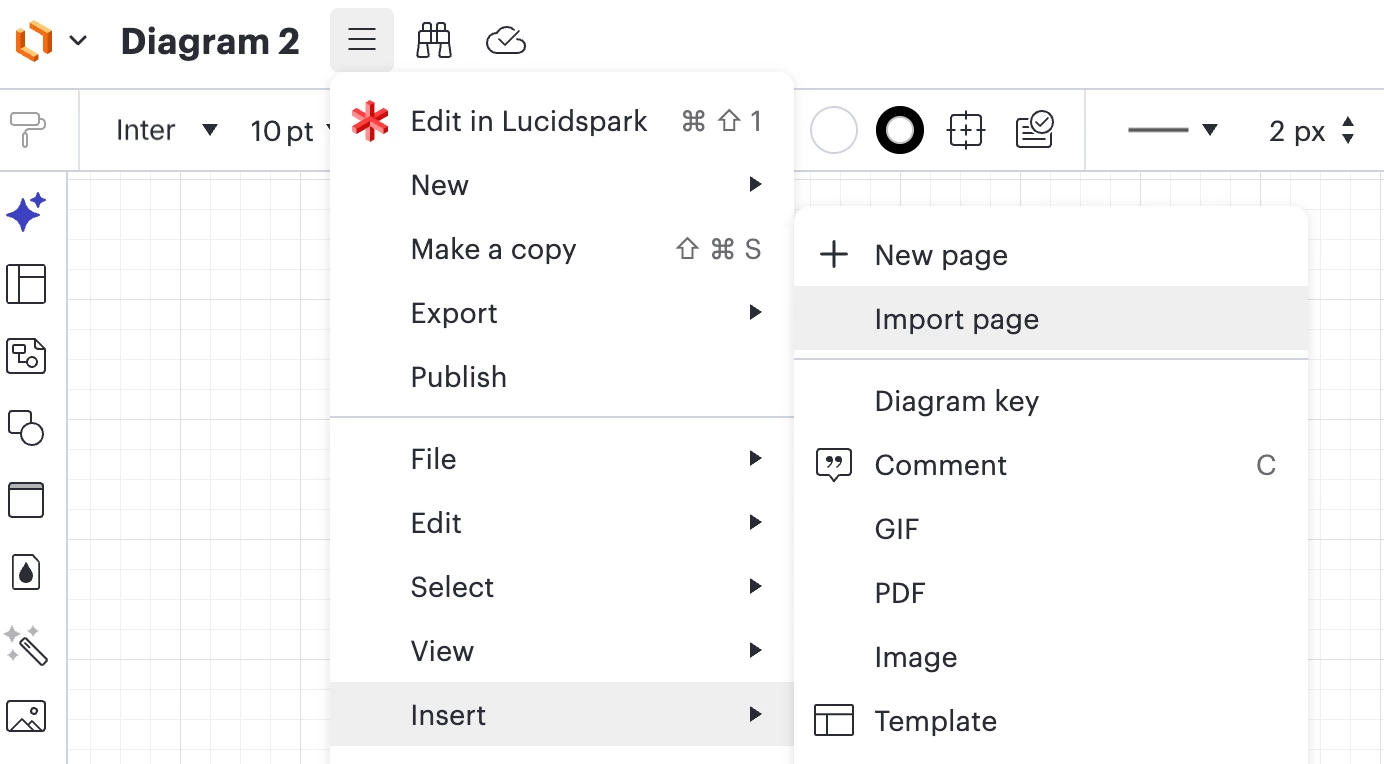
  2. In the Lucidchart document, open more-menu-icon the menu from the top-left of the canvas.
  3. Hover your cursor over “Insert”.
  4. Click Import Page.
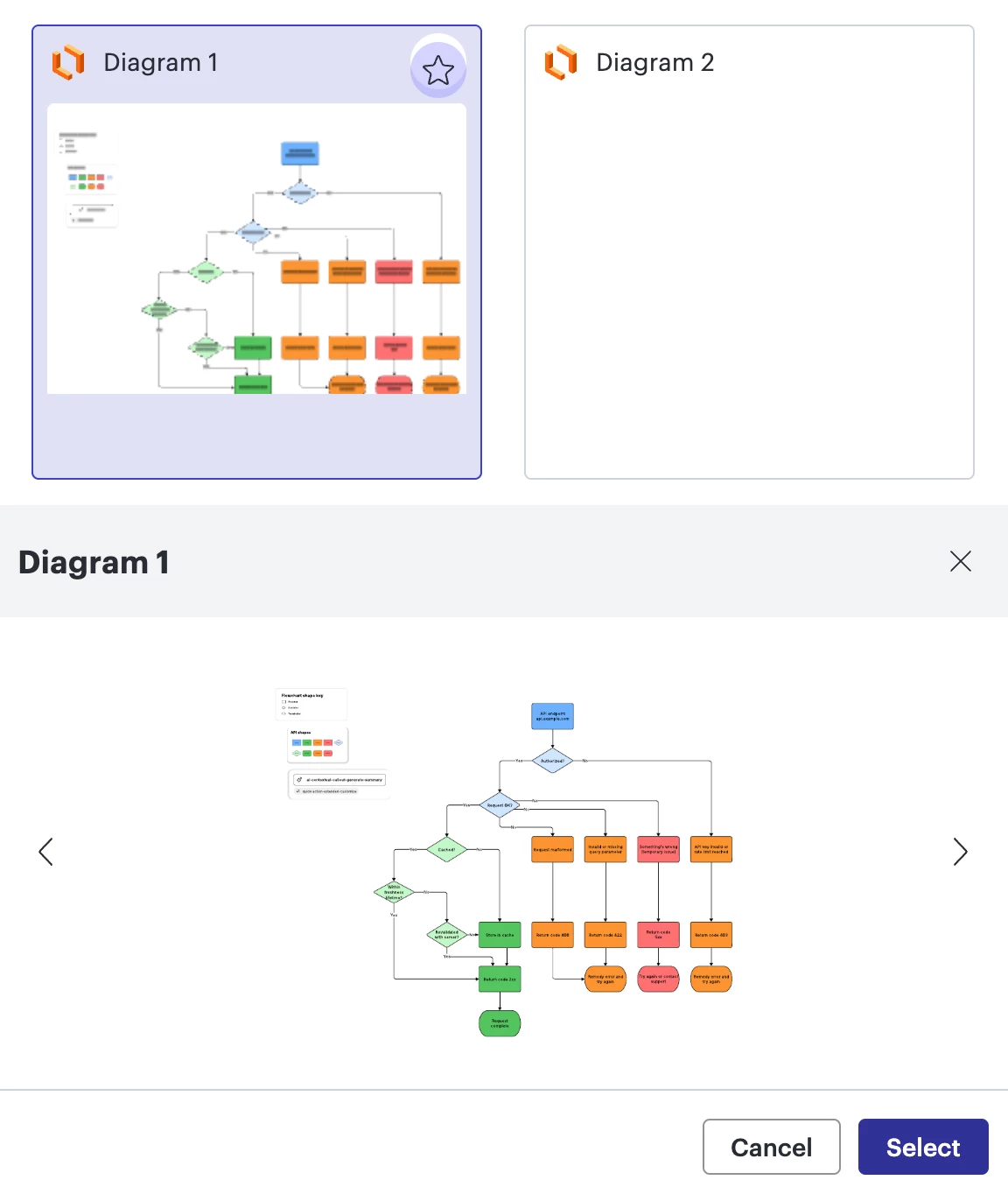
  5. Choose the document you want to import. If the document contains multiple pages, use the arrows in the preview window to navigate to the page you want to import.
  6. Click Select.
Menu > Insert > Import page


Select which document you’d like to import > toggle through the document’s tabs to select the relevant tab > click Select


Comments

Ambar D
Forum|alt.badge.img+10
  • Lucid community team
  • Answer
  • January 16, 2026

Hi ​@IngridB, thanks for posting in the Lucid Community!

You can import a specific page from one Lucidchart document into another Lucidchart document following these steps below. Would you mind trying this and letting me know if this is what you’re hoping for? 

  1. Open to the Lucidchart document that you’d like to import into.
  2. In the Lucidchart document, open more-menu-icon the menu from the top-left of the canvas.
  3. Hover your cursor over “Insert”.
  4. Click Import Page.
  5. Choose the document you want to import. If the document contains multiple pages, use the arrows in the preview window to navigate to the page you want to import.
  6. Click Select.
Menu > Insert > Import page


Select which document you’d like to import > toggle through the document’s tabs to select the relevant tab > click Select


Forum|alt.badge.img+1
  • Author
  • January 19, 2026

Thank you ​@Ambar D  -

I am pleased to reply that your tip helped. I was able to Insert Import page all pages I have access to view and/or edit. The text did not revert to 2-point, and the shapes did not resize to microscopic! 

This is more successful that the cut and paste attempted earlier.  I often find this function unhelpful, even within the same document due to not always getting an exact copy (size, font & shape values/behaviour may change).

I am dismayed learning that there are two Import options (File ➡ Import and Insert Import page).  Not a particularly user-friendly or intuitive design.

Appreciate having a solution & thanks again 😊


Ambar D
Forum|alt.badge.img+10
  • Lucid community team
  • January 20, 2026

Hi ​@IngridB, thank you for confirming that this worked for you! It's my pleasure to help!

Thank you for that additional feedback regarding the two import options, I certainly understand what you’re saying here and how that may impact your work flow. 

This community is dedicated to supporting your work in Lucid's products. If other product questions arise, or if you'd like to share how you use Lucid, you can create a new topic and we’d love to hear from you!