
Bug: duplicate shapes get pasted into file if Shapes panel is active
I’m a longtime Lucidchart user but for the last couple of months, I’ve been hitting a bug in all my files that’s making it impossible to create and share new diagrams, or edit existing ones.
Brief summary:
- Edit a file or create new file, finish the diagram until it’s ready to share → everything goes fine
- Share it with others, using shareable link (edit & share).
- Later, return to the file, eg to screenshare it.
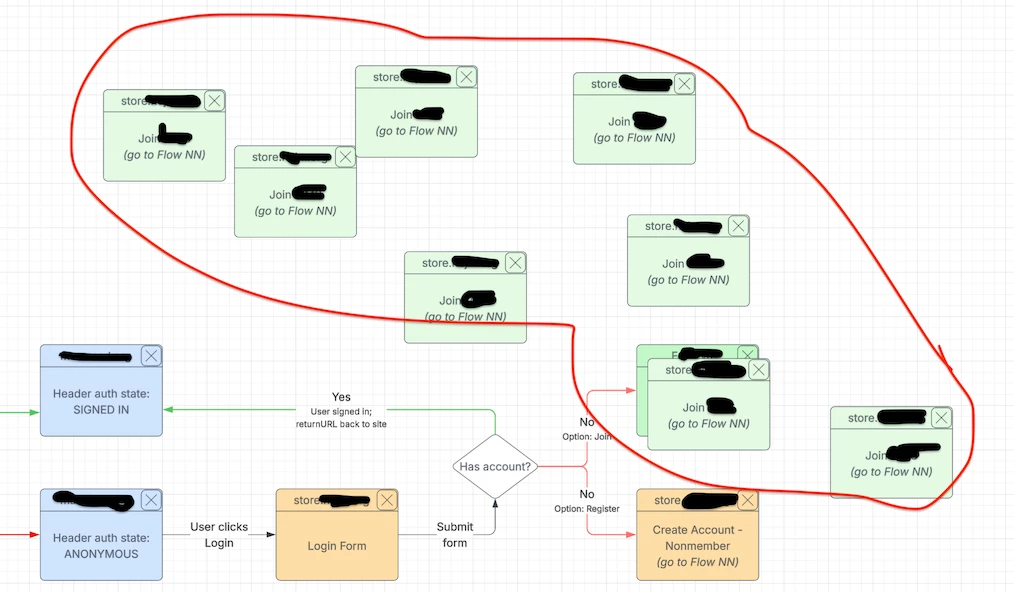
- If the ‘Shapes’ modal is open, then immediately wherever I put my cursor, a shape that I’ve used previously will get pasted in, over and over and over again.
- If the Shapes model is closed/inactive, the duplication stops.
- Doesn’t matter if I use the share link to get back to the file, or just navigate to it through lucid.app.
- Basically renders the file unusable. 😓
I’m using Lucidchart in Chrome latest on Macbook Pro.
I’ve tried copying old files and revising them, creating new files, clearing browser cache/cookies, etc., and the problem still occurs on any file I open and then revisit.
 Your privacy choices


