Answer

Adding LucidChart linear fill anchor points

  • March 29, 2025
  • 4 replies
  • 43 views

Forum|alt.badge.img+1

How do I add more than three color anchors to a linear fill color for a shape? 
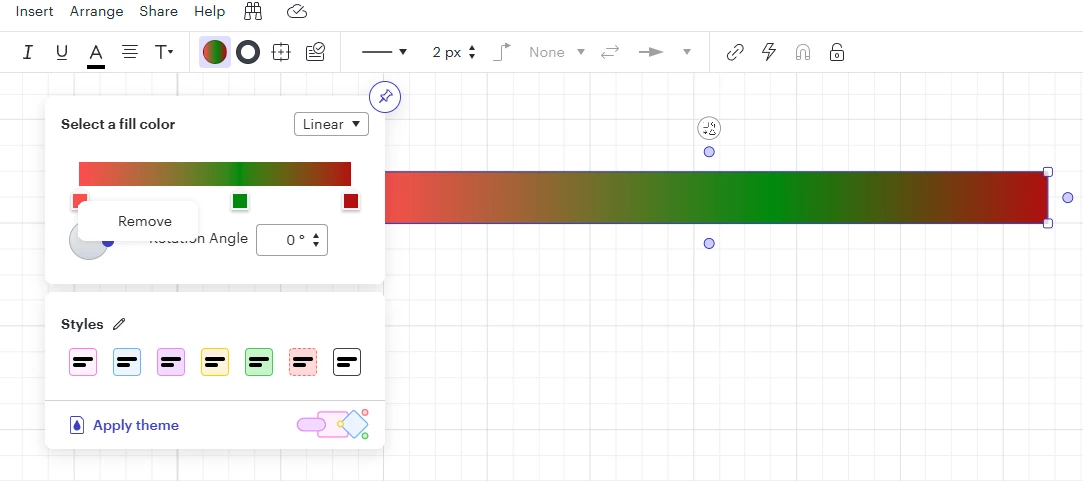
I have found how to remove an anchor point, but I can’t find any way to add one. In the example shown here, I want to be able to adjust the width of the central green region.

Best answer by Leianne C

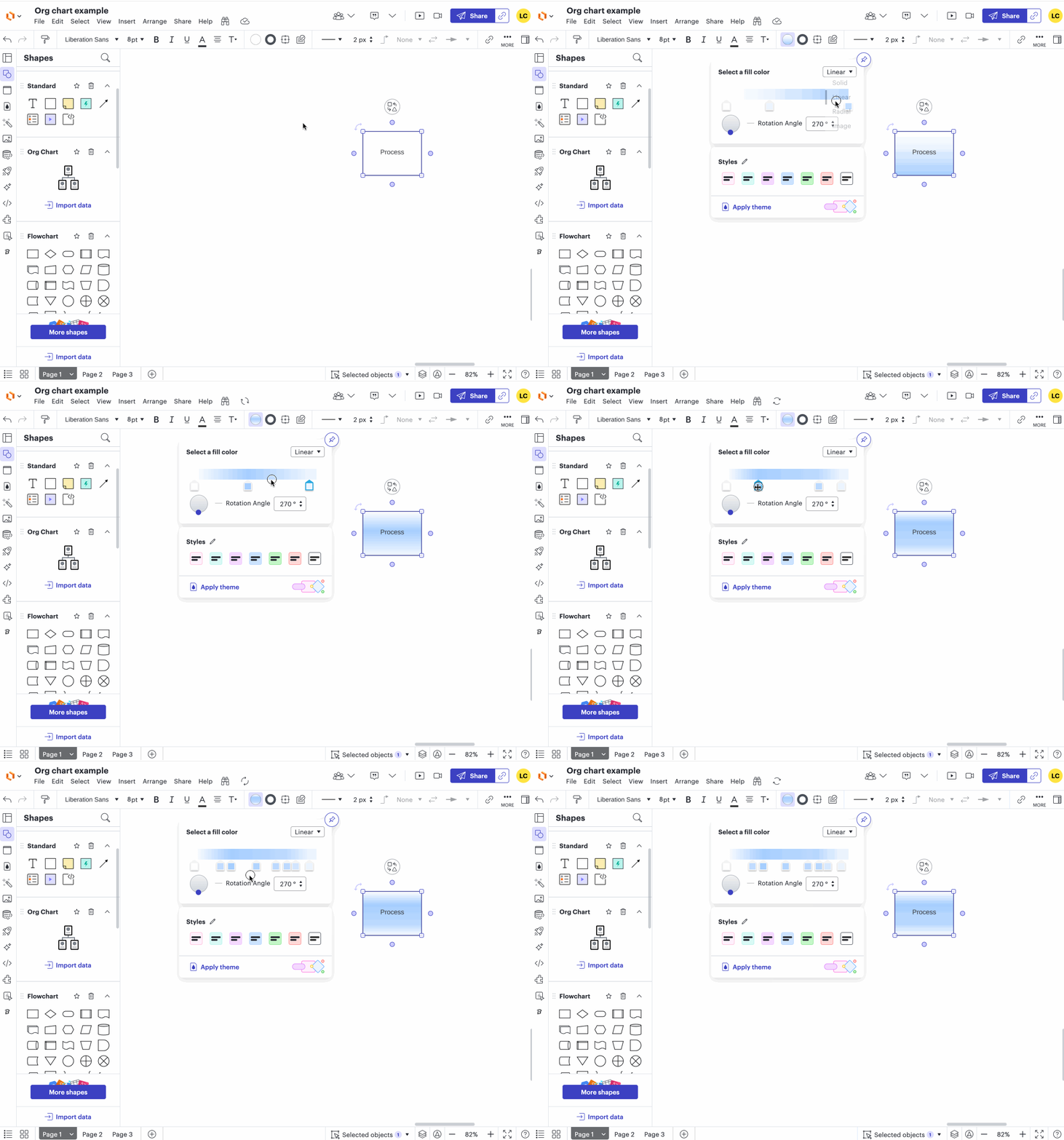
Hi ​@davidfsol5, just chiming in here! You can add more anchors by clicking the color strip, I’ve attached a GIF demonstrating this:

Could you please give this a try and let me know if that’s not the case for you? Thanks! 

Comments

aparrish
Lucid Legend Level 7
Forum|alt.badge.img+15
  • Lucid Legend Level 7
  • March 29, 2025

@davidfsol5 this looks like a question for staff. ​@Abby S ​@Kelsey Gaag ​can you help David?


Leianne C
Forum|alt.badge.img+15
  • Lucid support team
  • Answer
  • March 31, 2025

Hi ​@davidfsol5, just chiming in here! You can add more anchors by clicking the color strip, I’ve attached a GIF demonstrating this:

Could you please give this a try and let me know if that’s not the case for you? Thanks! 


Forum|alt.badge.img+1
  • Author
  • March 31, 2025

@Leianne C, Works like a charm. Thanks so much for pointing this out.


Leianne C
Forum|alt.badge.img+15
  • Lucid support team
  • April 1, 2025

Thanks for the update, ​@davidfsol5! Glad to hear that worked for you. Feel free to let us know if you have any additional questions, we are happy to help! :)