Answer

Add Emoji / Icon in Mind Map nodes

  • September 5, 2024
  • 2 replies
  • 115 views

Forum|alt.badge.img

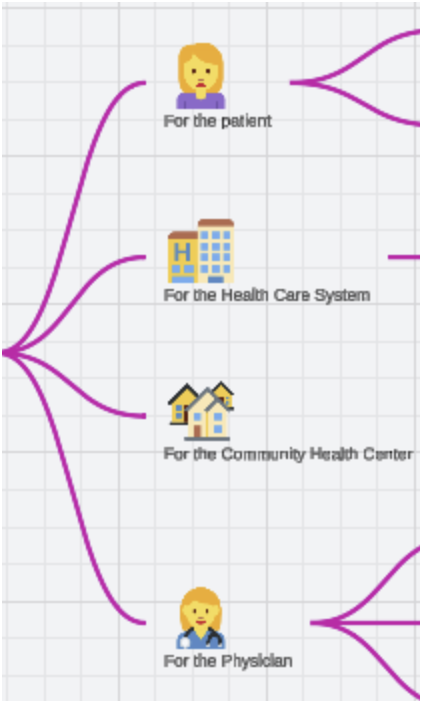
It would be great to be able to add a graphic (emoji, icon, image) in line in the text of a node in a mind map.  This makes the mind map more readable, for example by using an icons for the few main nodes. 
 

I realize you can add any graphics to a mind map, but they are not part of the node, and do not move dynamically with them (and cannot be grouped).  I was able to hack it, but it is a little painful.

Here is an example of what it could look like:
 

Best answer by Nanyan

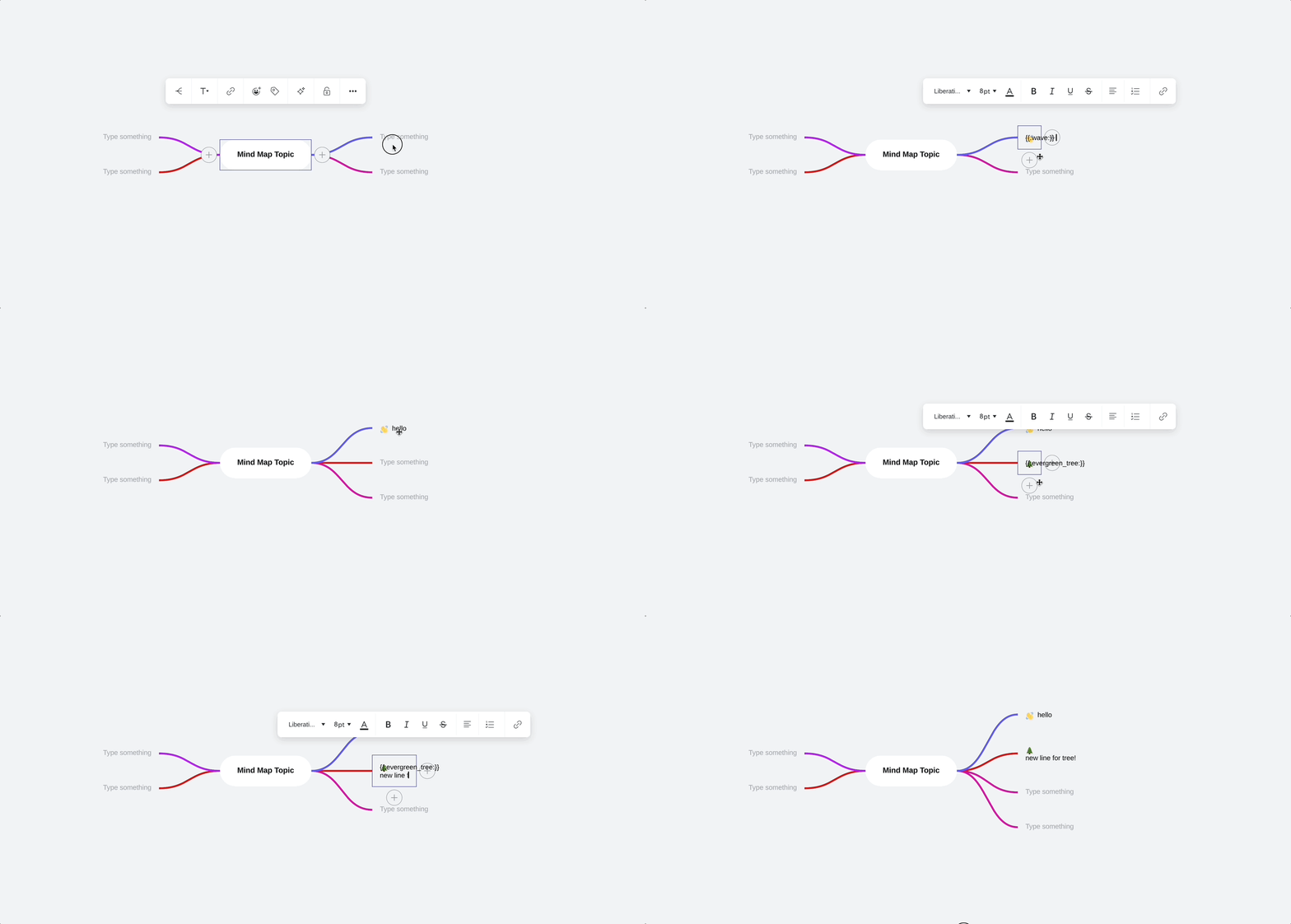
Hi there! It’s actually already possible to add emojis in-line by typing :emoji_name: directly, as seen in the GIF below. We are aware of the rendering issue in the middle of typing, but once you exit edit mode, it should look fine. Hopefully this helps!


Comments

Forum|alt.badge.img
  • Lucid product team
  • Answer
  • September 9, 2024

Hi there! It’s actually already possible to add emojis in-line by typing :emoji_name: directly, as seen in the GIF below. We are aware of the rendering issue in the middle of typing, but once you exit edit mode, it should look fine. Hopefully this helps!


Forum|alt.badge.img

Thanks for the reply!  That is exactly what I was looking for.  I did not know of the :emoji_name: context menu that appears after : + the first letter.

I missed the tip on this support page:

https://help.lucid.co/hc/en-us/articles/16361791013524-Add-and-style-text-in-Lucidchart

It may be worth adding the great little GIF you shared with me.

Thanks again!