

Version history for published repository documents
We’re excited to announce that version history has been added to the Process Accelerator! 🎉
What is version history?
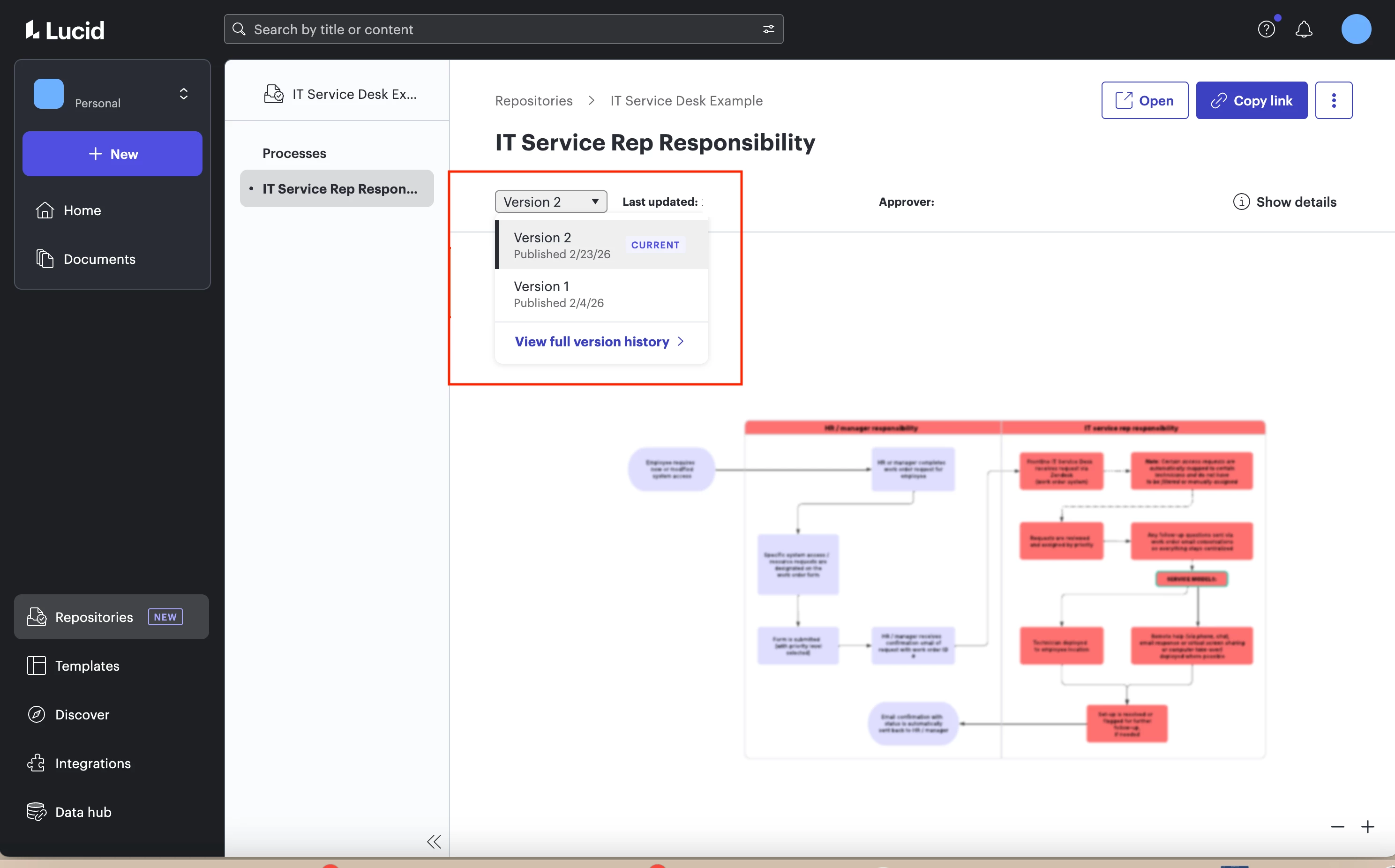
Version history allows you to view past versions of published repository documents. You can now compare the published document to previous versions to understand changes over time, spot meaningful differences, and assess impact.
Who has access to version history?
Any user on your Lucid account with access to the Process Accelerator has access to view the version history of published repository documents.
How do I access version history?
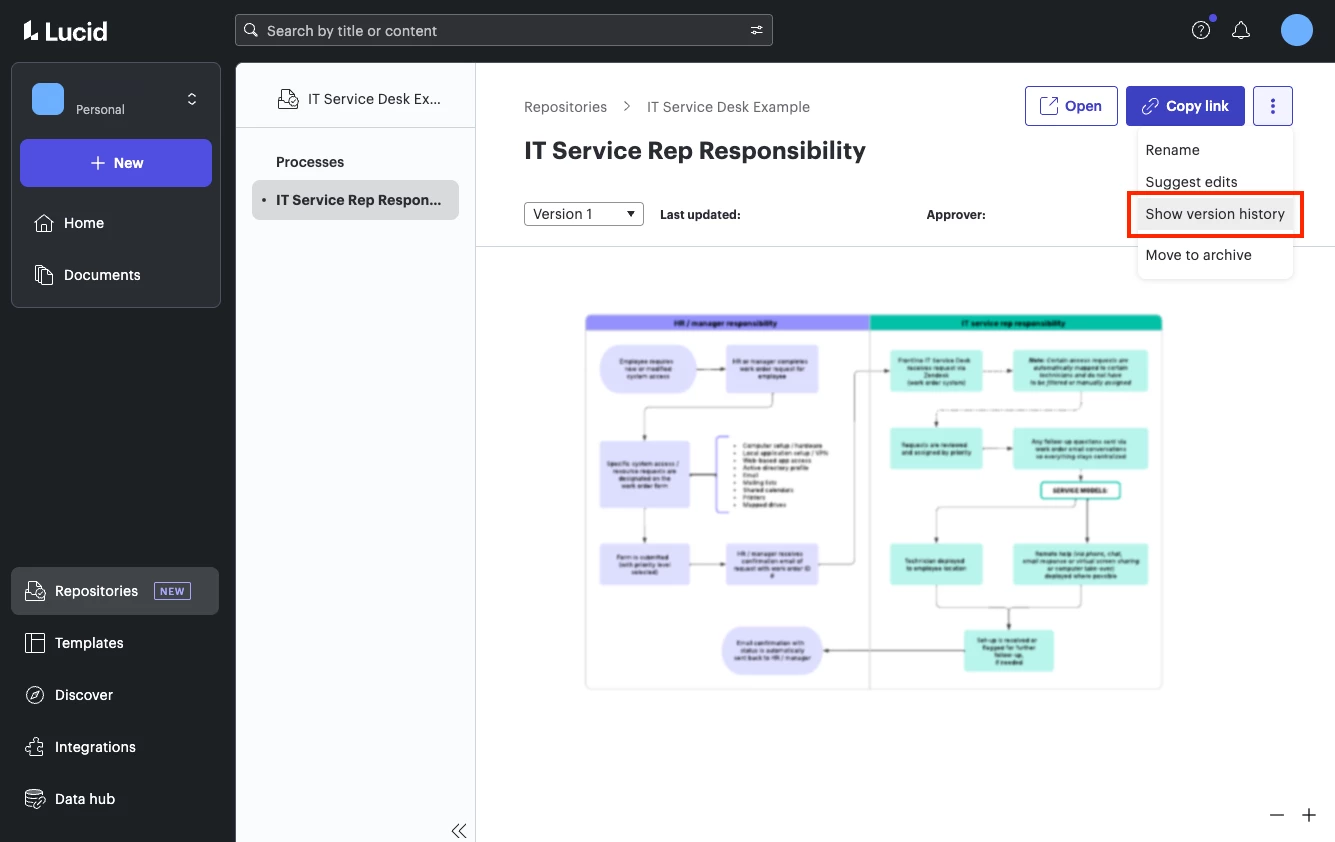
You can access version history through the new Repositories button on the left-hand navigation of the Lucid Home Page. From there, you have the option to view a document’s version history from directly within the repository or by opening the document’s version history in a new tab. For details, check out this article!
For more information, check out this article from the Lucid Help Center: Use repositories to centralize and standardize your organization’s processes.
We’d love to hear from you- try this out and let us know what you think in the comments below.
If you have further questions, feel free to create a new topic or comment down below and we’re happy to help!
 Your privacy choices


