Question

Tips for daily schedule template?

  • March 25, 2026
  • 1 reply
  • 6 views

Forum|alt.badge.img

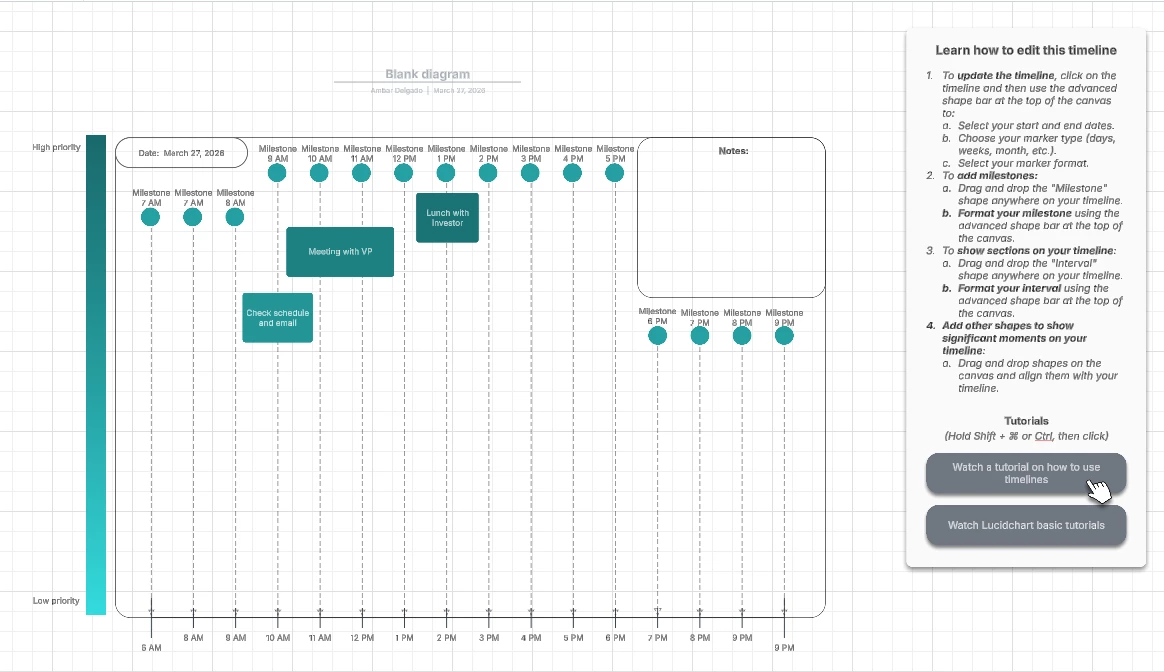
It seems to me like the tutorials for timelines and daily schedules are not quite up-to-date. I’m a new user of Lucid, and trying to create daily schedules, but running into multiple issues: 

  1. Adjusting the start and end times of a Daily Schedule template messes up the formatting of the entire schedule (doesn’t auto-adjust sizes). 
  2. Cannot find “Interval” shape, even when searching in All Shapes, to allow for modifying the start/end time of an interval. 
  3.  Adjusting the milestone time does not accurately move the milestone marker to the correct position, or it does not save the new time entry and keeps reverting back to default. 
  4. Milestone shapes are not automatically grouped, so changing the time of the milestone does not move the associated shape (i.e., the circle). 

The tutorials show features (e.g., toolbars) that I can’t find. Maybe there’s a SW difference? Are there already solutions to these issues that I’m not aware of? 

Comments

Ambar D
Forum|alt.badge.img+11
  • Lucid community team
  • March 27, 2026

Hi ​@Jeff Z, welcome to the Lucid Community! Sorry you’re having trouble here, but I’m happy to help!

Just to confirm, are you following this tutorial from the “Daily Schedule Example” template shown below? If so, great eye! It does appear that the tutorial has a few outdated items, so I’m reporting this to our template team internally. My apologies for that confusion!


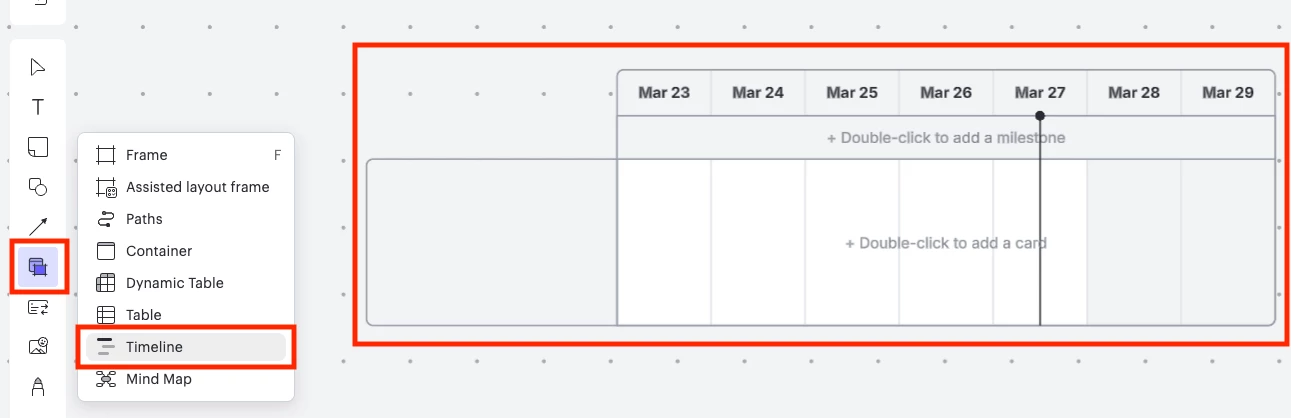
I recommend either using this timeline template, or adding a new timeline to your board directly from within your document. You can follow these steps:

  1. Open a Lucidspark board
  2. In the left menu, select the container and frame button shown below.
  3. Select Timeline and drag the timeline shape into your canvas.
  4. From there, you can add Lucid cards into your timeline and adjust the start/end date in the way you mentioned.


I recommend going through these resources below to learn more about Timelines and Lucid cards. If you have any questions about what you see, don’t hesitate to ask!


I hope this helps! Let me know if you have any further questions and I’m happy to help.