

Generate process flows quickly with Lucid AI’s Process Agent!
Meet your new AI teammate!
Lucid AI’s Process Agent is an interactive tool designed to help you build process diagrams. Based on the diagram description in your prompt, the Process Agent starts a conversation with you and builds a first draft diagram for you.
Think of it like a proactive collaborator- it asks targeted follow-up questions to help you refine your work. Based on your answers, the Process Agent tweaks the diagram, maximizing your efficiency and reducing rework!
Let’s take a look at this in action! ⬇️
💡 Process Agent solution story
Sarah is an HR Onboarding Specialist. Her goal is to create a comprehensive onboarding workflow that includes a structured 30/60/90 day plan for new hires. She hopes to create a flow that helps new hires understand what they can expect from their first 90 days at the company, and a document that their managers can reference for visibility into what their direct reports are working on.
Instead of staring at a blank canvas, Sarah opens a Lucidchart document, selects Lucid AI from the left-hand panel, and opens the Process Agent by selecting Design a process. Now she can type in her prompt to begin!
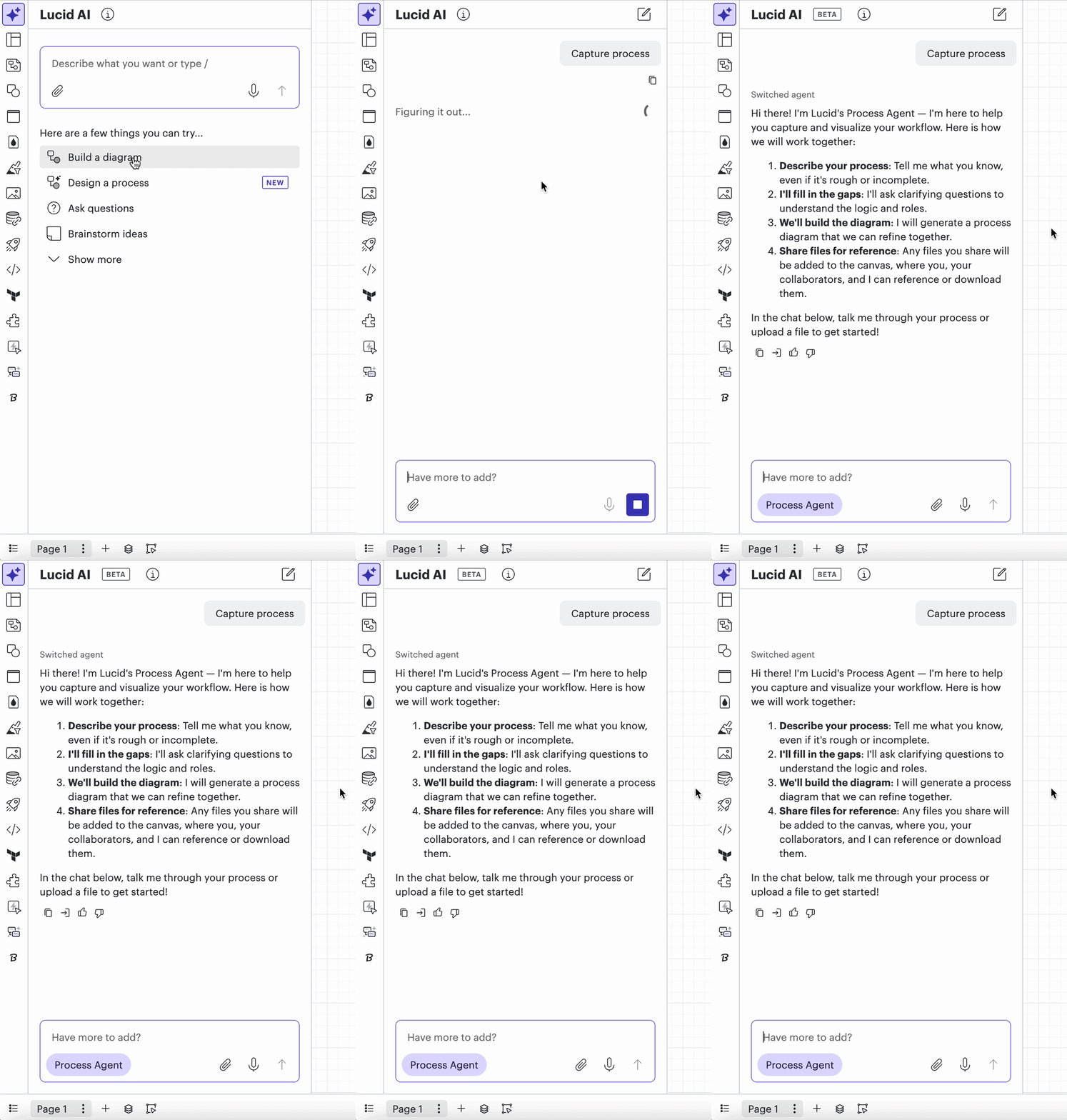
Sarah’s not entirely sure where to start, so she types in a simple prompt: “Design an onboarding process for new employees”.
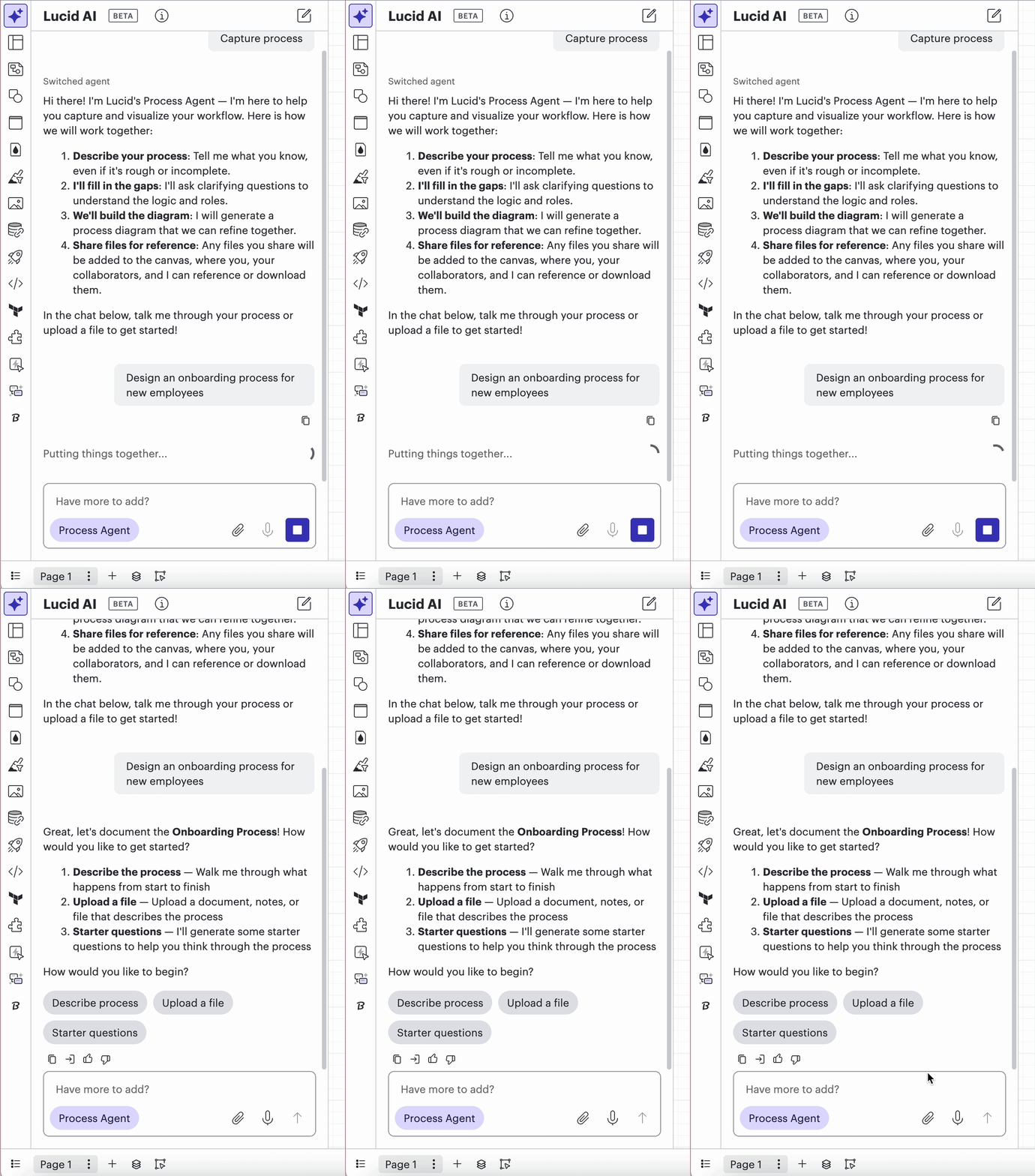
Instead of generating a random flowchart, the agent starts a back-and-forth conversation to gather relevant details. With the initial conversation underway, Sarah provides relevant context through her answers and lets the Process Agent do the heavy lifting.
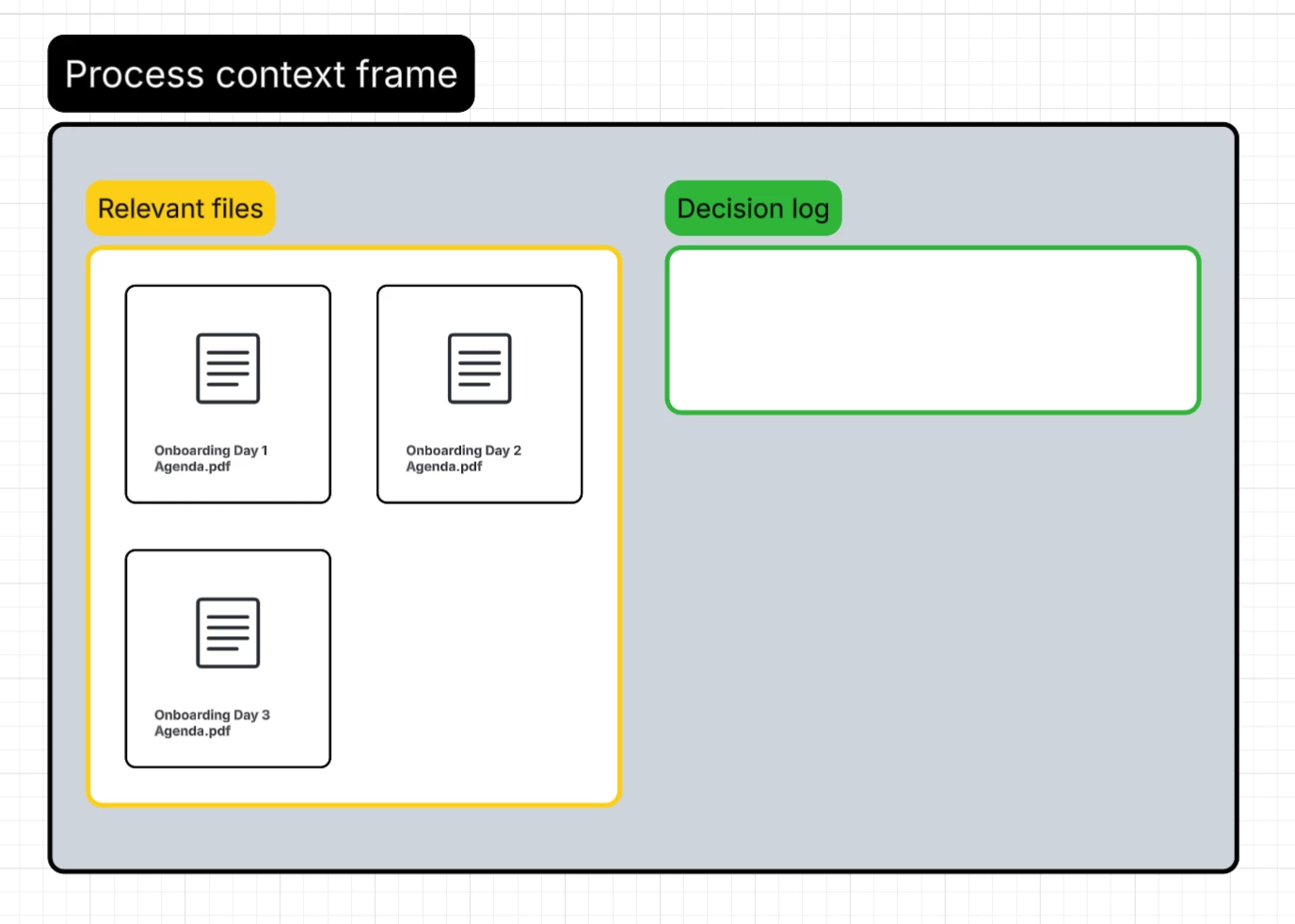
Instead of reworking materials, she uploads existing documents that detail the standard 3-day onboarding schedule. A process context frame with her uploads populates on the board automatically! Documents in the context frame will be referenced by the Process Agent as it builds out Sarah’s diagram.
She also summarizes the process in two sentences:
“New hires onboard for the first 3 days with HR. During that time, they have IT laptop pickup, a welcome meeting with their manager, and benefits/payroll set up. After that, members of their team will take them through the new hire’s 30-60-90 day plan specific to their role.”
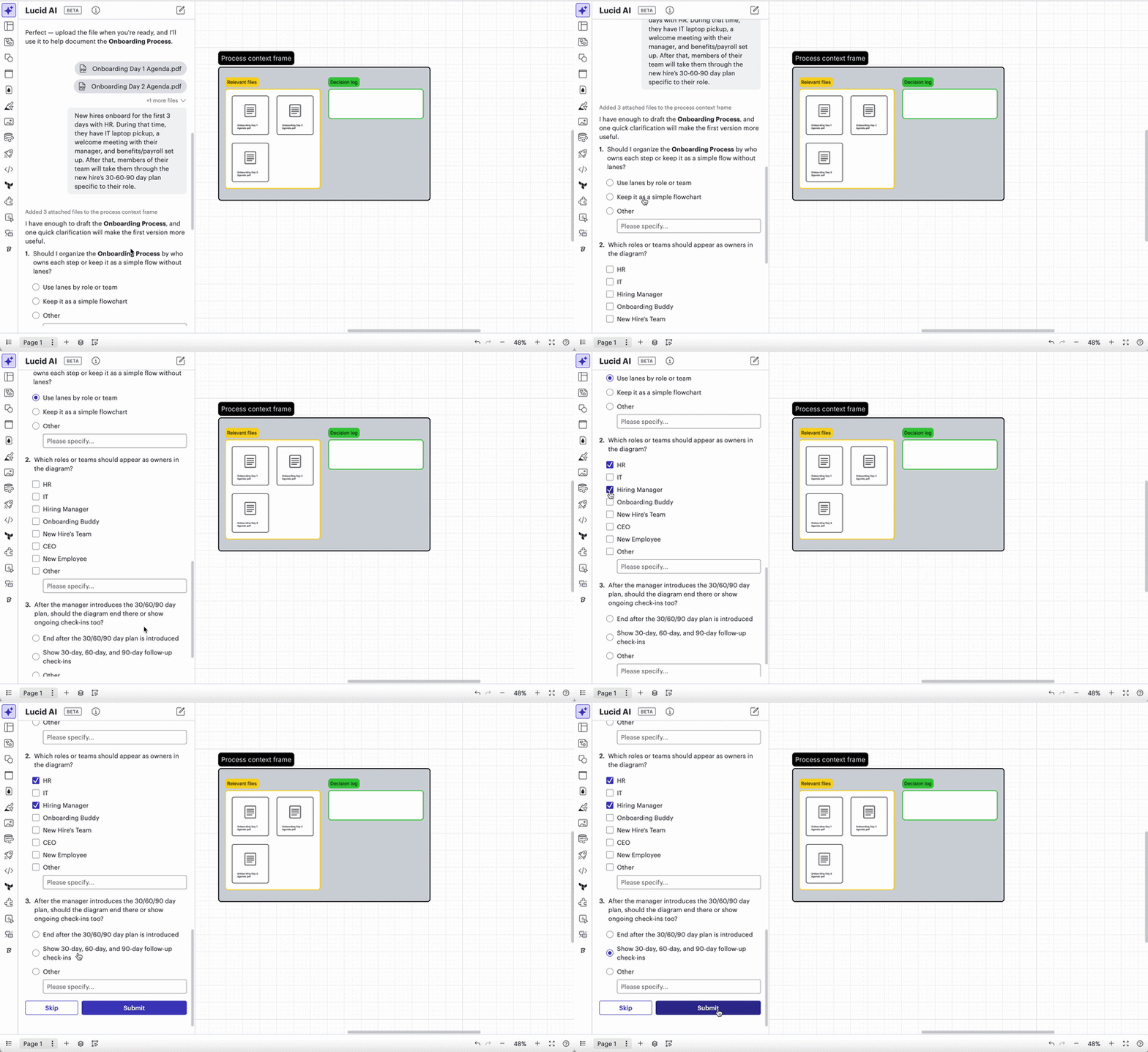
The agent asks an additional set of questions, each with multiple choice or check-mark options to select from, or the ability to type in custom answers:
- Should I organize the Onboarding Process by who owns each step or keep it as a simple flow without lanes?
- Which roles or teams should appear as owners in the diagram?
- After the manager introduces the 30/60/90 day plan, should the diagram end there or show ongoing check-ins too?
After submitting her answers, the process diagram first draft is generated, along with a diagram key, summary of the flow, and a decision log with chat history.
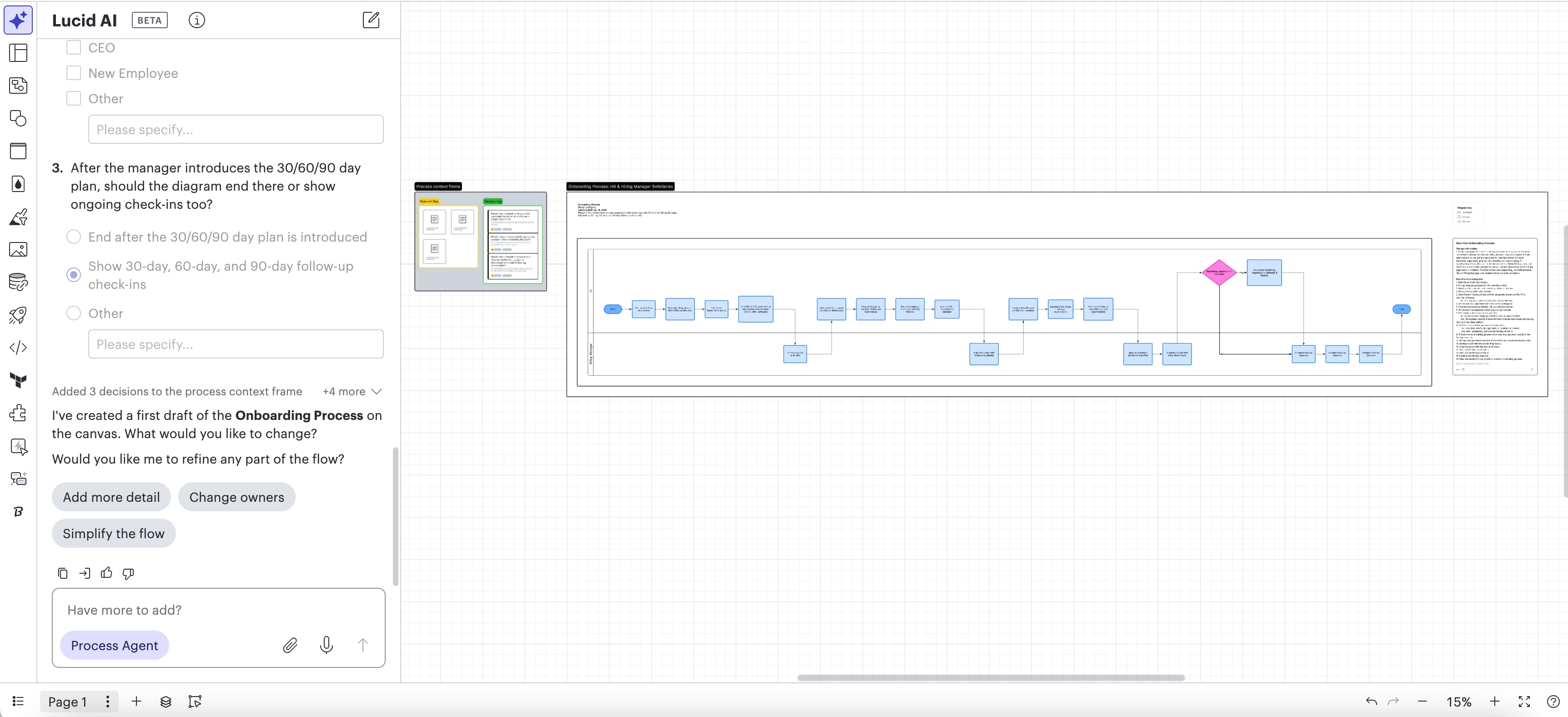
Let’s zoom in on each of those pieces to see how Sarah could continue iterating on her new diagram!
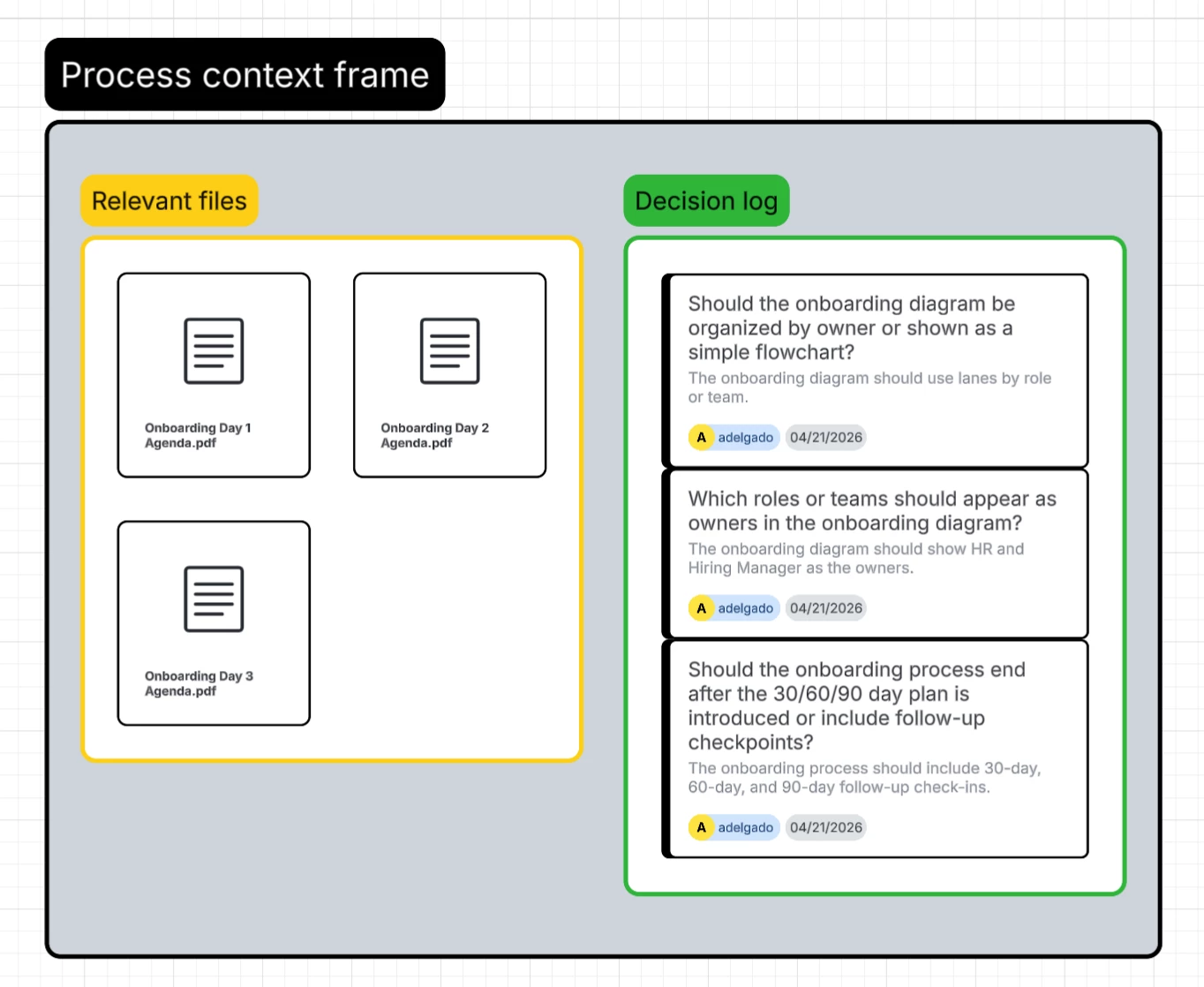
Think of the process context frame as collaborative visual memory for both you and the agent. It provides context that the Process Agent uses to build the diagram, and an easy reference point for Sarah to look back on.
It includes two sections:
- Relevant files: Sarah’s documents that she added to the agent at the beginning automatically populate in this frame. If she’d like, she can add new documents to the frame as additional context for future diagram changes.
- Decision log: This logs the chat history- including the questions asked by the agent and Sarah’s answers, all added to the board in the form of Lucid Cards.
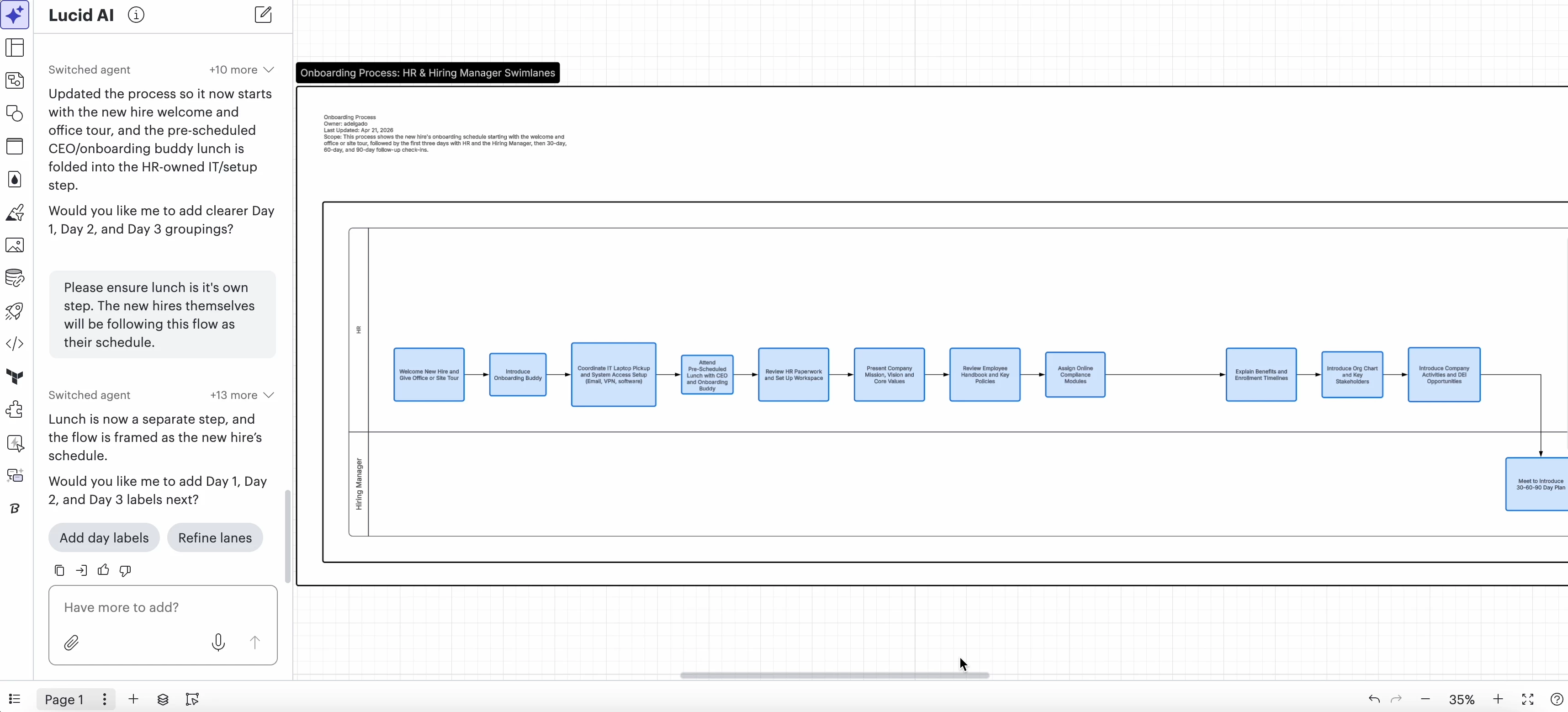
Sarah zooms in on her onboarding flow now and asks for a few changes in the chat. The Process Agent gives Sarah a great suggestion- “Would you like me to add Day 1, Day 2, and Day 3 labels next?”.
She clicks the ‘Add day labels’ button and the agent continues providing suggestions to improve the diagram. Sarah can also select “Suggest improvements”.
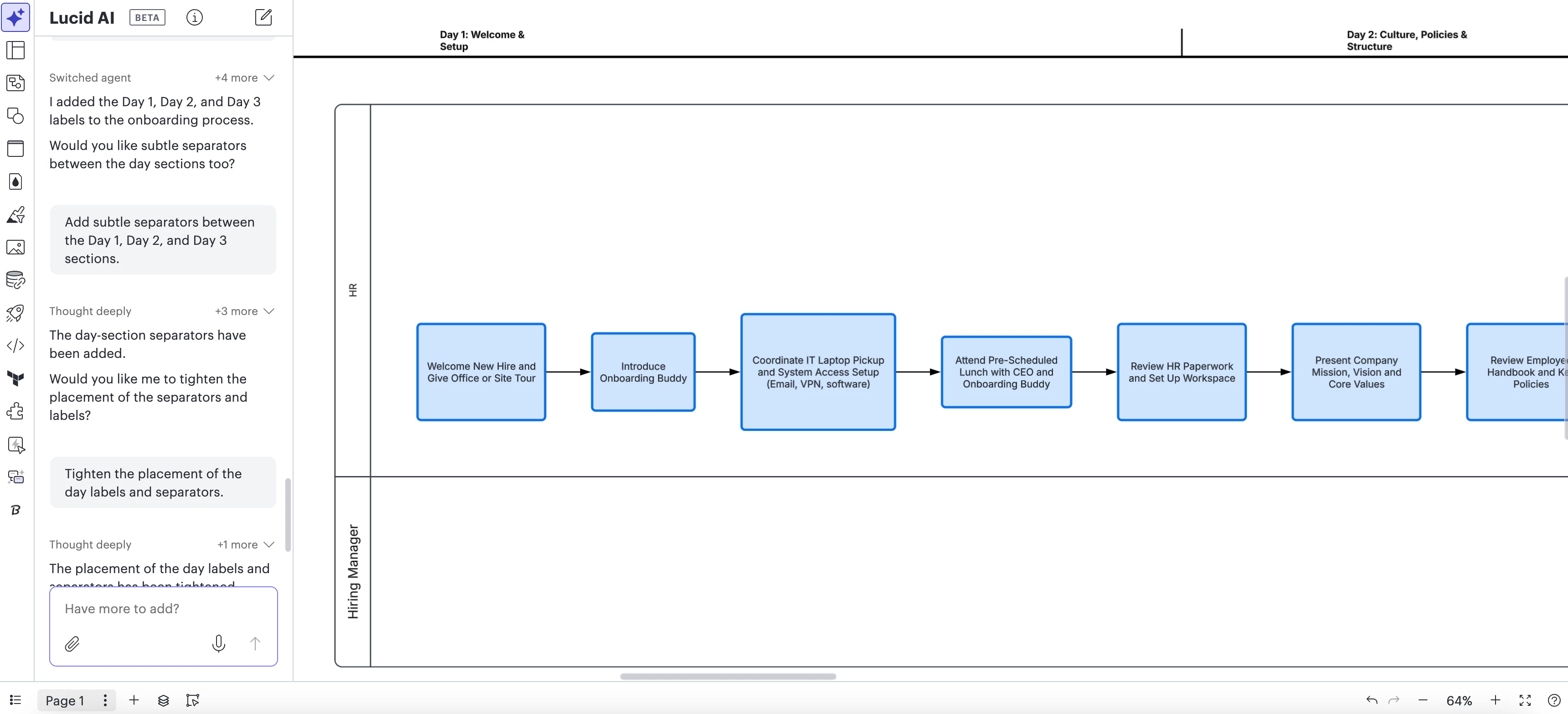
Update June 22nd, 2026:
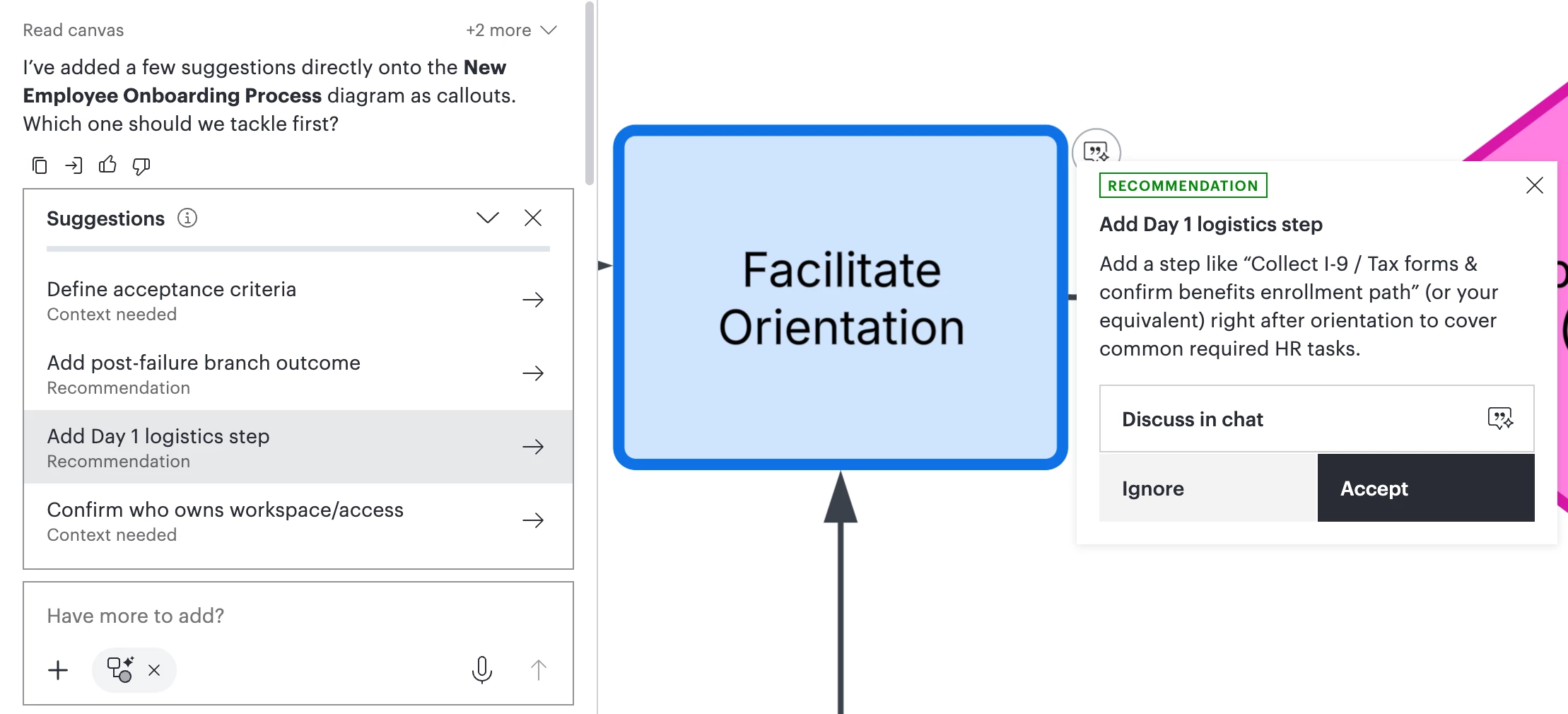
Sarah can now click into a specific suggestion, after the Process Agent reviews her diagram and suggests a list of improvments!
She clicks the suggestion “Add Day 1 logistics step” and is automatically taken to the step in her diagram. From there, she has a few options:
- Accept: The Process Agent will make the suggested change to her diagram.
- Discuss in chat: Provide additional information in the chat before implementing the change.
- Ignore: After thinking it over, Sarah decides to leave this portion as is and selects Ignore.
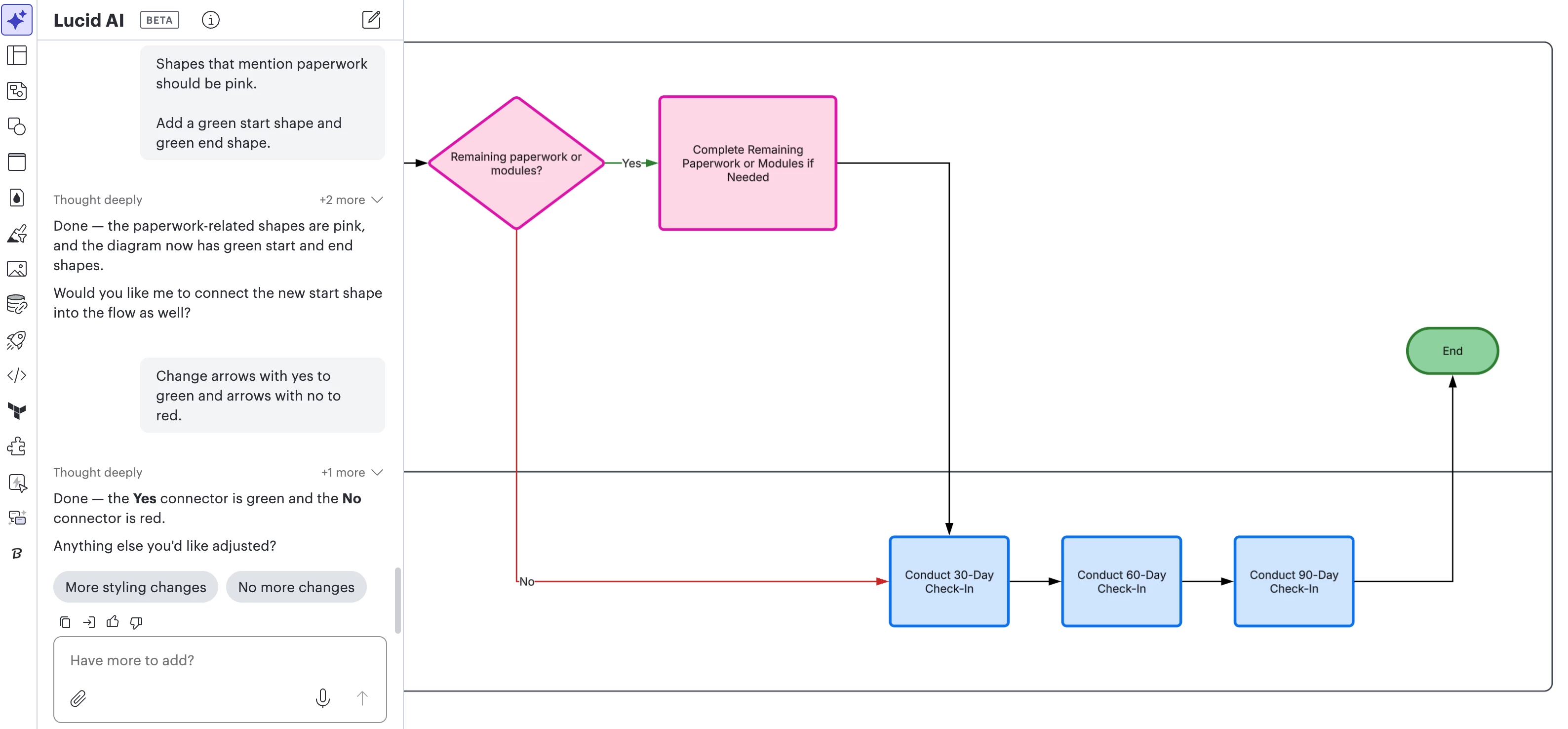
Sarah now wants to change some of the styling to quickly see the start and end, which steps require paperwork, and what decisions are made.
Instead of updating each individual shape, she adds her styling edits to the chat:
- “Shapes that mention paperwork should be pink.”
- “Add a green start shape and green end shape.”
- “Change arrows with yes to green and arrows with no to red.”
The agent automatically makes the changes to all relevant shapes in her diagram without the manual effort of searching for relevant shapes!
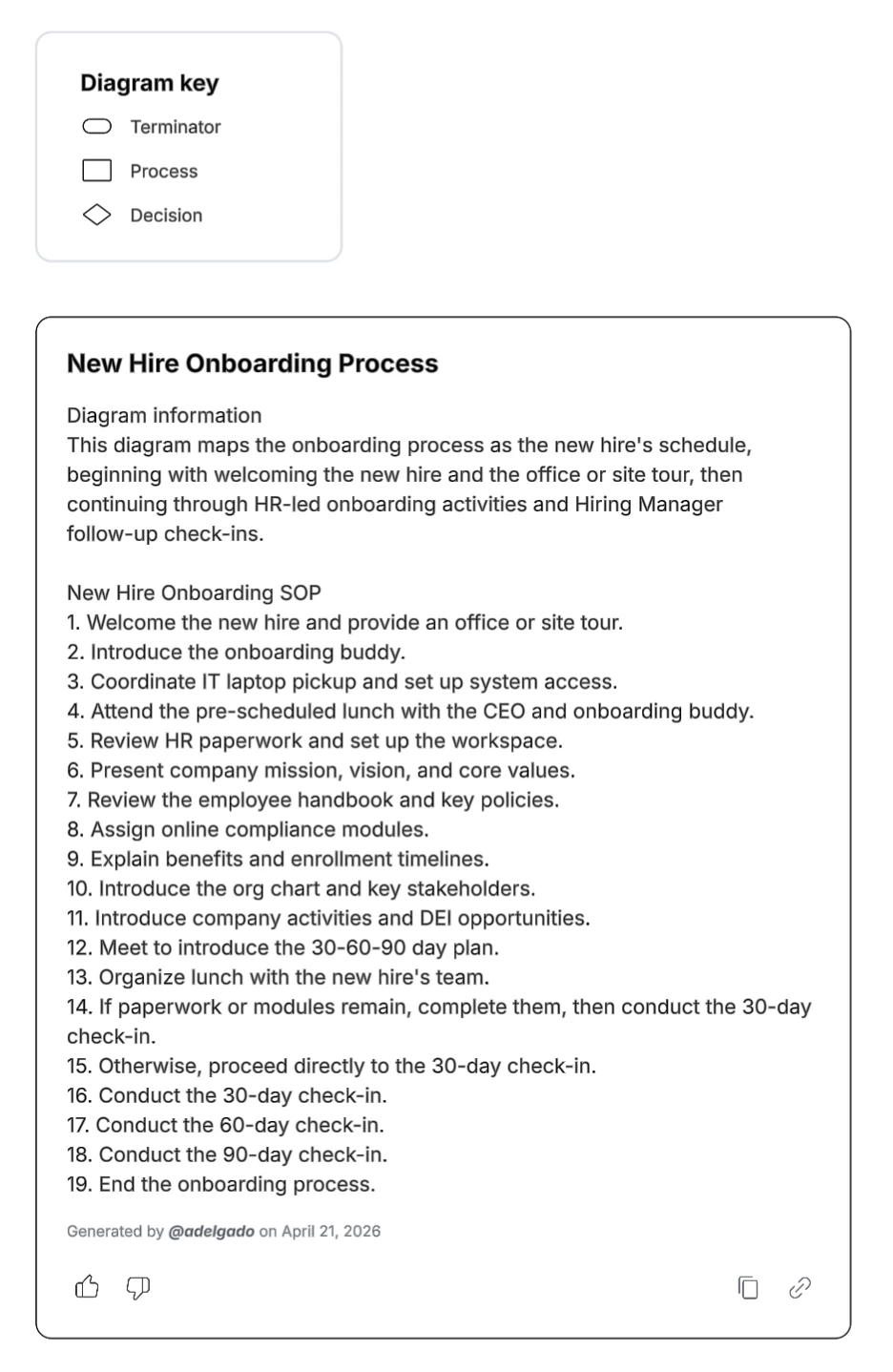
Sarah is content with her diagram! The last thing she checks is the diagram key and the SOP, which will be valuable as she shows colleagues her logic and gets her team’s feedback on the flow.
How can the process agent change YOUR workflow?
Sarah went from a blank canvas to a refined onboarding workflow template in minutes- without ever having to drag a shape manually. By acting as both a designer and a consultant, the Process Agent doesn’t just draw. It thinks through the logic with you to ensure your documentation is accurate and actionable.
How could this change your workflow? Whether you work in HR , manage engineering sprints, or generally create business process flowcharts, we want to hear your thoughts!
What’s one ‘messy’ process that you’d like to see the Process Agent tackle? How can you see this saving you time in your current work?
We’d love your input! Comment on the post below to share your thoughts and help shape the future of Lucid AI and the Process Agent. ⏬
 Your privacy choices


