
Product update

Check out the new, fully customizable Primary Toolbar in Lucidspark! 🎉

  • February 6, 2024
  • 4 replies
  • 158 views

Morgan T
Forum|alt.badge.img+16

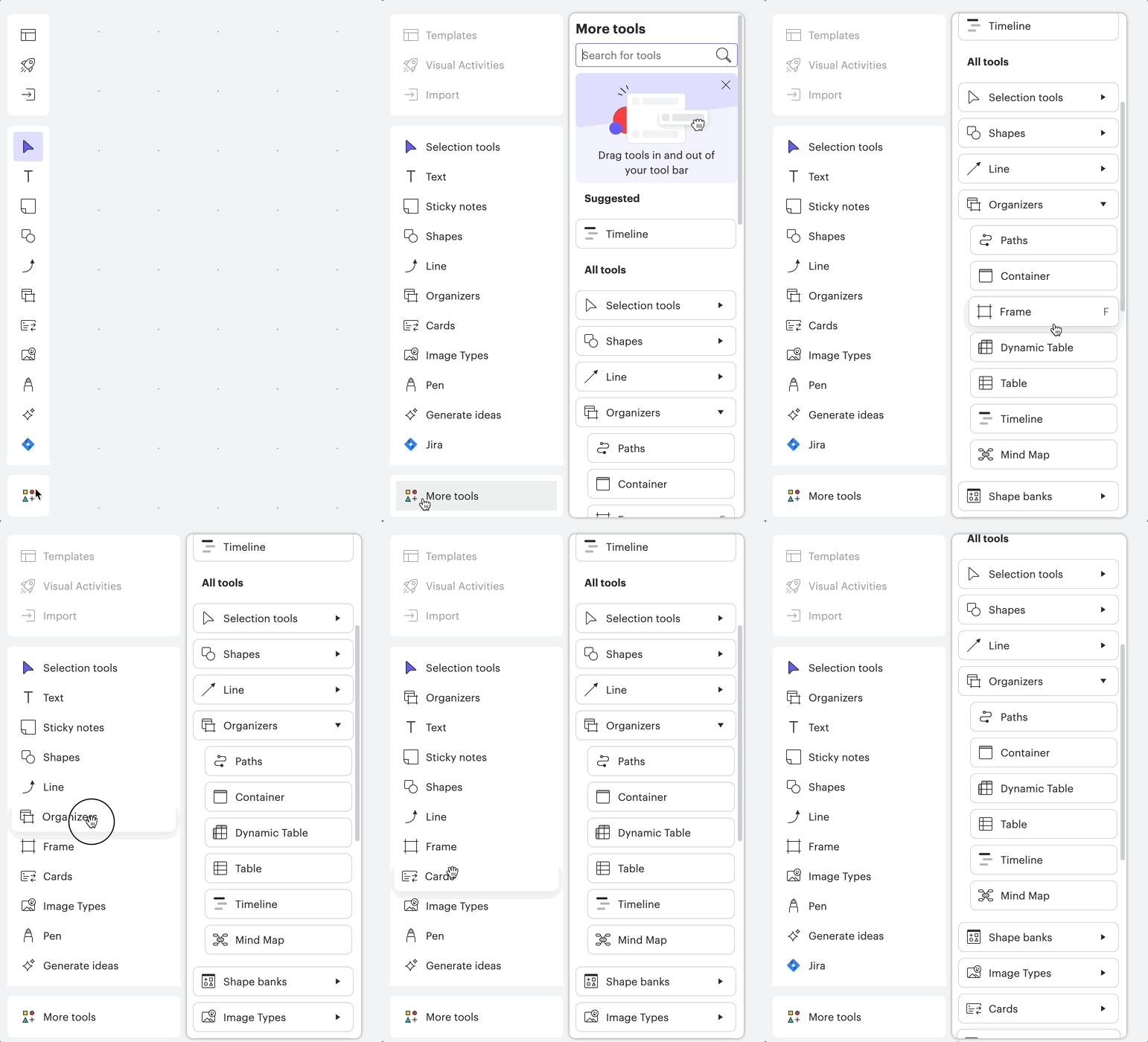
Exciting news! We have released a new Primary Toolbar experience in Lucidspark (and Team Spaces) that allows you to fully customize which tools appear. Drag tools in and out of the toolbar to optimize your workflow and provide quick access to the tools you use most often. For more details, check out our Welcome to Lucidspark article.

Let us know in the comments which tool you are most excited to feature in your customized Primary Toolbar!
 

Comments

Stacey R
Lucid Legend Level 5
Forum|alt.badge.img+10
  • Lucid Legend Level 5
  • February 14, 2024

I’m really digging the refresh of the toolbar! The first two things I did were put the laser pointer up at the top and add the container button directly so that it sits between sticky notes and shapes.


Micah
Forum|alt.badge.img+20
  • Lucid community team
  • February 14, 2024

Agreed @Stacey R - I did the exact same thing with my container button! 😁


Forum|alt.badge.img+1
  • February 23, 2025

My primary toolbar in Lucid Spark is gone! Not sure if I pressed something wrong but all I am doing is just moving my charts in another area. This is how the tool bar looks now.       

      Please help!   


Leianne C
Forum|alt.badge.img+15
  • Lucid support team
  • February 24, 2025

Hi ​@Lizbeth, thank you for continuing this post. I saw that you also created a topic about this here:

I’ve responded to the post with some follow up questions. Would you mind taking a look and responding to that post so that we can assist further? Feel free to let me know if you have any questions, thanks! :)