

Assisted layout update: span containers and grouped objects! 🎉
We’re excited to announce two new updates to assisted layout, making it easier than ever to create an easy-to-read workspace! 🎉
What is assisted layout?
Assisted layout helps you to create a clean, presentable workspace by organizing and rearranging your content automatically.
What’s new?👇🏽
Spanning containers ✨
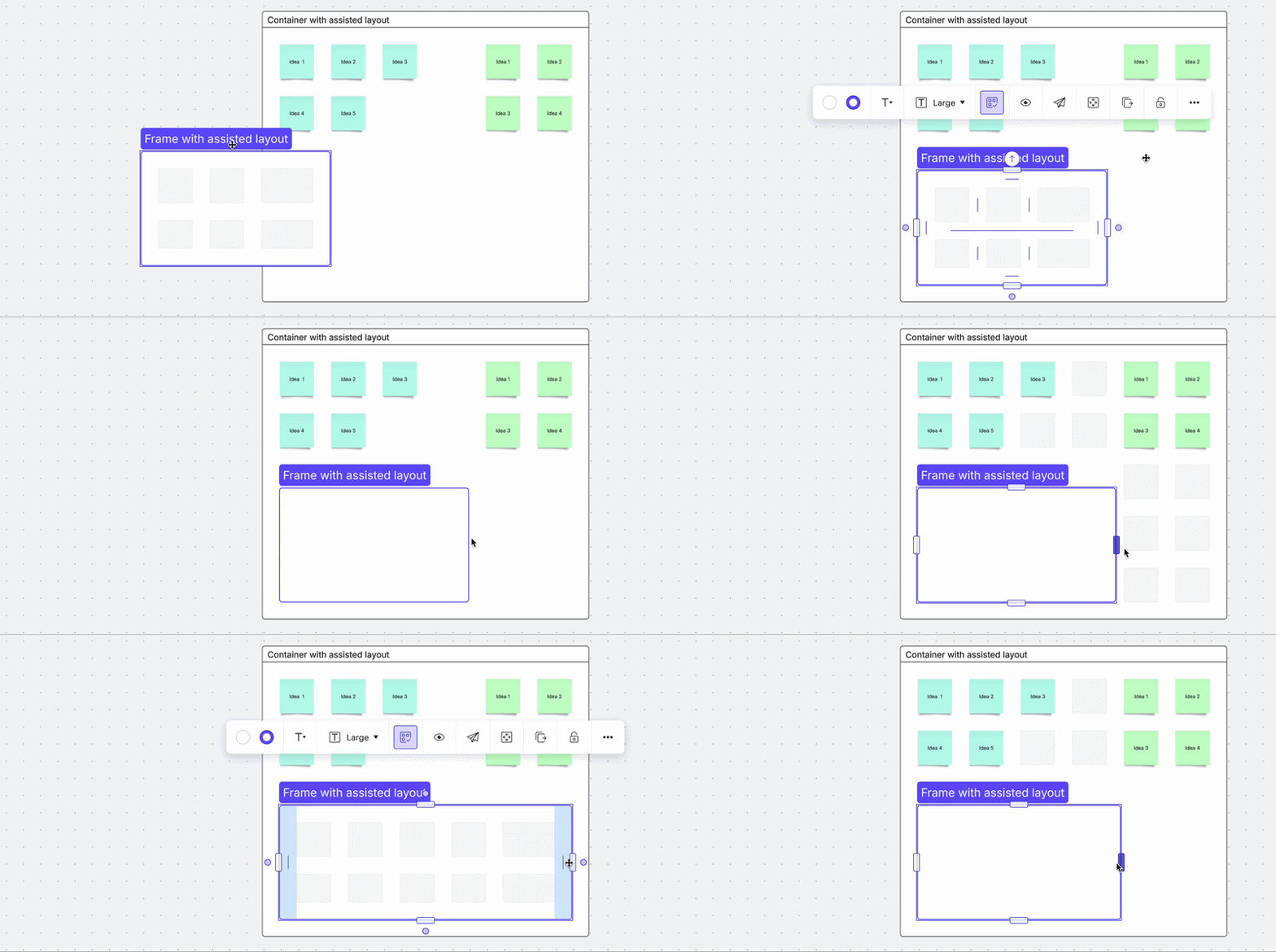
Containers with assisted layout applied now automatically span rows and columns when you pull them into another container with assisted layout enabled.
To activate spacing handles on any current nested containers to have them spam, you can hold Command or Ctrl.
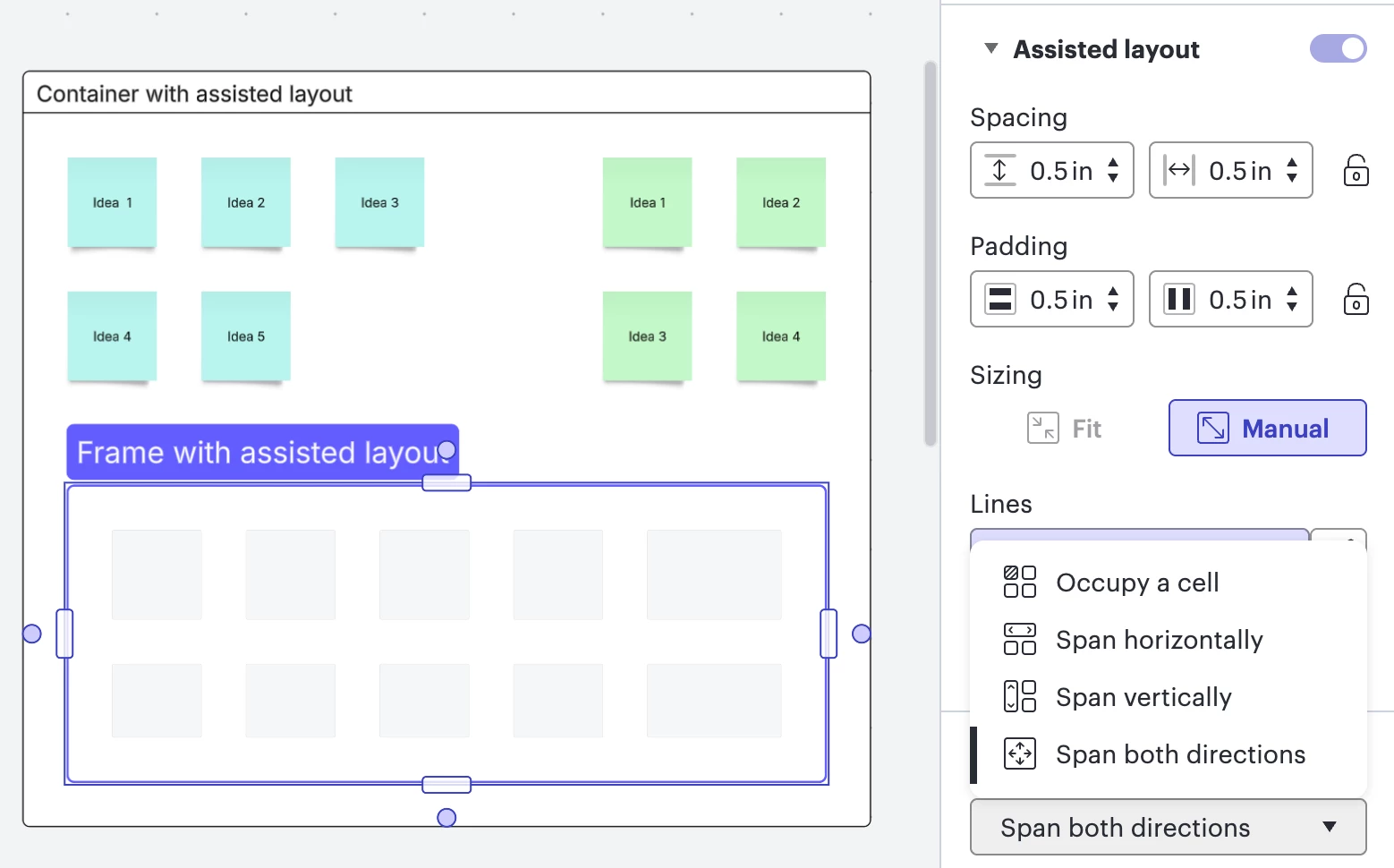
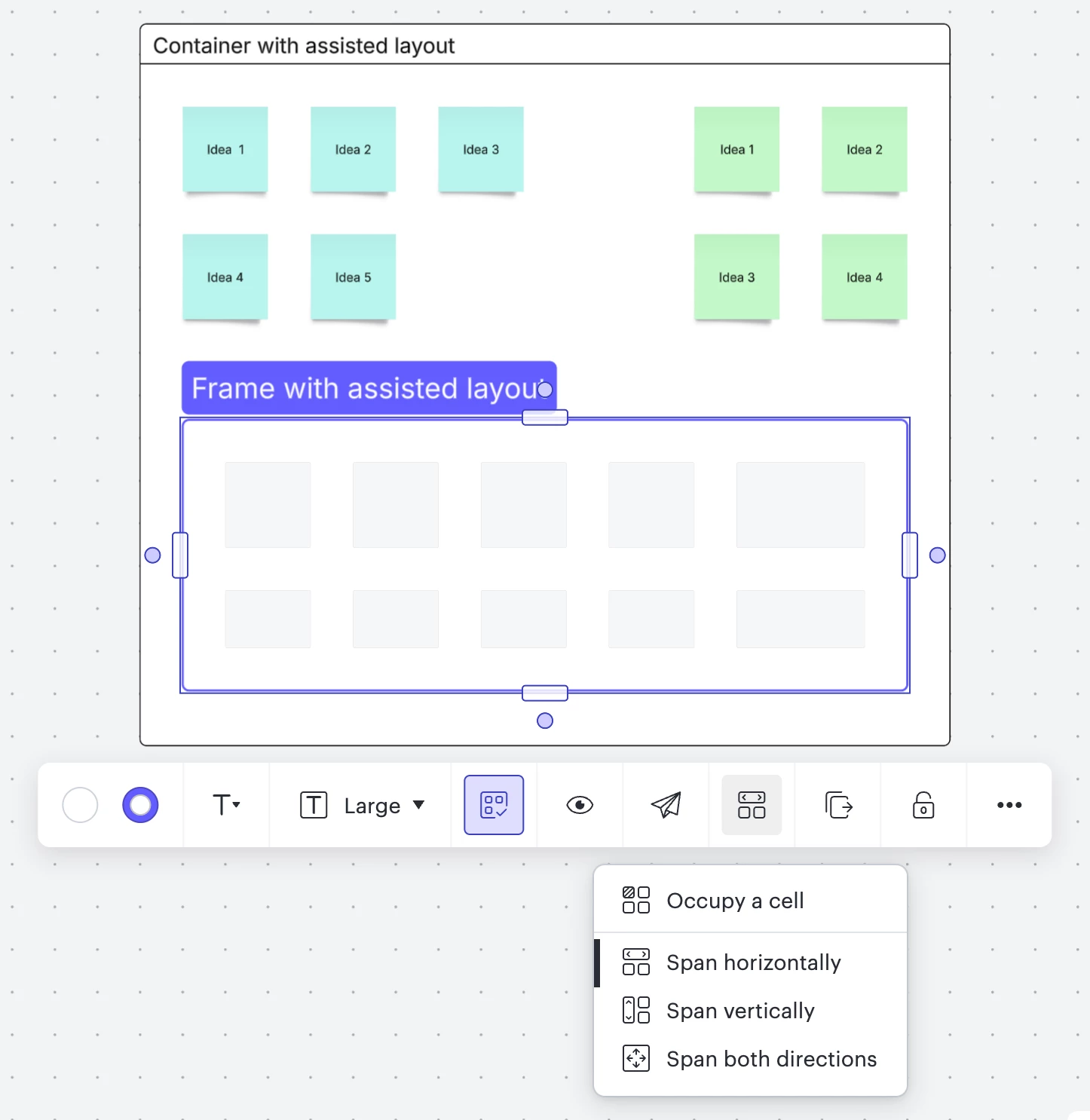
Additionally, there are spanning controls available:
- Occupy a call
- Span horizontally
- Span vertically
- Span both directions
Grouped objects ✨
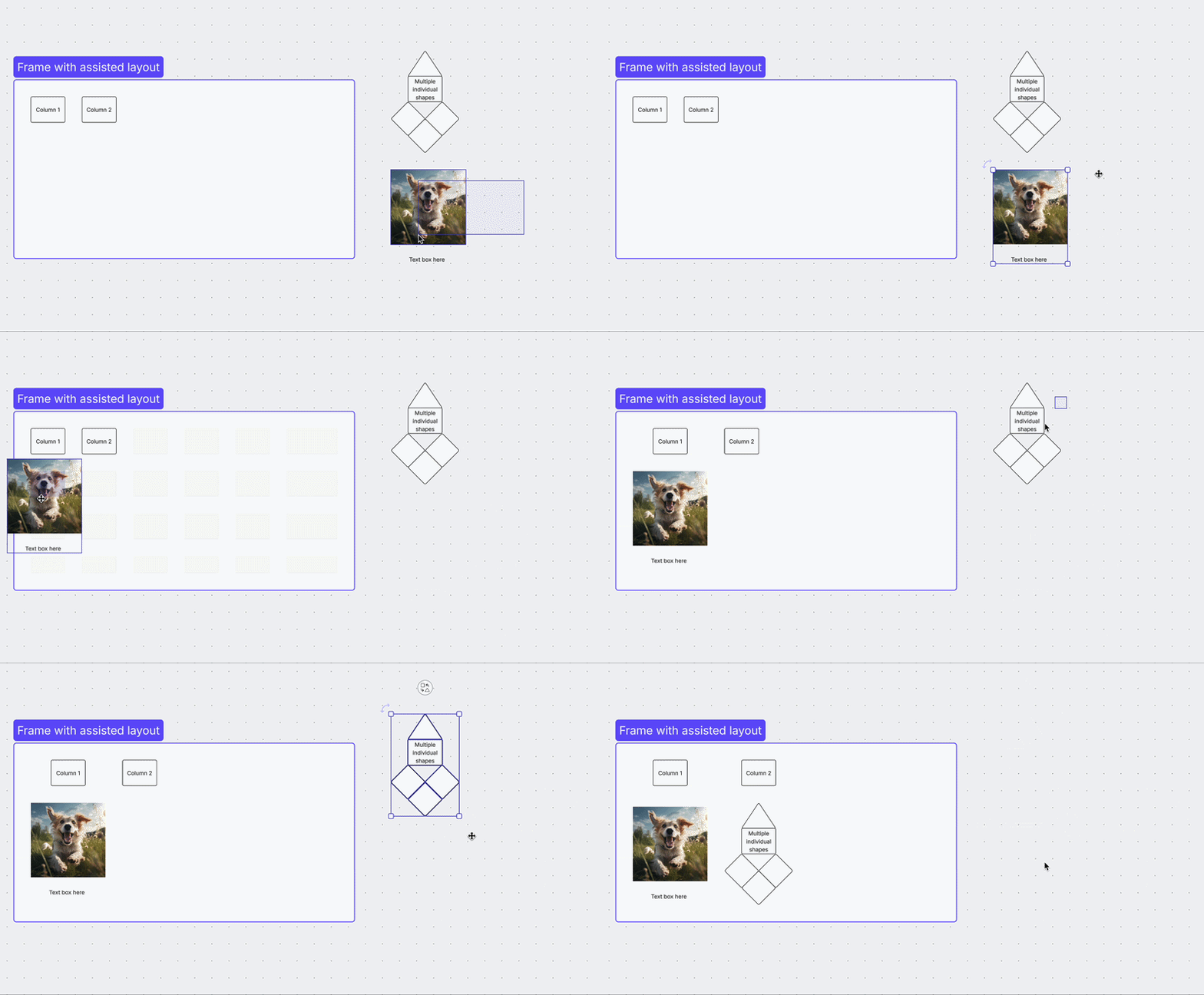
We now also support grouping objects and pulling the grouped objects into assisted layout containers
Let us know what you think!
We’d love your feedback! Try this out and let us know what you think in the post below. What do you like about this feature? What else would you like to see? Comment on the post linked below! 👇
 Your privacy choices


