Idea

Text in Measure Confidence activity does not scale with widget

Related products:Lucidspark
  • April 9, 2026
  • 5 replies
  • 26 views

Forum|alt.badge.img+1

The Measure Confidence widget was very tiny and hard to find in our large Lucidspark board.
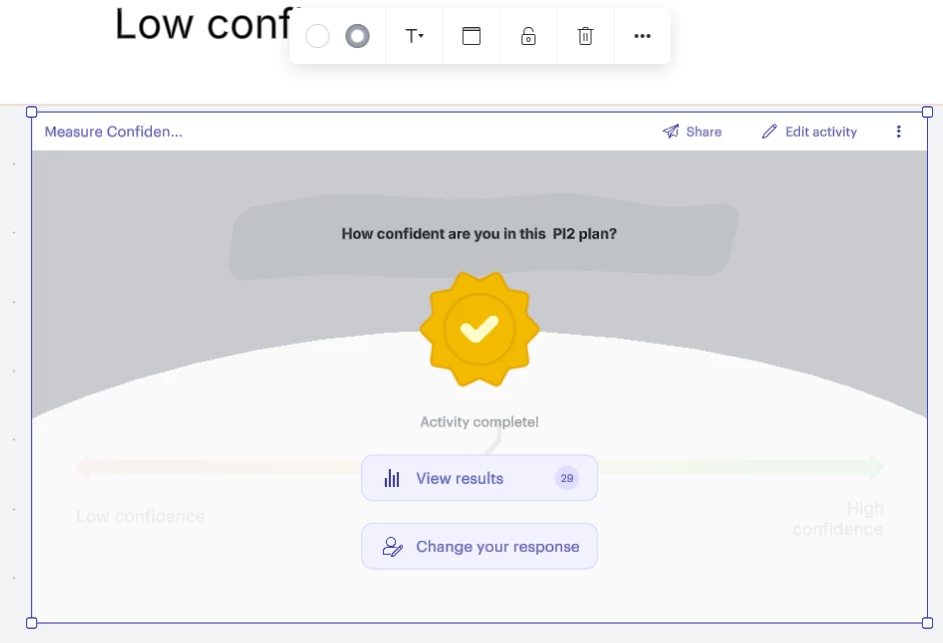
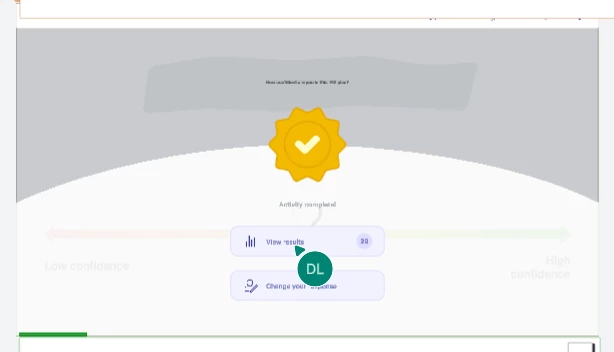
One of my team members enlarged the widget, but the text in the widget did not scale with it:

 

Comments

alison cheney
Forum|alt.badge.img+8
  • Lucid community team
  • April 10, 2026

Thank you ​@Joe DeVincentis for posting in our Lucid Community!

Have you tried selecting the text inside the widget and manually increasing the size of your text? (see screenshot below)


Sometimes visual issues with widgets are tied to WebGL rendering. You can try turning off WebGL by selecting the More Menu (three lines) > View > Rendering > Uncheck “Use WebGL” (see screenshot below). 

If those don’t resolve the problem, can you please send the following information so I can take a closer look?

  • A screenshot of the associated Javascript Console output after reproducing the issue. You can open your Javascript Console by pressing Ctrl+Shift+J (if your computer is a Windows/Linux) OR Cmd+Opt+J (if your computer is a Mac).

  • A temporary Document Support PIN for this document. This will help me take a closer look at what’s going on! This PIN is safe to post in this thread because it is only accessible by members of the Lucid support staff. You can find steps for generating a Support PIN in this Lucid Help Center article: Generate a Lucid Support PIN. 

Thanks in advance for your help and patience!


Forum|alt.badge.img+1

It is possible to select the text and change the size manually, or change it to Auto, which causes it to scale with the widget the way it should. The problem, though, is that this widget is supplied with this text at a fixed size. It should start out set to Auto so the problem doesn’t happen in the first place.


alison cheney
Forum|alt.badge.img+8
  • Lucid community team
  • April 15, 2026

Hi ​@Joe DeVincentis,

Thanks for your response! I understand how this would impact your workflow. Unfortunately, this isn’t currently supported in Lucid, but we’re very interested in your feedback and committed to continually improving our products. If you’re willing to share, we’d love to hear more details about your use case or what you’d like to see in this experience within this thread. I’ve also converted this post to an idea so that it’s visible to others within the Product Feedback section of the community - from here, they can upvote it and add details of their own.

Finally, for more information on how Lucid manages feedback via this community, take a look at this post:


Forum|alt.badge.img+1

The “Low confidence” and “High confidence” text does come preconfigured in the widget to scale. That was how I learned there was an Auto setting. So I’m surprised you can’t make the other text scale (and it is all the other text in the widget that has the problem, including in layers covered at the time of my screen shot). This annoyed all of us on the team when we saw it, and I just came here to provide our collective feedback.


alison cheney
Forum|alt.badge.img+8
  • Lucid community team
  • April 17, 2026

Thank you ​@Joe DeVincentis for this additional context and for providing the collective feedback of your team. This level of detail is exactly what our product team looks for when reviewing requests. We encourage anyone else who’s interested in this to upvote this post and share any additional details about your use case or what you’d like to see in this experience!