

Hello.
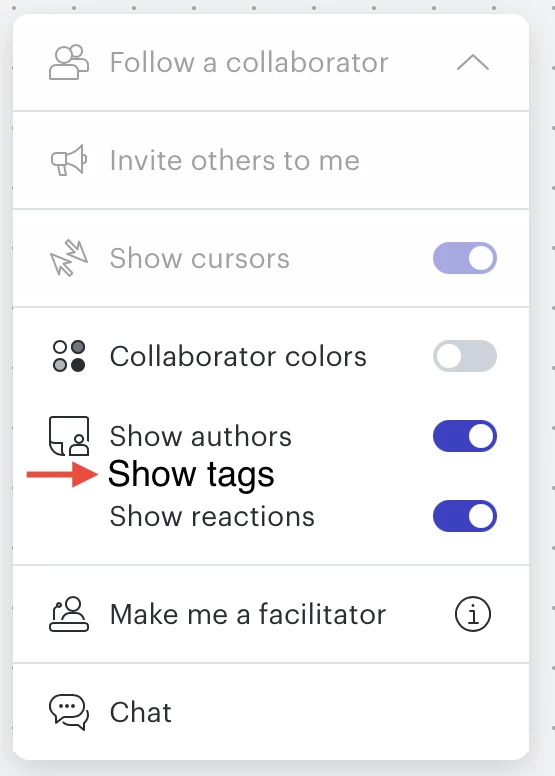
In Lucidspark…
1)When we tap on a tag it doesn’t show/open the other tags with the same name.
2)The tags are not left open. So they are just color tags. But there are only 12 colors to pick from. So eventually we are going to have visual overlap. So how do we know which tag has which name if they are both the same color- and on top of that if we use the same color 20+ times how do we know which ones have which name.
It would be useful if we can tap on one and the other ones with the same name and color are shown at the same time or have all tags shows all the time.
I know I can use the dynamic table feature but without using it there is no way to know this kind of information at a bird’s eye view.
Thank you for your time. Bye.
Idea
Tags issue - Option to show all tags


Create an account in the community
A Lucid or airfocus account is required to interact with the Community, and your participation is subject to the Supplemental Lucid Community Terms. You may not participate in the Community if you are under 18. You will be redirected to the Lucid or airfocus app to log in.
Log in to the community
A Lucid or airfocus account is required to interact with the Community, and your participation is subject to the Supplemental Lucid Community Terms. You may not participate in the Community if you are under 18. You will be redirected to the Lucid or airfocus app to log in.
Log in with Lucid Log in with airfocus
or
Enter your E-mail address. We'll send you an e-mail with instructions to reset your password.
 Your privacy choices


