Idea

Set default text settings for Lucid cards

Related products:Lucidspark
  • February 18, 2026
  • 1 reply
  • 11 views

Forum|alt.badge.img

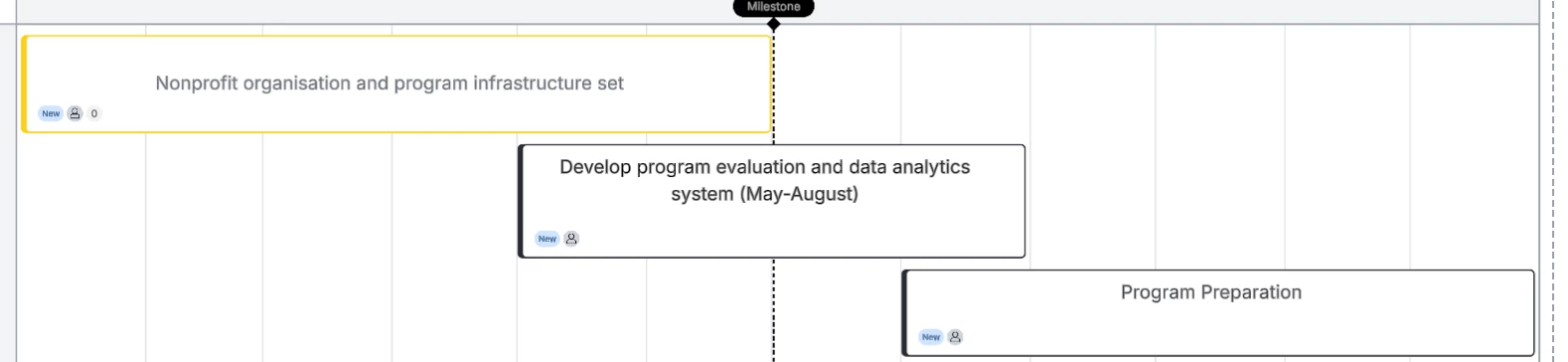
I can’t adjust the text padding...It has been inconsistent and so hard to use.

You can see the left most one, for some reason, stays in the middle. But the other two on the right, the black ones cannot be adjusted for the life of me. 

And I have to also adjust text size every single time!!! Make this easier please. So much friction. Bad user experience man.

 

Comments

Forum|alt.badge.img+9
  • Lucid & airfocus support team
  • February 19, 2026

Hi ​@liangviv

Thanks for posting in the Lucid Community! 

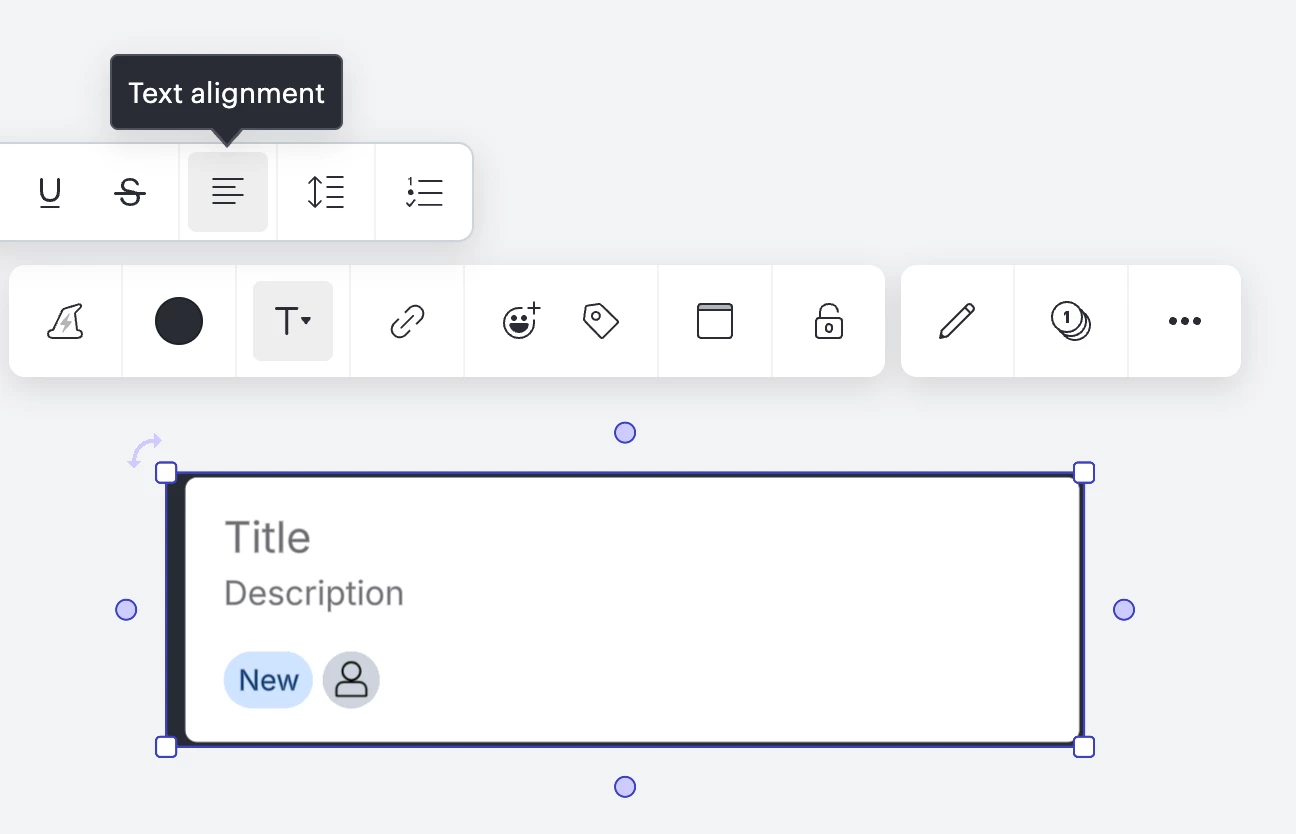
Looking at your screenshot, it seems like the yellow card (the card on the left) only has text in the Description, compared to your other two cards, which have text in the Title. You can adjust the text alignment for each card by clicking on the card> click the Text icon> then “Text alignment”
 

Unfortunately, there is currently not a way to set a default text alignment or text size with Lucid cards.

We’re very interested in your feedback and committed to continually improving our products. If you’re willing to share, we’d love to hear more details about your use case or what you’d like to see in this experience within this thread.
I’ve also converted this post to an idea so that it’s visible to others within the Product Feedback section of the community - from here, they can upvote it and add details of their own.

Finally, for more information on how Lucid manages feedback via this community, take a look at this post: