Idea

Lucidspark Card - Expand and Collapse options?

Related products:Lucidspark
  • February 23, 2024
  • 3 replies
  • 104 views

Marc S101
Forum|alt.badge.img+2

Hi - Does anyone know if there’s a way collapse or expand LucidSpark cards? I want to add a lot of text to the description of my cards, and be able to collapse the cards down so that only the card title is visible. I also want an indicator on the collapsed card tell me that the card is collapsed. 

Currently, when I add description text to a card all of the text is visible and I can’t collapse the cards down to just the title. This is a problem if I have a lot of cards say in an Eisenhower Chart, or swot diagram.

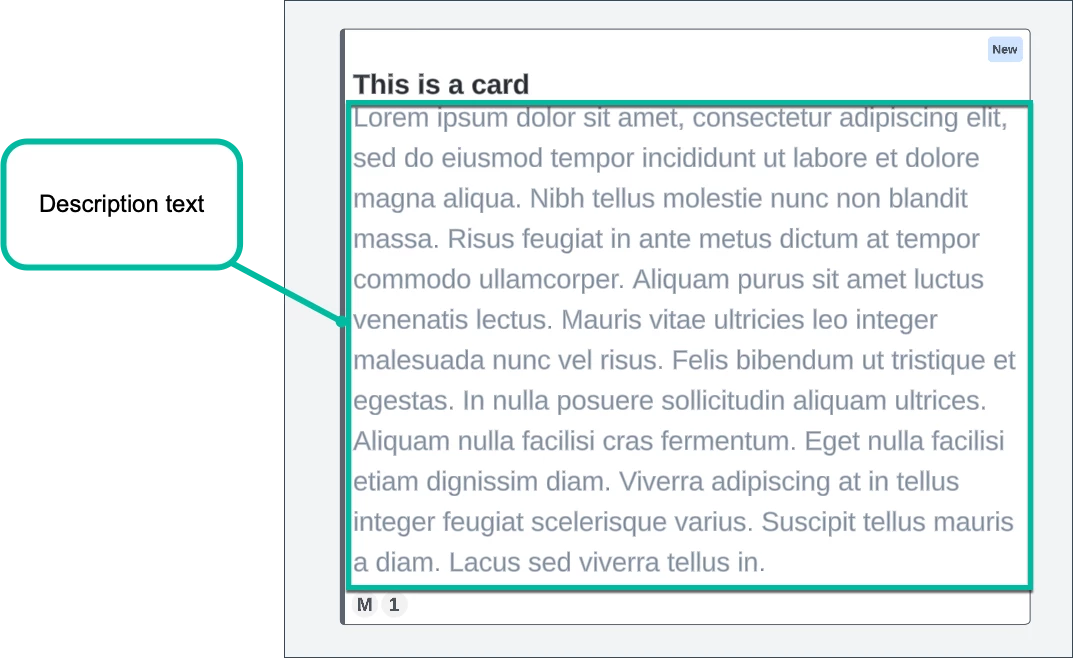
In the capture below, the text highlighted in green is the description text that I want to collapse down or hide.
 

Thank you,


Marc

February 23, 2024

Hi Marc, thanks for your post! Unfortunately, this isn’t currently supported in Lucid, but we’re very interested in your feedback and committed to continually improving our products. If you’re willing to share, we’d love to hear more details about your use case or what you’d like to see in this experience within this thread. I’ve also converted this post to an idea so that it’s visible to others within the Product Feedback section of the community - from here, they can upvote it and add details of their own.

Finally, for more information on how Lucid manages feedback via this community, take a look at this post:


Comments

Micah
Forum|alt.badge.img+20
  • Lucid community team
  • February 23, 2024

Hi Marc, thanks for your post! Unfortunately, this isn’t currently supported in Lucid, but we’re very interested in your feedback and committed to continually improving our products. If you’re willing to share, we’d love to hear more details about your use case or what you’d like to see in this experience within this thread. I’ve also converted this post to an idea so that it’s visible to others within the Product Feedback section of the community - from here, they can upvote it and add details of their own.

Finally, for more information on how Lucid manages feedback via this community, take a look at this post:


Marc S101
Forum|alt.badge.img+2
  • Author
  • February 23, 2024

Hi @Micah -- Sure here’s some more detail. 


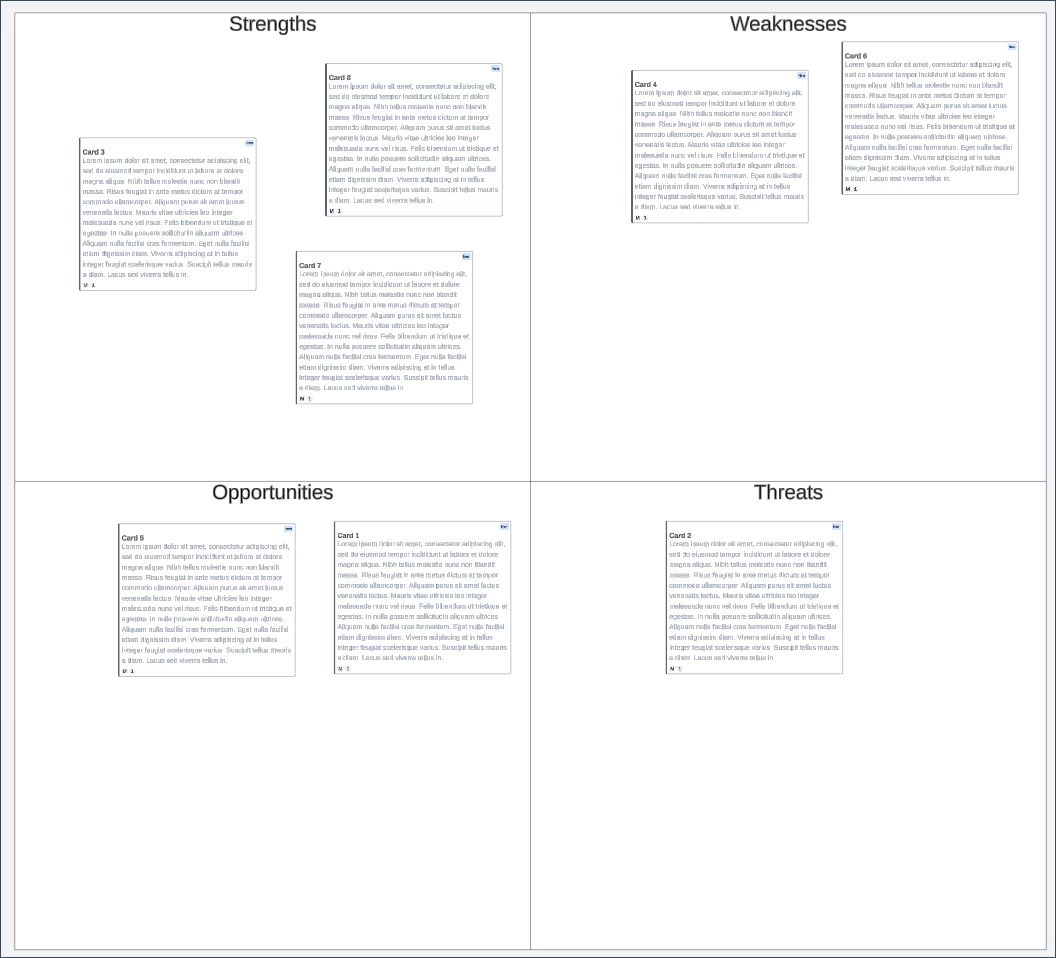
Let’s say I want to make a SWOT chart. Cards seem like a great way to do this, because you get a title and description in each card. However, the way cards are currently implemented, the chart becomes very noisy as the description text is seen.  See this screen capture:
 

Noisy because text in descriptions is visible


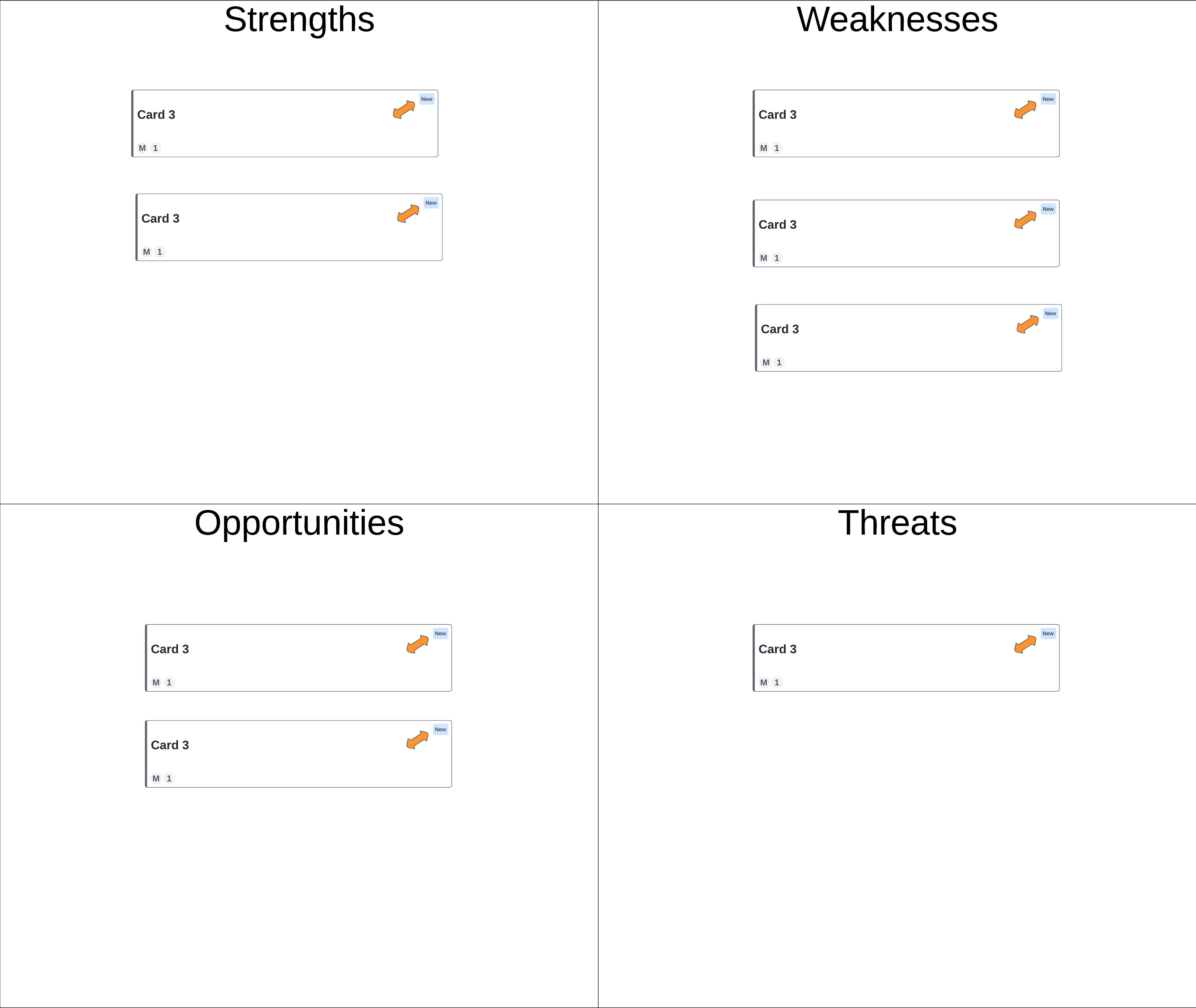
In this image, however, you can see the Titles of each card only. There is a button (orange) in each card to expand the card. 


Same cards, showing them collapsed. 


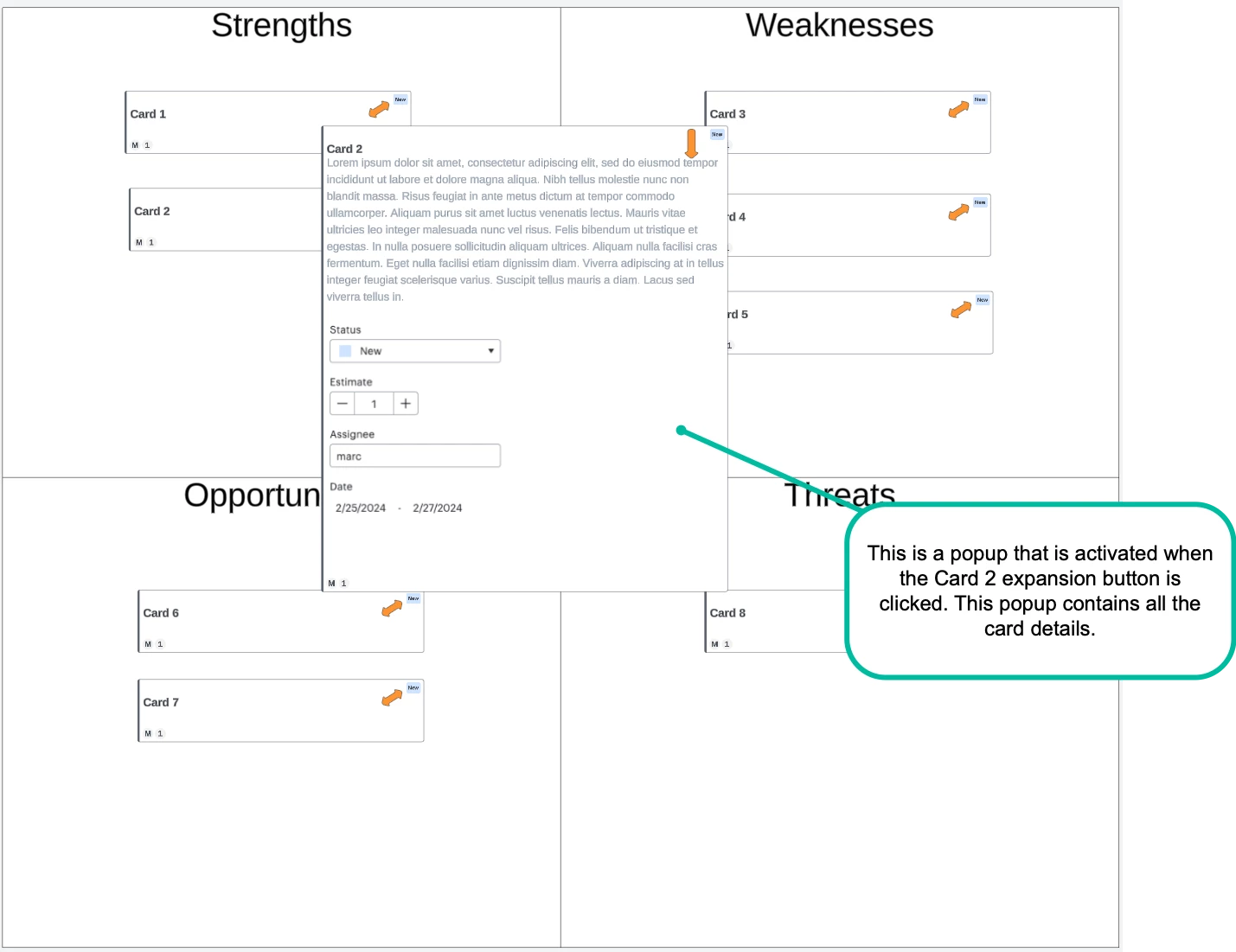
When a user clicks the expansion button, they can see all the details of the card, and see another button to collapse the card. 

One card expanded to show detail


I hope this helps. 


-Marc


Micah
Forum|alt.badge.img+20
  • Lucid community team
  • February 23, 2024

Hey Marc, thanks for this additional detail. It’s incredibly helpful and I understand how this would be effective for simplicity and clarity while still retaining detailed information for when you need it!