Idea

How to align shapes to swim lane

Related products:Lucidchart
  • August 12, 2019
  • 6 replies
  • 121 views

Paul N

I can't seem to select a swimlane AND a shape to align shape within swim lane?

Comments

Tate S
  • Lucid support team
  • August 13, 2019

Hi Paul

Thanks for posting in the community! Check out this help center article about swim lanes. If you are still running into any trouble please let me know!


Paul N
  • Author
  • August 13, 2019

Thanks Tate good video but didn't really go far enough to solve my problem.  I'm thinking maybe the app can't do what i'm trying to achieve - align all the shapes in a swim lane to the middle of the swim lane (i.e. equidistant from top and bottom of the individual lane.) I can select a single lane but when I hold shift and select a shape within that lane the selection changes to the entire chart rather then the single lane (hope that make sense).  Thanks for the help though.


Dan D103
  • March 24, 2021

I agree working with objects in a swim land is a frustrating endevor you should be able to select objects and move them about with ease however this doesn't seem the case unless I'm missing something


Emma D
Forum|alt.badge.img+7
  • Lucid support team
  • March 24, 2021

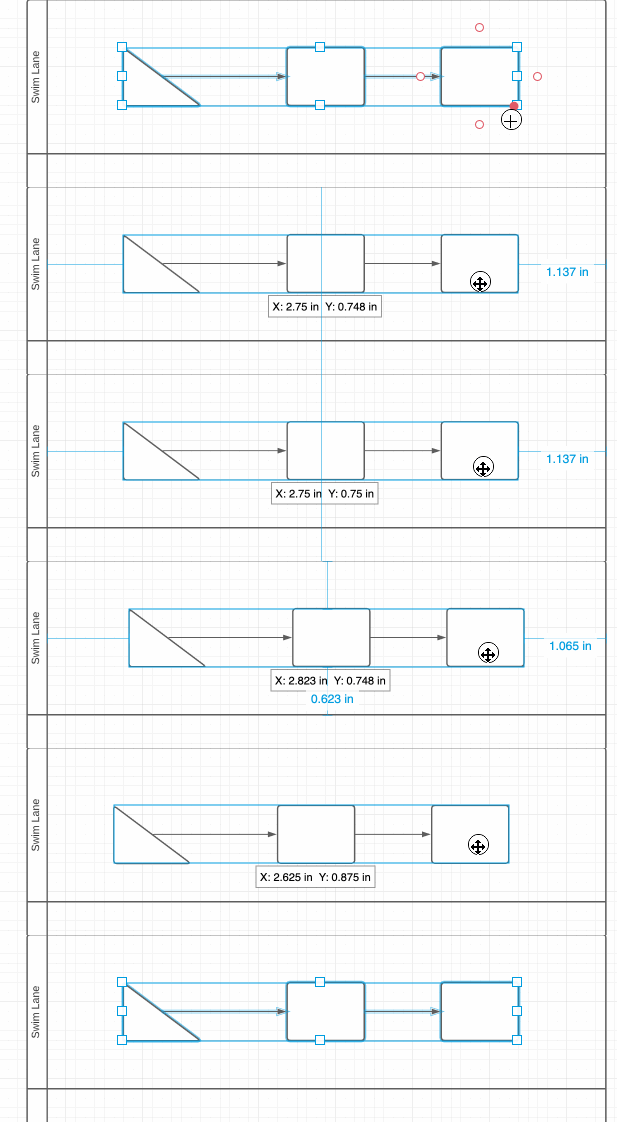
Hi Dan thanks for commenting on this thread. You should be able to drag a selection box around the shapes in the swimlane you want to move and relocate them like this:

If this isn't working for you- can you check that the swimlane isn't grouped with the shapes? If they are grouped select the group and right-click>Ungroup. That should allow you to move the shapes inside the lane independently. 

One other thing to check is whether the shapes are locked. Select the shapes and click on the lock icon in the toolbar just above your canvas. 'Size and position' should be unlocked for you to move the shapes.


Andrew L102

The issue is not moving them it's aligning them.  E.g. "Align tops". It's a easily-accessed functionality in Vizio or PowerPoint or Draw.io but not in Lucidchart??


Micah
Forum|alt.badge.img+20
  • Lucid community team
  • October 3, 2022

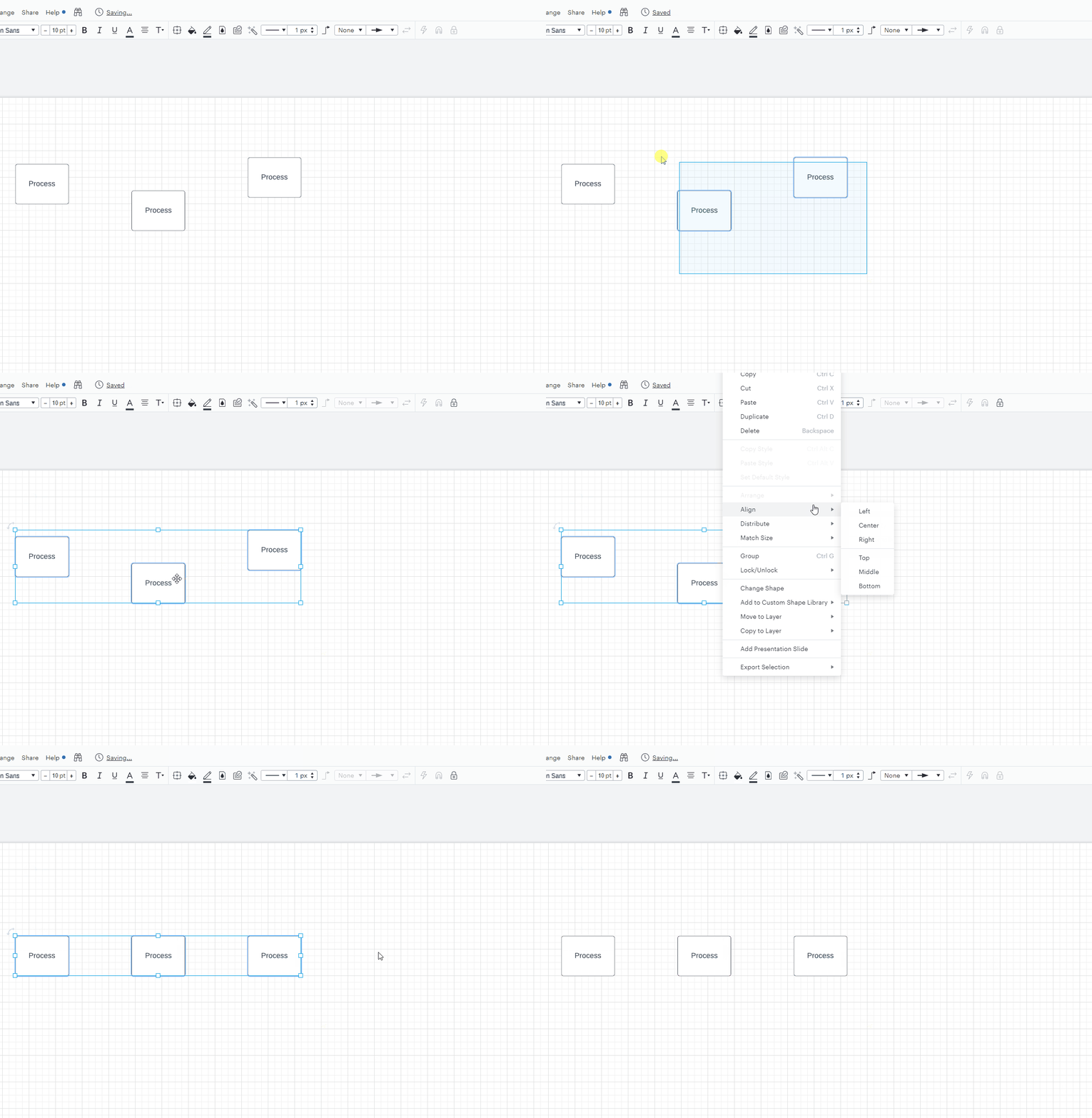
Hi Andrew thanks for continuing this thread! Lucidchart does have an Align functionality accessible by selecting your shapes right-clicking then choosing Align and how you would like to do so. I've demonstrated this in the GIF below:

QRDkzkiSNyPttyNm-MAPdQ.gif

However aligning shapes within a swimlane to a swimlane's borders (e.g. centering the shapes within the swimlane) isn’t currently supported in Lucid, but we’re very interested in your feedback and committed to continually improving our products. If you’re willing to share, we’d love to hear more details about your use case or what you’d like to see in this experience within this thread. I’ve also converted this post to an idea so that it’s visible to others within the Product Feedback section of the community - from here, they can upvote it and add details of their own.