Idea

Exporting with a higher resolution

Related products:Lucidchart
  • March 9, 2022
  • 12 replies
  • 2008 views

Vahid K

Hi

The last comment about exporting with a resolution higher than 300 PPI is from 6 years ago. Any chance that you have developed something to export with a higher resolution recently?

Kind regards

March 9, 2022

Hi Vahid thanks for posting on the community! Unfortunately 300dpi is still the maximum quality for Lucidchart diagrams exported in PNG/JPEG format. For particularly large or detailed diagrams this could result in some blurriness so you may need to export smaller sections of your diagram in order to achieve the image quality you need. Custom crop or crop to content as explained in our Export/Download your Lucidchart Documents article may be a good option.

If you would like to see higher resolutions supported for JPEG/PNG downloads would you mind submitting your feedback in the product feedback area of the community? Our Product Development team uses feedback submitted here to inform future product changes so this is the most direct way to advocate for a change you would like to see.

Comments

Shanna H
Forum|alt.badge.img+15
  • Lucid support team
  • March 9, 2022

Hi Vahid thanks for posting on the community! Unfortunately 300dpi is still the maximum quality for Lucidchart diagrams exported in PNG/JPEG format. For particularly large or detailed diagrams this could result in some blurriness so you may need to export smaller sections of your diagram in order to achieve the image quality you need. Custom crop or crop to content as explained in our Export/Download your Lucidchart Documents article may be a good option.

If you would like to see higher resolutions supported for JPEG/PNG downloads would you mind submitting your feedback in the product feedback area of the community? Our Product Development team uses feedback submitted here to inform future product changes so this is the most direct way to advocate for a change you would like to see.


gabriel.magana

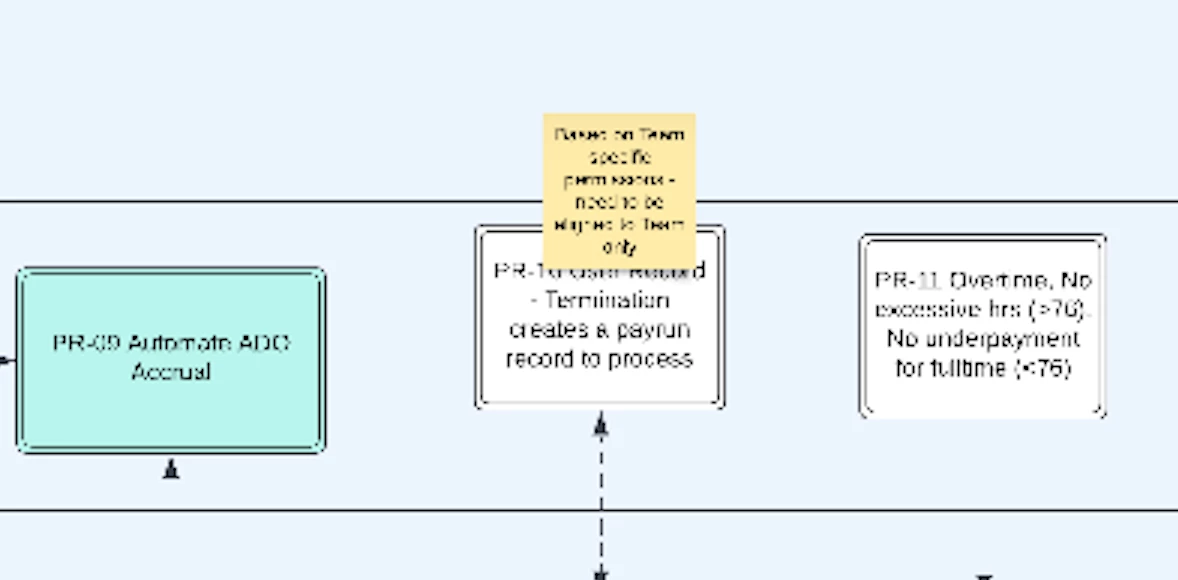
This is seriously broken. How can you export images like this and then call it "high resolution"? Is Lucid chart not a serious tool?

Look at the poor quality of this image.

The workaround I have found to get a high resolution PNG out of the program is to export to SVG and then use Visio (the irony!) to open the SVG and properly export to PNG in high resolution.

Seriously there is no good excuse for output this poor at the highest resolution. I've put in the feature request as stated above.


Leianne C
Forum|alt.badge.img+15
  • Lucid support team
  • May 30, 2023

Hi @gabriel.magana thank you for taking the time to share your feedback and submitting a feature request. Just to confirm the image in your post was exported directly from Lucidchart is this correct? Sometimes the quality of the exported files may be due to download settings. We would be happy to assist and take a closer look at your document and settings to troubleshoot.

Since this relates to your document I have moved our conversation to a private support ticket. Please keep and eye out for an email from Lucid support. Cheers!


Rakshith
  • September 8, 2023

I agree. i use lucidchart as a knowledge graph with a lot of sticky notes. The resolution is extremely bad and cannot zoom in to view notes on the exported document. Please fix this lucid chart. this is a limiting feature in your product.


Karsten B
Forum|alt.badge.img+3
  • Lucid support team
  • September 14, 2023

Since this relates to your document I have moved our conversation to a private support ticket. Please keep and eye out for an email from Lucid support. Cheers!


Forum|alt.badge.img

Has there been any update on this?
Whats the use of upgrading the account and still get to export the poor quality? How is it not on option when your core usage is providing high quality charts?


Forum|alt.badge.img
  • June 14, 2024

Can’t expect to be Enterprise grade software when 300dpi exports like this. Awful.


Forum|alt.badge.img

Any update on this thread.  Output even at 300dpi is extremely poor


Kelsey Gaag
Forum|alt.badge.img+16
  • Lucidite
  • August 28, 2024

H,

Thank you for posting! We currently don’t have an update on this request. If you’d like you can follow the steps in this help center article to see if it improves the quality.

We encourage anyone else who’s interested in this to upvote this post and share any additional details about your use case or what you’d like to see in this experience. For more information about how we manage feedback in this community, please take a look at this post:

https://community.lucid.co/welcome-to-the-lucid-community-15/what-happens-to-my-feedback-5438


  • September 7, 2024

What a sham!,  Why can’t you guys let the user choose their own resolution, i mean how dumb could this be.  visio is so much better in this case. 


Forum|alt.badge.img
  • May 22, 2025

The low number of upvotes on this thread should not be taken as a proxy for its importance. Enterprise users will simply find another suite or go back to Visio. 


Ambar D
Forum|alt.badge.img+10
  • Lucid community team
  • May 23, 2025

Hi ​@bbloncna, thank you for adding your feedback to this thread and I certainly understand why this is important.

While upvotes are a very helpful indication of the popularity of any given feature request, I can assure you that our team does not exclusively use upvotes to determine the importance or weightiness of ideas/feature requests in the community. The community team, along with our product development team, also cares about things like views (which this post has quite a lot of), comments, and impact to users.

I can assure you that your feedback is highly valued and heard!