Idea

Disable pop-ups in Lucid

Related products:Lucid Suite
  • May 27, 2026
  • 1 reply
  • 17 views

Forum|alt.badge.img

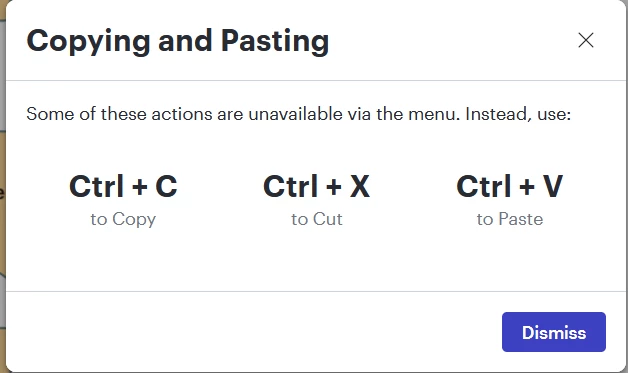
Every time I right-click paste, Lucidchart says, WAIT! STOP EVERYTHING AND READ THIS! (i.e., darkens the screen and forces me to acknowledge/dismiss the popup below). Which is fine the first time, but I know the shortcuts and sometimes it’s easier to use my mouse-hand. Not to mention that it’s telling me some of the functions aren’t available and it already worked just fine. I find this incredibly annoying and distracting and for the life of me I cannot find a way to disable it. Could someone help me out here? Thanks.
 

June 2, 2026

Hi ​@luckenbach, thanks for your post. Unfortunately, the option to disable this message isn’t currently supported in Lucid, but we’re very interested in your feedback and committed to continually improving our products. If you’re willing to share, we’d love to hear more details about your use case or what you’d like to see in this experience within this thread. I’ve also converted this post to an idea so that it’s visible to others within the Product Feedback section of the community - from here, they can upvote it and add details of their own.

Finally, for more information on how Lucid manages feedback via this community, take a look at this post:


Comments

Leianne C
Forum|alt.badge.img+15
  • Lucid support team
  • June 2, 2026

Hi ​@luckenbach, thanks for your post. Unfortunately, the option to disable this message isn’t currently supported in Lucid, but we’re very interested in your feedback and committed to continually improving our products. If you’re willing to share, we’d love to hear more details about your use case or what you’d like to see in this experience within this thread. I’ve also converted this post to an idea so that it’s visible to others within the Product Feedback section of the community - from here, they can upvote it and add details of their own.

Finally, for more information on how Lucid manages feedback via this community, take a look at this post: