Validating

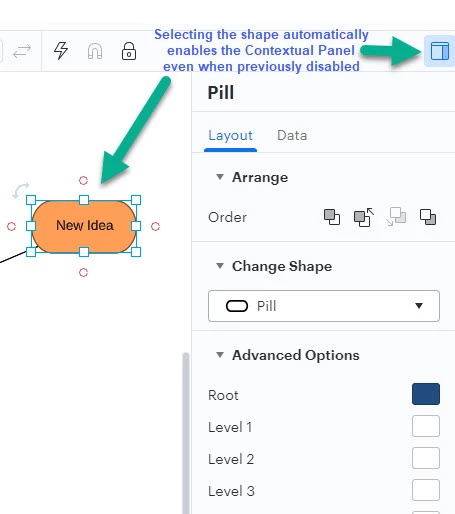
Disable contextual panel from displaying in Lucid

Related products:Lucidchart
  • April 7, 2022
  • 32 replies
  • 817 views

Show first post

Comments

Ambar D
Forum|alt.badge.img+10
  • Lucid community team
  • January 16, 2026

Hi ​@Wouter, thank you for your honest and detailed feedback. I can certainly understand your frustration and how it would impact your experience, and I appreciate you adding the context for this for our product teams to review. 


Forum|alt.badge.img

Hi, when can we expect this irritating Contextual Panel hide &seek will continue. Almost everyone I work with getting frustrated with this behavior of lucid diagram.


Ambar D
Forum|alt.badge.img+10
  • Lucid community team
  • February 10, 2026

Thanks for checking in on this thread and letting us know about your experience ​@ChandanPatra. I certainly understand your feedback here. Unfortunately at this time, I don’t have a specific timeline or update to provide, but we appreciate you sharing your honest insights in this thread.

Rest assured that your feedback is heard, and our product development team continues to use this feedback as they research new features and product enhancements.


For anyone else who comes across this thread, the best way to show your desire to see this implemented is to upvote this post and leave details on your use case or what you’d like to see

If you’d like additional information about how we manage feedback in this community, check out this post:


AnnieMoscon
Forum|alt.badge.img
  • Lucid product team
  • February 17, 2026

Hi, my name is Annie and I am on the product team here at Lucid. All of the feedback mentioned in this thread is super valuable and will be noted. This is an area of our product that we are actively working to improve the usability of. If this is something you are interested in discussing further, you can leave a comment below and I can work on getting something set up to chat. We appreciate the thoughtful feedback. 


Micah
Forum|alt.badge.img+20
  • Lucid community team
  • February 17, 2026
IdeaValidating

  • March 4, 2026

When working with large charts containing many elements, this contextual popup became so annoying that I disabled it by adding "lucid.app##body lucid-editor-gui-right-column" and “lucid.app##.right-column-spacer” to my ad blocker filter list.

Hopefully, the toggle for enabling/disabling this functionality in the standard way will be implemented.

UPD: updated filters - forgot about the spacer.


PAW
Forum|alt.badge.img+1
  • March 4, 2026

Applications like Visual Studio approaches this by simply allowing their users to decide whether the panel is in or out...

Pinning/Unpinning