Idea

Change behavior of Lucidchart embeds in Confluence- show link more prominently without scrolling

Related products:Lucid Suite
  • December 3, 2025
  • 11 replies
  • 92 views

Forum|alt.badge.img+4

I have large diagram that I am showing in the LucidChart Confluence Macro. The diagram shows up great with one exception. I have link text in the diagram. When you click on the link text in the diagram, the actual link pops up in a small modal generally in a corner of the main diagram. This is not ideal, in that it is not always obvious as I’m looking at the link text, not at the corner, but it sort of works. The problem is that if I’m zoomed into the diagram and click the link text, the link modal does not show up at all (it seems like it pops up outside of the visible frame). This makes the link appear to just not work. I noticed that if I click on the link text and then zoom out, then I’ll see it in the corner of the diagram, but I don’t know how a user would ever know that they need to do that. Isn’t there a way to have the link modal pop up over or directly next to the link text that you clicked?

January 2, 2026

Hi ​@Timothy.Potter8, jumping in here for Zuzia while she’s out of office! Thank you again for those details. We’ve shared all your screenshots and comments with our engineering team, and have heard back from them after they’ve taken a closer look.

In the instances when you’re unable to see the link/URL, we recommend scrolling down all the way so that the footer of your embed is within view. If the content of the document in the embed view takes the entirety of the available space, the URL will be displayed in the header or footer.

Regarding your last question - Unfortunately at this time, opening the URL automatically (rather than showing the URL), is not currently supported in Lucid. We’re very interested in your feedback and committed to continually improving our products. If you’d like to leave product feedback regarding that, you can create an idea and our product team would love to hear from you further if you’re willing to share. This will also allow other users with similar requests to discover and upvote it, then add details of their own.

For more information on how Lucid manages feedback via this community, take a look at this post:


Comments

Humas1985
Lucid Legend Level 10
Forum|alt.badge.img+24
  • Lucid Legend Level 10
  • December 3, 2025

Hi ​@Timothy.Potter8 

It sounds like everything is working as expected, but the link popup in Lucid’s Confluence embed always anchors to the top-left of the full canvas.

  • When you’re zoomed in, that popup ends up outside the visible frame, so it looks like nothing happened. Right now the embed viewer can’t reposition the modal next to the link you click.

A reliable other option is to set the link to open in a new tab or convert the text to a hotspot, since those don’t use the popup at all.

Hope this helps - Happy to help further!!
Thank you very much and have a great one!
Warm regards


Forum|alt.badge.img+4

Huma,

I may not have described the problem well, but it is NOT working as expected. When you are zoomed in, the link popup does not show up when I click on linked text. It does not anchor to the top-left of the full canvas, it just does not show up at all. If you zoom in and out, it will appear and disappear. So, to a user, they zoom in, they click the linked text, nothing happens.

As for your “reliable other option”, setting the link to open in a new tab makes no sense as Lucid has a 2 step process for links in the Confluence plugin. One click on the linked text to get the link to show up. Then click on the link to get a new window to open showing the linked material. The problem is that the 2nd step does not happen so you cannot click on the actual URL.

Thanks,

Tim


Humas1985
Lucid Legend Level 10
Forum|alt.badge.img+24
  • Lucid Legend Level 10
  • December 5, 2025

Hi ​@Timothy.Potter8 

I see your point, even though the link technically exists, it’s effectively unusable when zoomed in is the core issue here,

Let’s take it to Lucid internal team to hear their thoughts 

CC:@Micah - Can you please help on this problem statement if you have any other alternatives


Zuzia S
Forum|alt.badge.img+8
  • Lucid community team
  • December 11, 2025

Hi ​@Timothy.Potter8, thank you for your post and thank you ​@Humas1985 for chiming in!

@Timothy.Potter8 In order for us to have a closer look into the issue, could you please provide the following information?:

  • What browser are you using? Have you tried this on an additional browser or using an incognito or private window?
  • Could you send a screenshot of the issue so I can see what you are seeing, or ideally a screen recording converted into a gif?
  • Could you please clarify whether this behaviour is consistent across Lucidchart and Lucidspark boards in Confluence?
  • Additionally, could you please let me know if you experience this when testing links with new boards in Confluence?

Thanks for your help and patience!


Forum|alt.badge.img+4

Thanks for the response. Here is more info.

  • I’m using Chrome (Version 143.0.7499.109), on Microsoft Windows (latest version). I also tried it on Chrome incognito and on Edge. I get consistent behavior across these 3.
  • For context, my LucidChart Confluence macro settings are: View Only; Pages to Display = Range = 1; Rich Viewer; Automatically Update = true. I also have the Confluence width setting = full width for the frame.
  • I don’t know if this happens with a LucidSpark board as I don’t really use LucidSpark boards.
  • I can’t send a screenshot as the data is business confidential. If you want to setup a zoom, I can show you. If the frame of the LucidChart Confluence Macro does not all fit within your visible screen, then the popup with the URL will sometimes show up outside of the area of the screen that is visible, so it appears that nothing happens when you click on the link. For example, if you have a small screen, or if you just didn’t center the lucidchart frame in the middle of your screen.
  • In addition, the URL popup will also show up in random corners of that frame, which is irritating, because even when I know to look for that popup, I don’t know where to look.
  • The real root cause issue here is that the user’s attention is on the link they are clicking and you popup a URL in a location that is not where they are paying attention. So, it is either popping up where they are not looking or, even worse, it is popping up outside of the visible part of the screen. This makes for a bad user experience.
  • I highly recommend that you either popup the URL right next to the link that they just clicked on. EVEN BETTER, if they are in View Only mode, you just open the link when they click on it rather than making them click twice to open a link. That would make this user experience work the same as pretty much all other links work in browsers and other applications.
  • I’m not sure what you are asking on your last bullet above.

Zuzia S
Forum|alt.badge.img+8
  • Lucid community team
  • December 16, 2025

Thank you for following up with these details ​@Timothy.Potter8

I am sorry to hear about the inconvenience caused here. Although it is expected behaviour that clicking on a text link opens a modal with the URL that requires to be clicked on again to be open, I would like to know more about the behaviour you are experiencing specifically regarding the modal being open in random corners of the frame or even not being visible. 

In order for me to have a better understanding of the issue you are seeing, could you please create a new blank Lucidchart board > include any link on a sticky note > embed the board in Confluence, for example in your personal space > test the behaviour?

Screenshots of your experience with the modal not appearing/appearing in inconvenient places would be very helpful here. If possible, could you please provide a screen recording converted into a gif in this thread in order for us to have an overview of the flow on your end? 

We appreciate your continued help and patience!


Forum|alt.badge.img+4

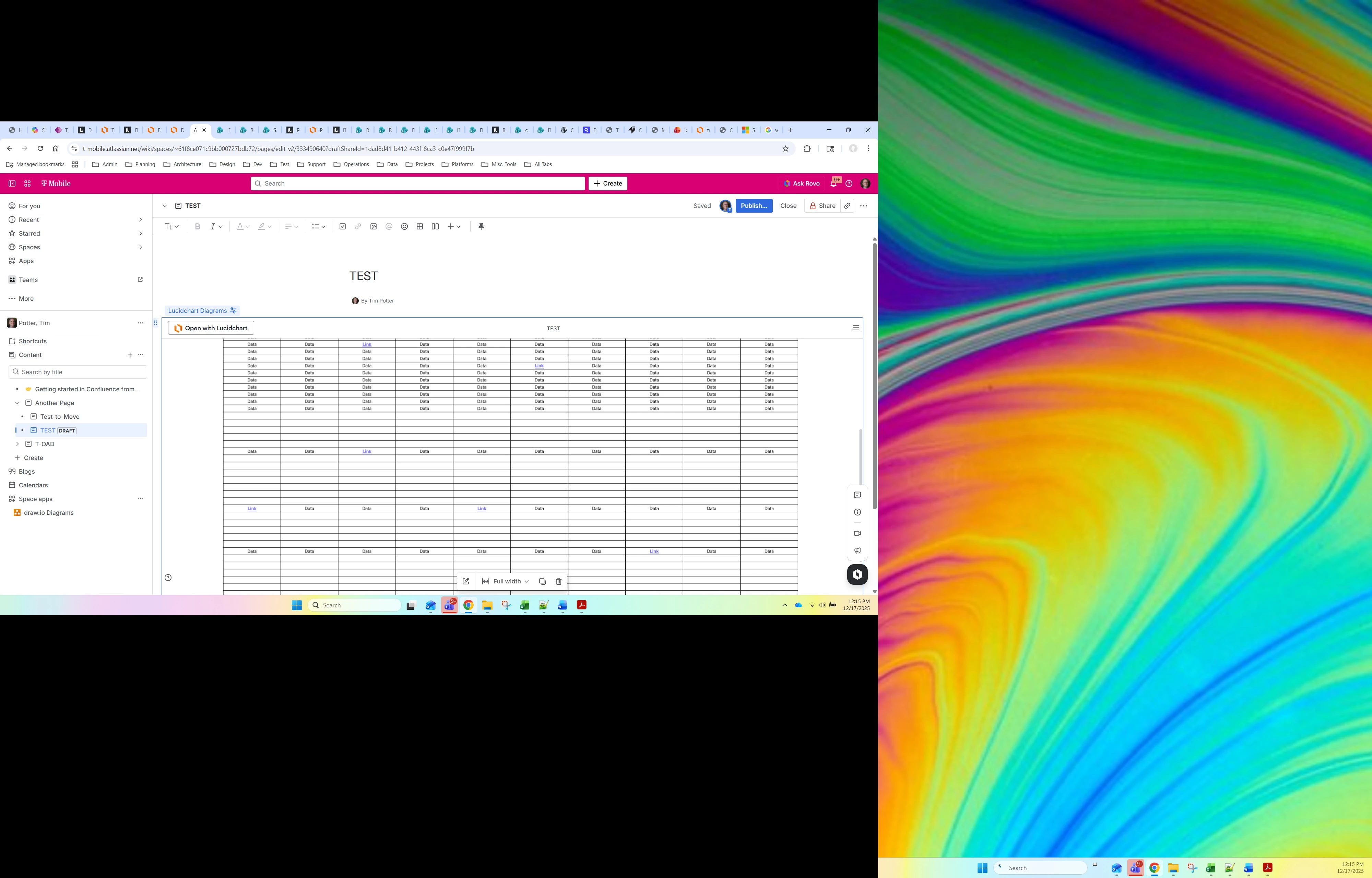
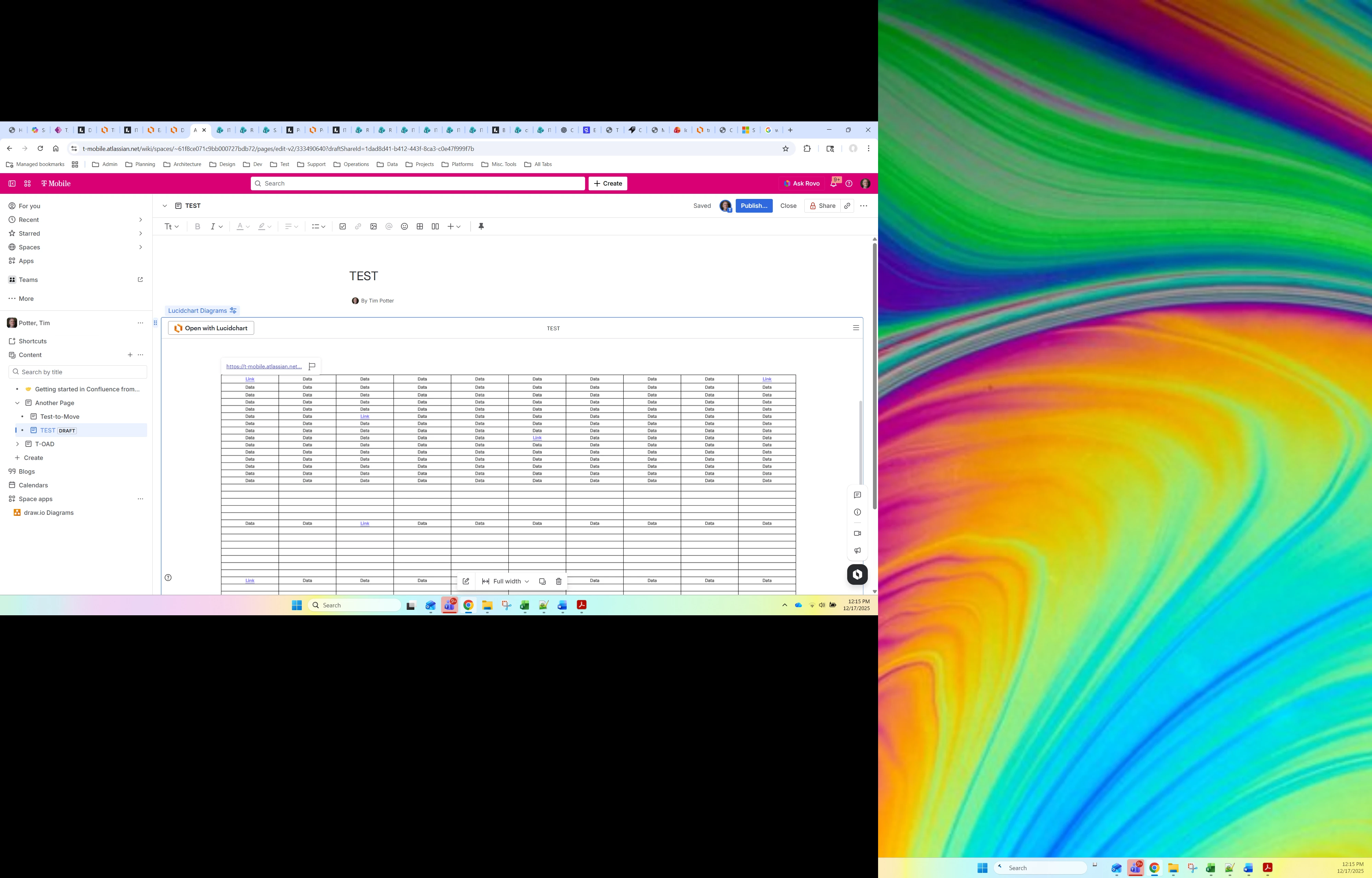
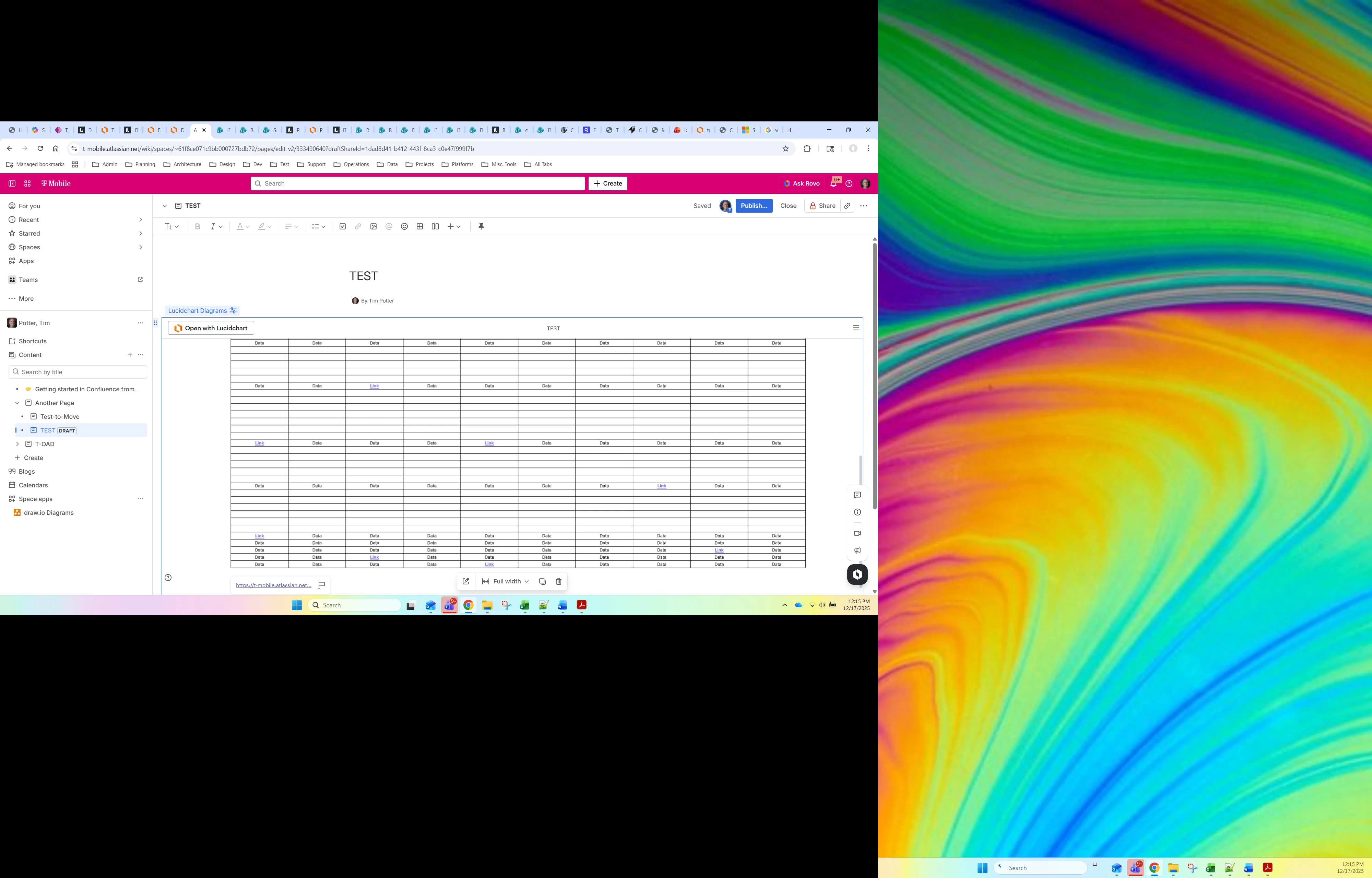
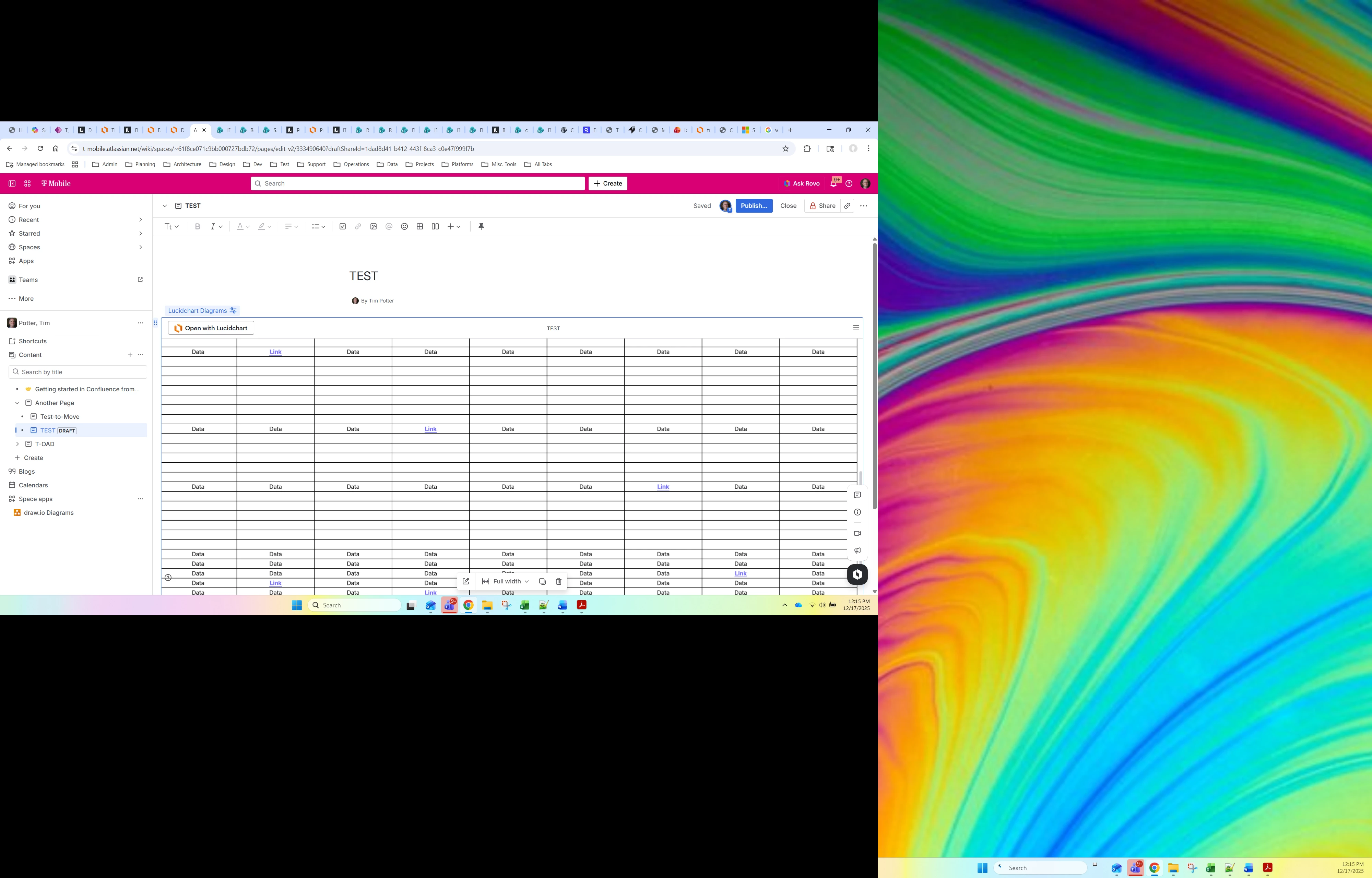
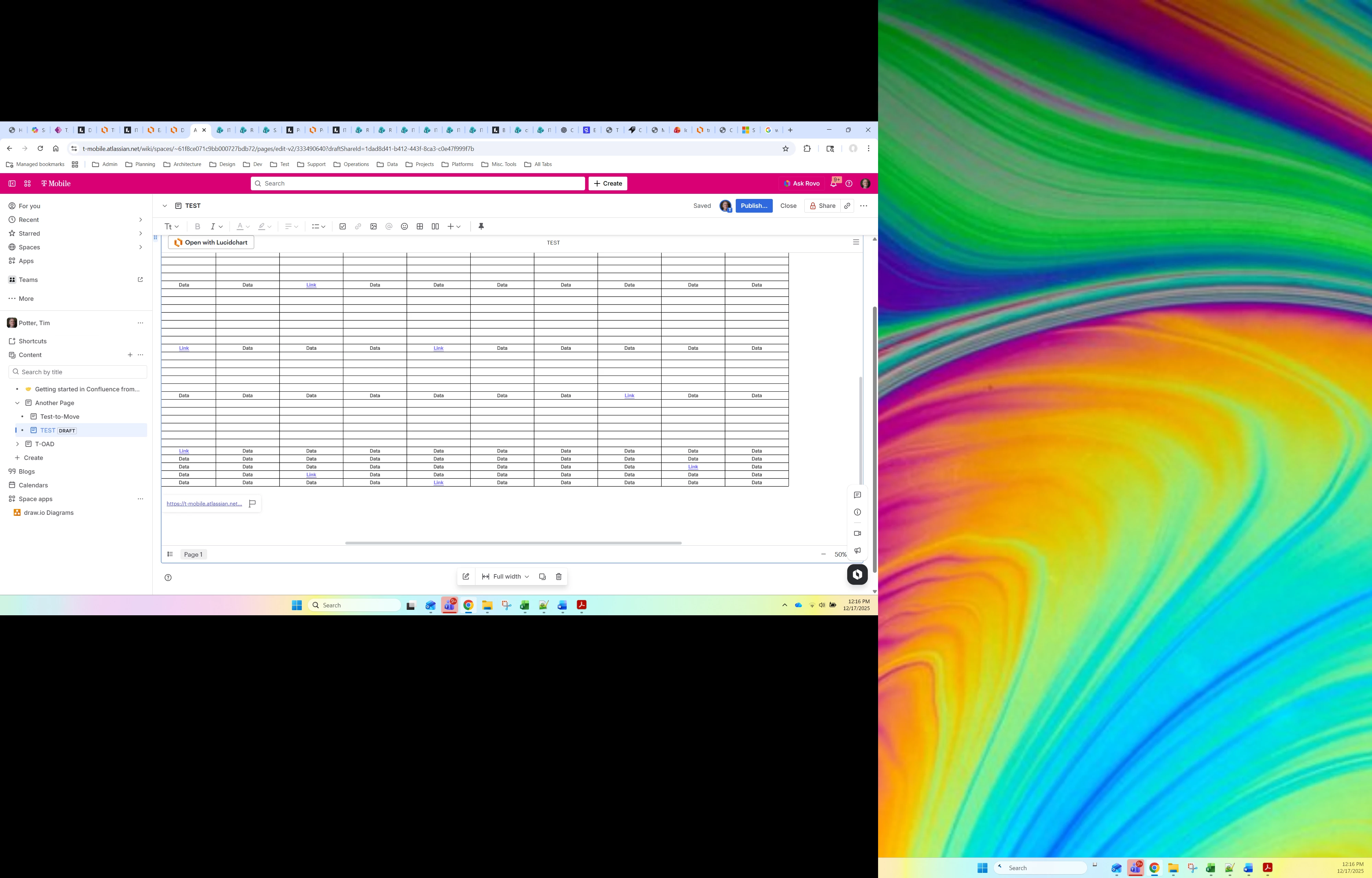
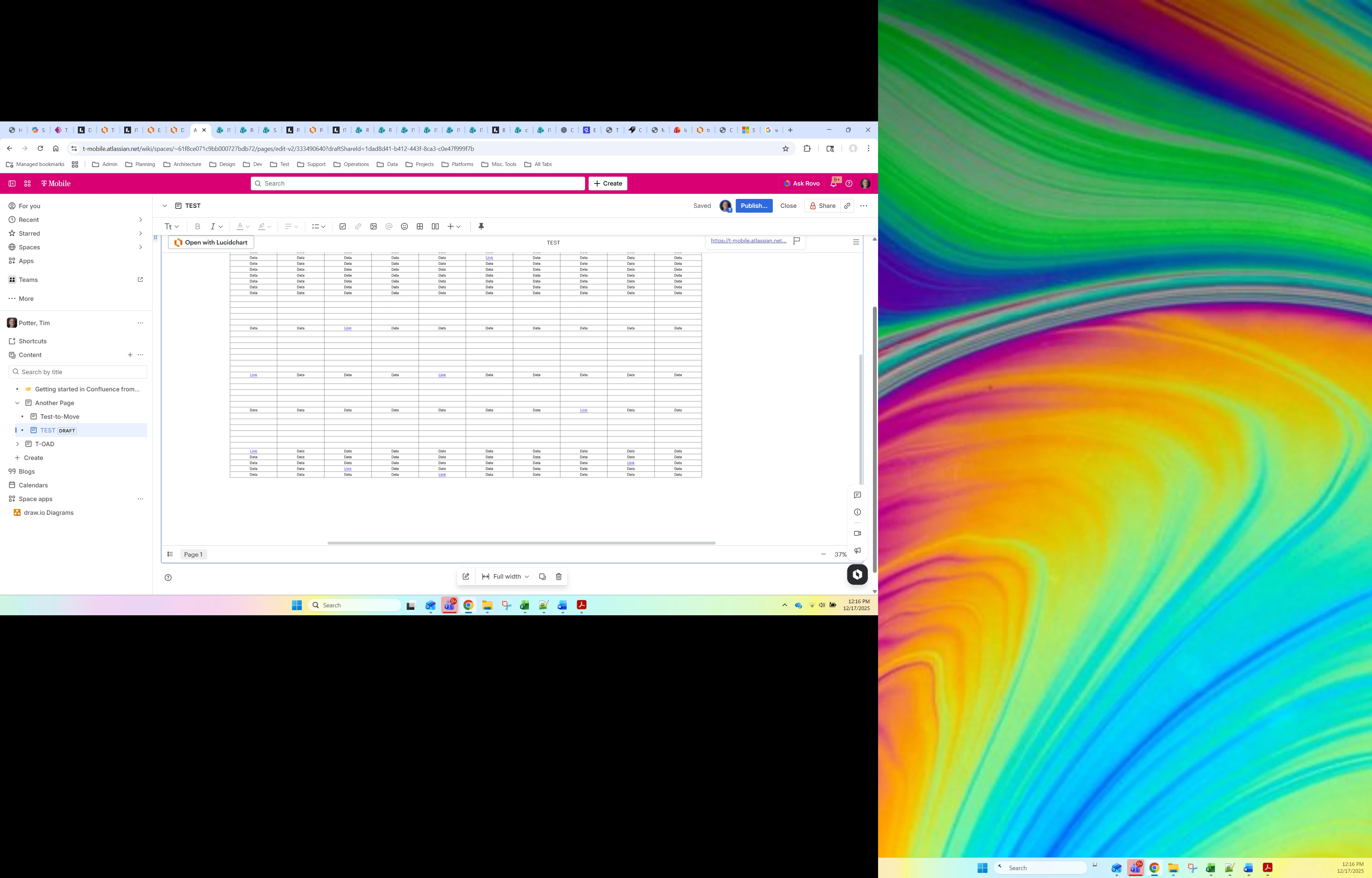
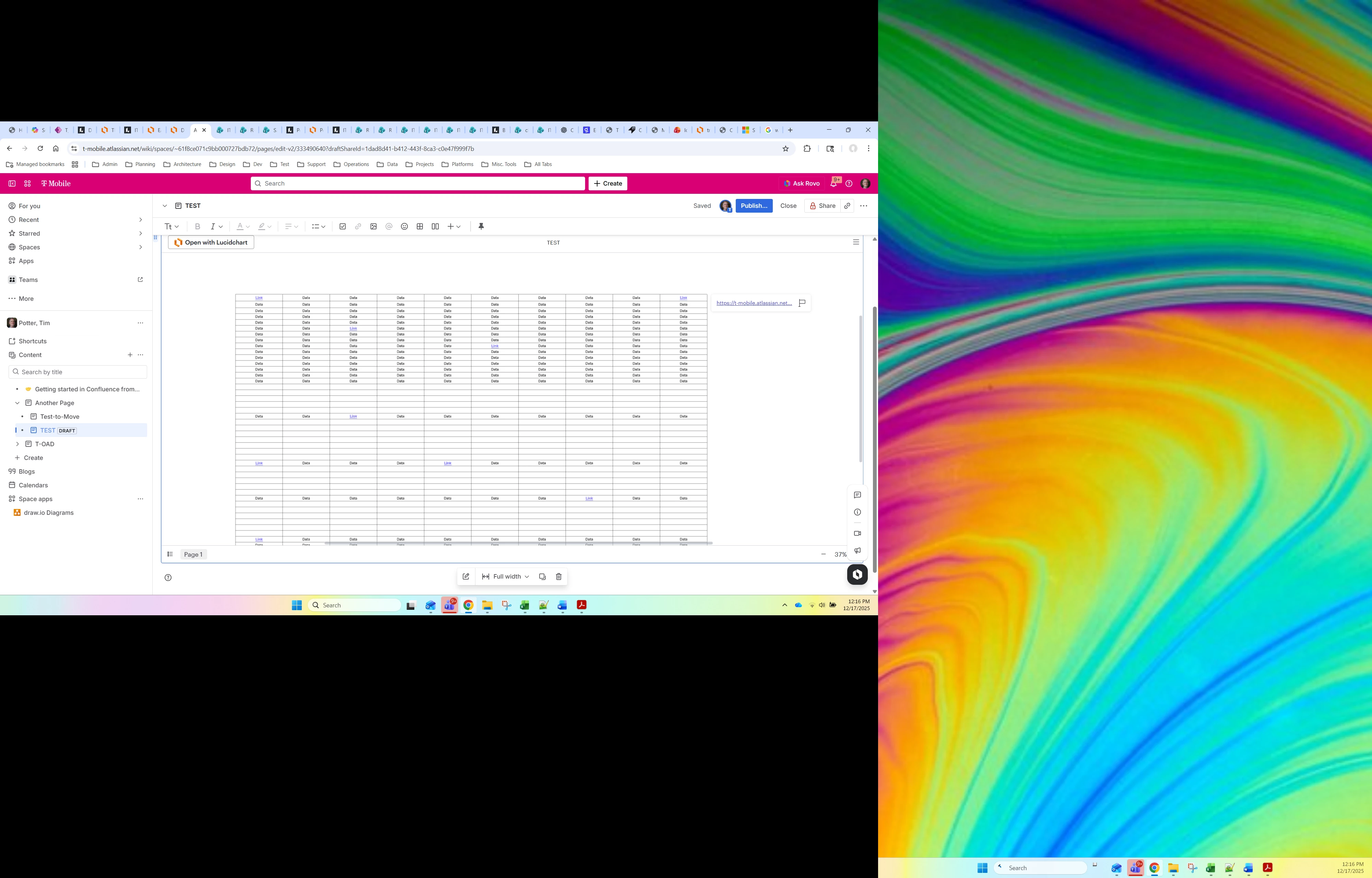
Here is what I was doing in each screenshot:

  1. I clicked on the link in the middle of the screen and then did screenshot. I did not see the URL show up anywhere.
  2. I clicked on a link in the upper left of the screen and saw the URL pop-up in the top left.
  3. I clicked on a link in the bottom right of the screen and saw the URL pop-up in the bottom left.
  4. I clicked on a link in the middle right of the screen and did not see the URL show up anywhere.
  5. I clicked on a link in the middle left of the screen and saw the URL pop-up in the bottom left.
  6. From #5, I zoomed in and out. When I zoomed in, the URL remained in the bottom left of the screen. When I zoomed out, the URL disappeared.
  7. I clicked on a link in the middle of the screen and the URL showed up on the top right.

As you can see, sometimes the URLs do not show up at all, otherwise, they show up in various corners of the screen (not in a way that I find to be predictable). It makes it really hard for a user to know if anything happened when they click on linked text. Is there anyway to have the linked text work like all other linked text works (open the URL rather than showing you the URL)? It is in view only mode, so it is not like I need to edit the link. I just want to go to the link.


Zuzia S
Forum|alt.badge.img+8
  • Lucid community team
  • December 18, 2025

@Timothy.Potter8 thank you for following up with this detailed information!

Could you please let us know what type of Confluence are you using (Cloud vs. Server vs Data Center)? If Server or Data Center, what version?

Additionally, what version of the Lucidchart plug-in are you using?

I have forwarded this issue to our engineers and will follow up in this thread as soon as I have insights. Please let me know if you have any additional questions or concerns in the meantime. 

Thanks again for you help and patience!


Ambar D
Forum|alt.badge.img+10
  • Lucid community team
  • January 2, 2026

Hi ​@Timothy.Potter8, jumping in here for Zuzia while she’s out of office! Thank you again for those details. We’ve shared all your screenshots and comments with our engineering team, and have heard back from them after they’ve taken a closer look.

In the instances when you’re unable to see the link/URL, we recommend scrolling down all the way so that the footer of your embed is within view. If the content of the document in the embed view takes the entirety of the available space, the URL will be displayed in the header or footer.

Regarding your last question - Unfortunately at this time, opening the URL automatically (rather than showing the URL), is not currently supported in Lucid. We’re very interested in your feedback and committed to continually improving our products. If you’d like to leave product feedback regarding that, you can create an idea and our product team would love to hear from you further if you’re willing to share. This will also allow other users with similar requests to discover and upvote it, then add details of their own.

For more information on how Lucid manages feedback via this community, take a look at this post:


Forum|alt.badge.img+4

@Ambar D, thank you for your response. Unfortunately, your suggestion to scroll down or to make sure that the entire diagram is visible within the window does not work. The problem is that I don’t publish LucidChart diagrams in Confluence for me to view. I publish them for others to view. Others will not know how to work around these bugs in the LucidChart Confluence PlugIn. They will just think that the links to not work. This essentially make the LucidChart Confluence PlugIn unusable. Until you can fix these issues, I’ll have to do the painful thing and extract the diagram in PDF, attach it to Confluence, and then display the PDF on the page. That is a real pain and doe not show a real-time version of the diagram, but is the only real option until you make the LucidChart Confluence PlugIn usable by random users who do not know about its weird behavior.


Ambar D
Forum|alt.badge.img+10
  • Lucid community team
  • January 5, 2026

I certainly understand and hear your concerns ​@Timothy.Potter8, and I am sharing your comment here directly with our product team that was taking a closer look at this specific feature. Thank you for providing this detailed context on how this impacts your work, I will include your pain points when sharing this.

I’ve also converted this post so that it’s visible to others within the Product Feedback section of the community, and more available for our product teams to review in greater detail.