Shahriar K
February 12, 2021
Idea

Add specific tab to Confluence page

Related products:Lucidchart
  • February 12, 2021
  • 14 replies
  • 2089 views

Hello

I need to include a diagram in my confluence page which exists on a tab of a large lucid document which has many other tabs.

It seems that I can only reference the full document and not a specific tab which can be confusing for people leading them to the wrong tab.

Is this actually possible ? 

Thank you

Kam

Pinned Reply By Leianne C

Hi @pouyan thanks for continuing this thread! Unfortunately it is not currently possible to choose a specific tab to display when embedding your document in Notion. However it is possible to navigate between the different pages in your document and also view the page thumbnails by clicking the four squares icon. 
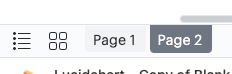
If you would like to only display a specific page I would recommend creating a copy of that page in a separate document and embedding that into your Notion page. Alternatively it may help to rearrange your pages so that the one that you'd like displayed is in the position of 'Page 1'. 

However we are always looking for ways to improve Lucid. If there are any additional details you'd like to share about your use case or what you'd like to see in this experience we'd love to hear more in this thread. Thank you!

Comments

February 15, 2024

+1 for this feature request.

Humas1985
Lucid Legend Level 10
February 16, 2024

Embed specific tab from Lucid in to confluence is not supported.
You can try Export and Embed - export should be an image or pdf
 

Huma || Lucid Legend
April 5, 2026

+1 for this feature request. 5 years since this thread started and still not enough votes. Definitely desired to display tabs instead of breaking logically related diagrams making maintanance harder.

alison cheney
Lucid community team
April 7, 2026

Hi ​@Mikhail P,

Thank you for the added context here! Explaining how this affects your diagram maintenance gives our product team a much clearer picture of why this feature is so important. We appreciate your patience and your continued feedback as we work to improve the product.

I’ve converted this post to an idea so that it’s visible to others within the Product Feedback section of the community - from here, they can upvote it and add details of their own. We encourage anyone else who’s interested in this to upvote this post and share any additional details about your use case or what you’d like to see in this experience. For more information about how we manage feedback in this community, please take a look at this post: