Hi @pouyan thanks for continuing this thread! Unfortunately it is not currently possible to choose a specific tab to display when embedding your document in Notion. However it is possible to navigate between the different pages in your document and also view the page thumbnails by clicking the four squares icon. 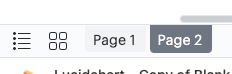
If you would like to only display a specific page I would recommend creating a copy of that page in a separate document and embedding that into your Notion page. Alternatively it may help to rearrange your pages so that the one that you'd like displayed is in the position of 'Page 1'.
However we are always looking for ways to improve Lucid. If there are any additional details you'd like to share about your use case or what you'd like to see in this experience we'd love to hear more in this thread. Thank you!


 Your privacy choices


