February 27, 2025
Idea

Add crop ability to printing in order to print part of a document

Related products:LucidchartLucidspark
  • February 27, 2025
  • 1 reply
  • 30 views

When exporting to PDF there is a very useful option to crop canvas (export only part of the diagram). However it would be also useful to have such option when using Print.

Pinned Reply By Ambar D

Hi ​@pbmcc2

Unfortunately, this isn’t currently supported in Lucid, but we’re very interested in your feedback and committed to continually improving our products. I’ve converted this to an idea that is housed within the the Product Feedback section of this community.

We encourage anyone else who’s interested in this to upvote this post and share any additional details about your use case or what you’d like to see in this experience. For more information about how we manage feedback in this community, please take a look at this post: 


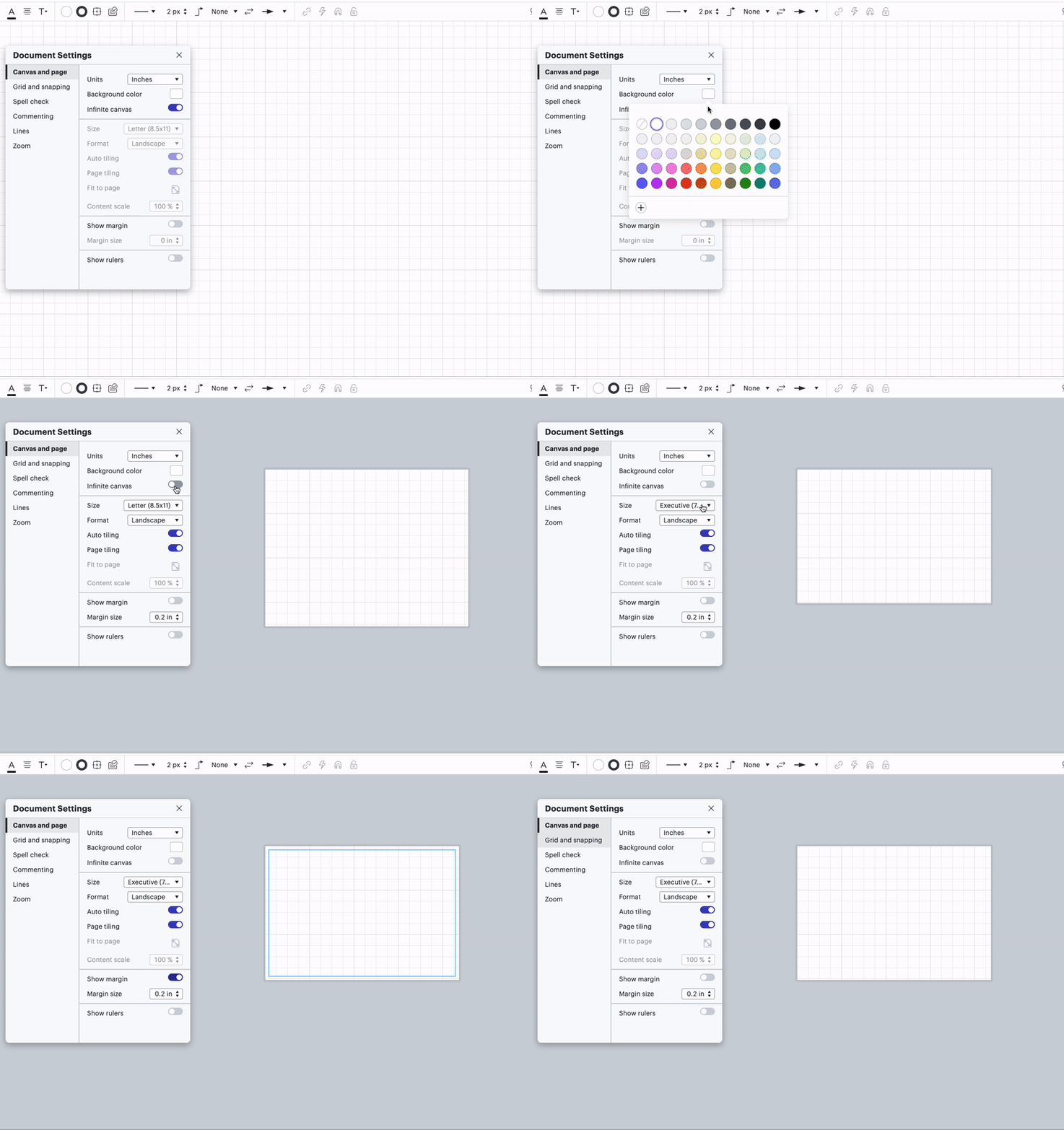
A different feature that might help, while not exactly what you are looking for, is adjusting your document settings ahead of creating your diagram to keep. A few adjustments you can make within document settings include changing the unit of measurement, background color, disabling infinite canvas, etc. as shown below. But the notable adjustments that might help you when it comes time to print are choosing your page size and format. I’d recommend checking out the Adjust document and board settings article from the Lucid Help Center for more information on this.

Comments

Ambar D
Lucid community team
March 5, 2025

Hi ​@pbmcc2

Unfortunately, this isn’t currently supported in Lucid, but we’re very interested in your feedback and committed to continually improving our products. I’ve converted this to an idea that is housed within the the Product Feedback section of this community.

We encourage anyone else who’s interested in this to upvote this post and share any additional details about your use case or what you’d like to see in this experience. For more information about how we manage feedback in this community, please take a look at this post: 


A different feature that might help, while not exactly what you are looking for, is adjusting your document settings ahead of creating your diagram to keep. A few adjustments you can make within document settings include changing the unit of measurement, background color, disabling infinite canvas, etc. as shown below. But the notable adjustments that might help you when it comes time to print are choosing your page size and format. I’d recommend checking out the Adjust document and board settings article from the Lucid Help Center for more information on this.