Mar 8, 2024 7:30 PM UTC
Solved

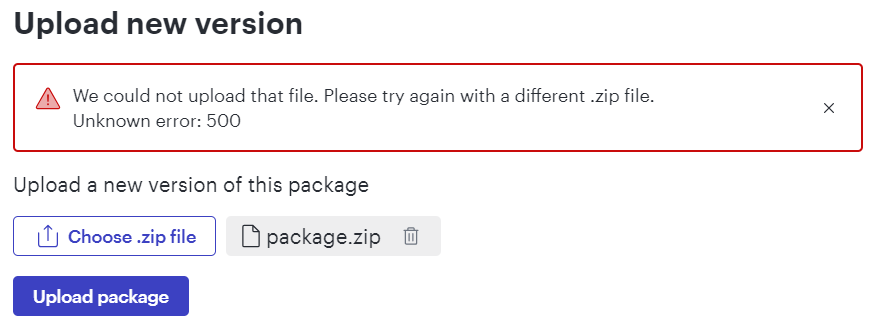
Error 500 when uploading a Custom Shape Library

I keep getting an `Unknown error: 500` when trying to upload.  Already tried all troubleshooting steps outlined in the following article: Error 500 when trying to upload new custom shape package | Community (lucid.co) (New network, another device, repacked library, renamed library, tried on edge, edge incognito, chrome, phone).  Same error in all attempts.


Mar 21, 2024 2:04 PM UTC

Ended up working with the Lucid team on this.  Turned out the svg files I had been missing a property, specifically the `offset=”0”` in some of the `<stop />` tags.  Just posting here for future users who may encounter the same issue.

Comments

Ian Baenziger
Lucid product team
Mar 12, 2024 10:28 PM UTC

Hey Lucas!

Apologies on the late reply! We were able to recreate the bug and we are researching it this sprint. We don’t yet know root cause or ETA to fix. Apologies on the delay.

Is this bug blocking your build? Are you looking to publish or internally test?

Thanks!
Ian

Translate
Mar 13, 2024 1:33 PM UTC

I’m looking to do some internal testing.  This isn’t blocking at moment as I’m still working on diagrams on my machine, and I can use developer mode.  I am hoping to be able to share both my diagrams and icon sets with the team to use though.

Translate
Mar 18, 2024 6:04 PM UTC

@Ian Baenziger, is there any update or eta on this?

Translate
Ian Baenziger
Lucid product team
Mar 18, 2024 6:27 PM UTC

Hey Lucas,

The developer assigned to triage this has been finishing up other work, but is expected to begin diving into the bug today. 

I’d be interesting in better understanding your needs and how we can support you (including fixing this bug and beyond). I’m going to follow up with an email.

Thanks!

Ian 

Translate
Lucas BrisingamenAuthorAnswer
Mar 21, 2024 2:04 PM UTC

Ended up working with the Lucid team on this.  Turned out the svg files I had been missing a property, specifically the `offset=”0”` in some of the `<stop />` tags.  Just posting here for future users who may encounter the same issue.

Translate