

What’s the difference between the Lucid MCP server and the Lucid repositories MCP server?
MCP servers are innovative and essential tools in today’s AI driven workplace, which is why Lucid is constantly innovating our MCP offering to meet users where they are working.
Recently, we released a new type of MCP server, the Lucid repositories MCP (Model Context Protocol) server!
What is the Lucid repositories MCP Server?
The Lucid repositories MCP server is a dedicated server to securely search and reference verified institutional knowledge pulled strictly from Process Accelerator repositories in connected AI tools
This new server ensures your LLMs are referencing only "gold standard" operating procedures in Lucid.
Note: This specialized server is only available for accounts with the Process Accelerator add-on (including accounts on the FedRAMP environment).
Let’s dive into how this server is different from our standard Lucid MCP server.
What’s the Difference between Lucid MCP vs. Lucid Repositories MCP ?
We know what you might be thinking: “Wait, didn’t Lucid already launch an MCP server?” 🤔 Yes! But they serve two very different, complementary purposes. Here is a breakdown of how they compare and when to use each one.
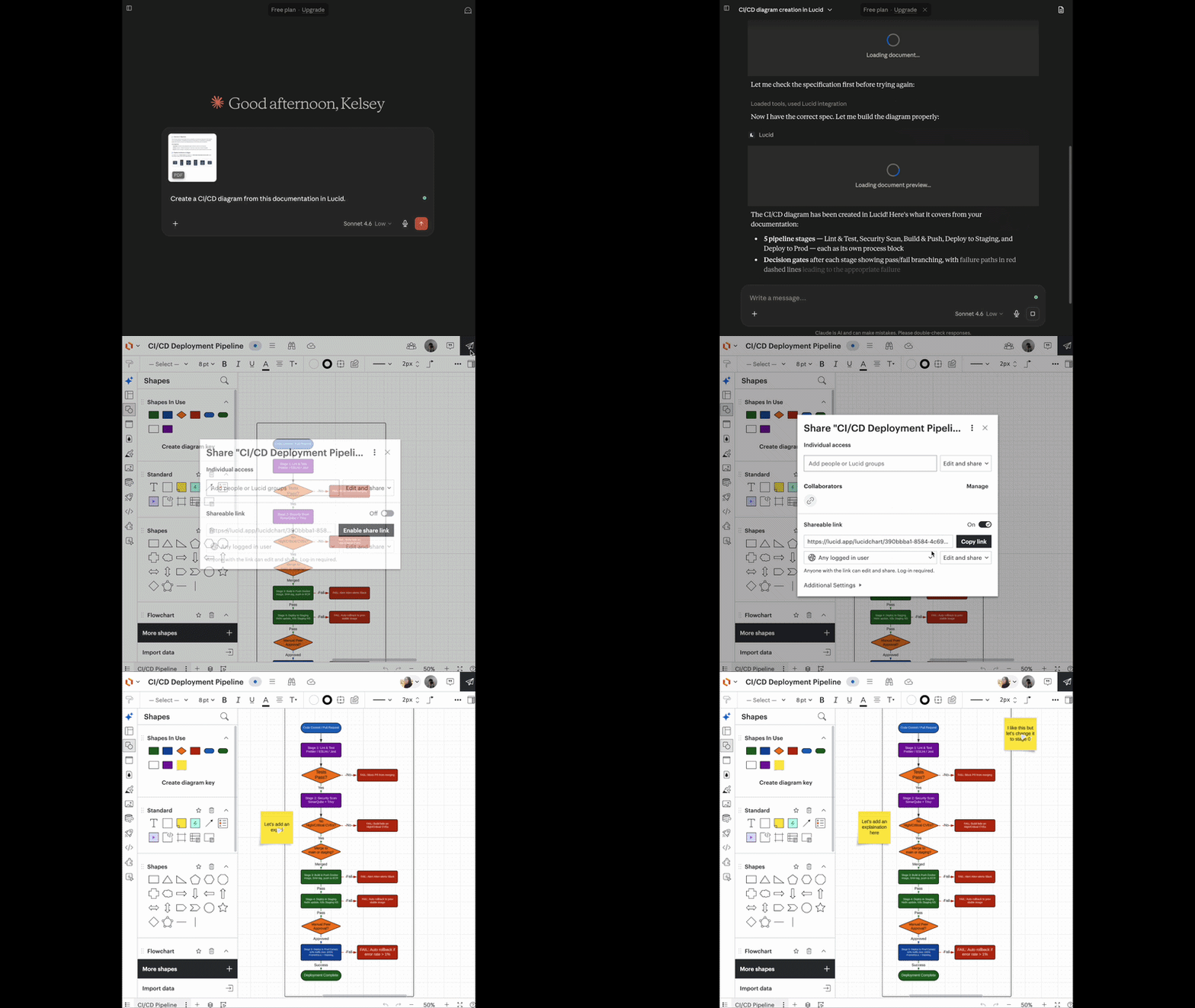
The Lucid MCP server: (The active creator & collaborator)
This server acts as a secure bridge between large language models (LLMs) and your entire Lucid environment to ground your AI applications in real-time information and turn conversations into direct action.
- What can it do? This server focuses on creation and active collaboration. It allows you to:
- Go from prompt to diagram in seconds.
- Deploy changes and keep documents up to date.
- Fetch and summarize content across your workspace.
- And more! See a full list of features here.
- When to use it:
- Translating context to visuals: Easily bring content from other sources such as your codebase or SOPs to seamlessly generate visual diagrams without manual drawing.
- Bridging planning and execution: Convert documents and visuals into tangible outputs like code, presentations, or Jira epics.
Want to try it out? Visit this Help Center article for set up instructions and more information.
The Lucid repositories MCP server (The governance & process anchor)
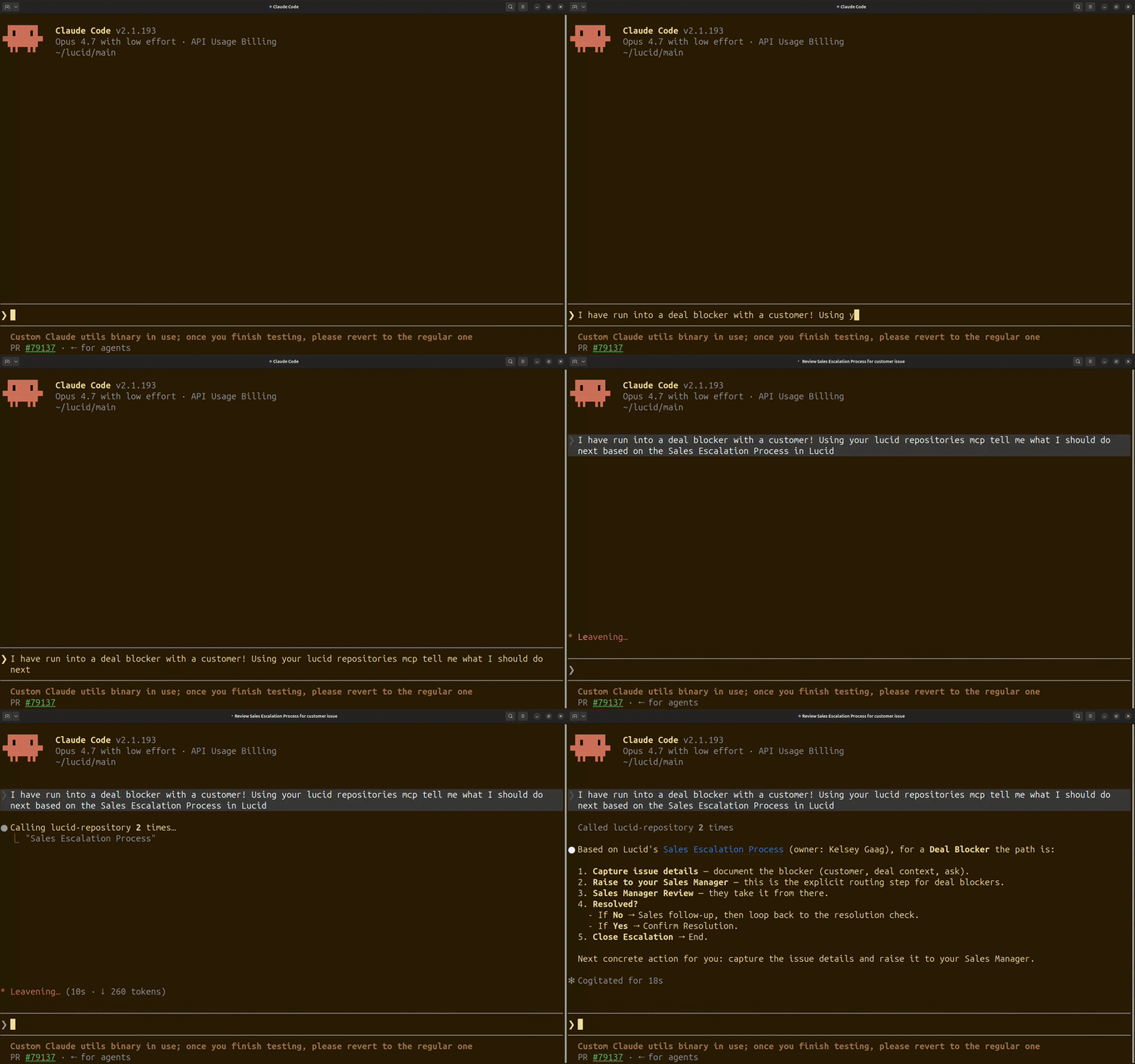
This server links your preferred AI tools specifically to your Process Accelerator repositories. Instead of giving an LLM access to your entire, unfiltered document library, it restricts the AI to search and fetch information only from officially approved, verified company repositories. This prevents AI from informing decisions based on outdated drafts, personal scratchpads, or unapproved workarounds.
- What can it do? This server governs and distributes company knowledge. It allows you to:
- Search repository documents and specific document content using natural language.
- Fetch repository documents to instantly pull verified context into your live AI chat.
- List existing repositories to quickly understand approved process structures.
- When to use it:
- Providing foundational process context: Anchor teams and AI workflows with a unified, verified baseline of organizational processes.
- Onboarding & training: Guide new hires through official company workflows, ensuring the AI pulls from approved documentation rather than any shared content.
Ready to try it? Visit this Help Center article for set up instructions and more information.
💬 We want to hear from you! How is your team planning to use the new Lucid repositories MCP server? Are you looking forward to cleaner compliance audits, or streamlined onboarding? Let us know your thoughts and questions in the comments below!
 Your privacy choices


