

Streamline your development with Lucid MCP connector for VS Code Copilot
We are thrilled to announce that we have officially launched the Lucid connector for VS Code! By bringing Lucid’s visual power directly into VS Code , you can create diagrams, search, summarize, and edit documents without ever leaving your interface.
Key capabilities
- Retrieve documents at AI speed: Locate all documents related to a given topic or keyword.
- Quickly generate diagrams: Generate flowcharts, sequence diagrams, or org charts from your AI conversations.
- Deploy edits to documents: Add, update, or remove shapes from your documents through simple chat commands.
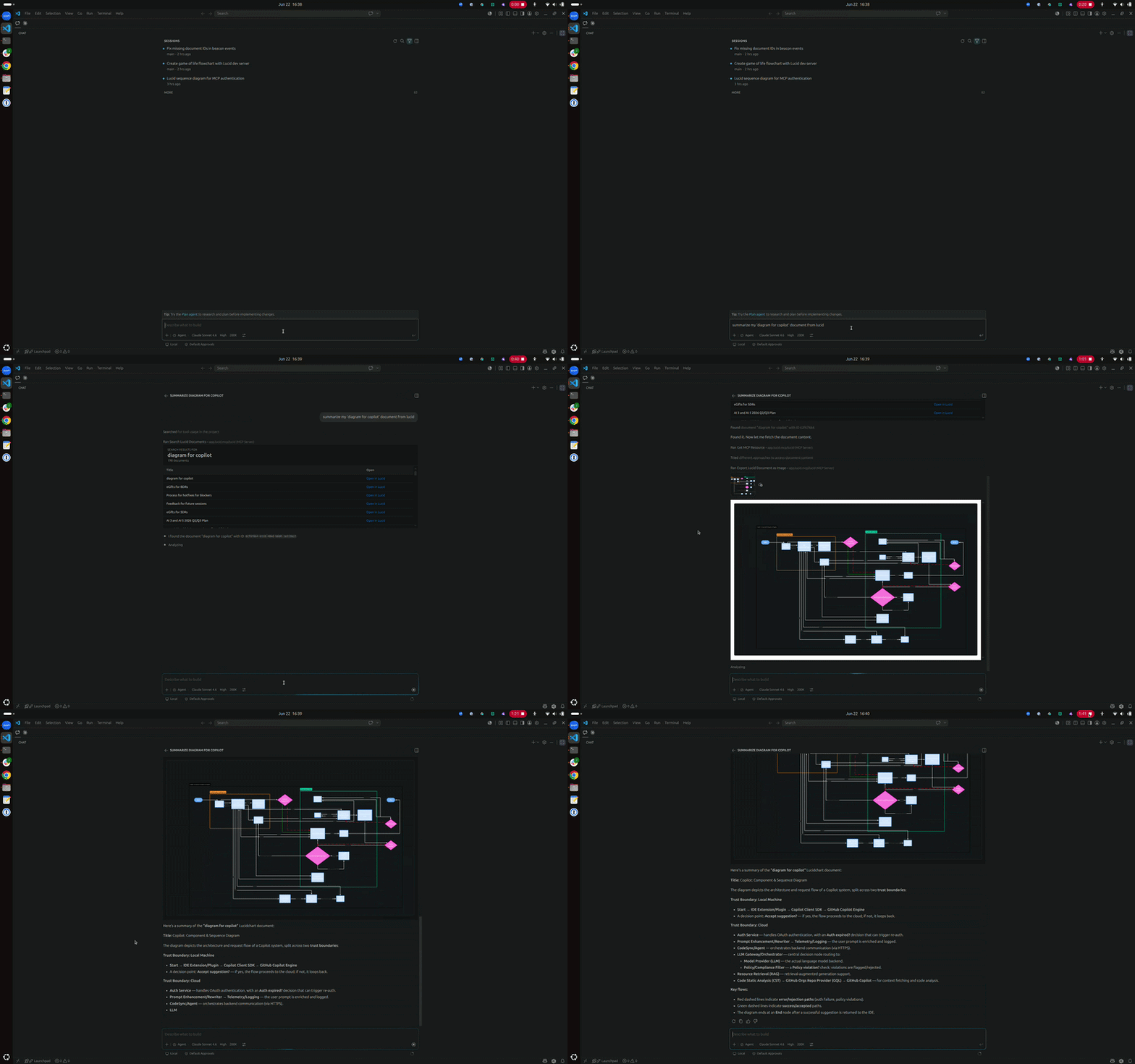
- Generate document summaries: Ask questions about your existing Lucid documents to get instant summaries or action items.
- Effortlessly share with stakeholders: Generate view-only links or invite collaborators to your document directly from your interface.
Use Case: The Sprint Reality Check
The Lucid connector easily integrates into your workflows to simplify your work. For instance, imagine you’re reviewing a complex pull request and trying to remember how the legacy authentication service actually talks to the new API. Instead of hunting through a cluttered workspace to find the right flowchart, you can simply ask:
"Find the 'System Architecture 2026' document in Lucid and summarize the data flow between the auth service and the database."
The LLM will scan your Lucid documents and provide a concise summary of the logic. If you realize the architecture needs to change based on your new code, you can even prompt:
"Update the 'System Architecture' document based on this code.”
Just like that, your documentation stays as agile as your code.This integration transforms your diagrams from static assets into a foundational, interactive layer of your AI-driven development workflow.
For more information and set up instructions, check out this Help Center article.
 Your privacy choices


