

New Process Accelerator role: folder owners 📂
Introducing the folder owner role for the Process Accelerator! 🎉
Managing a large repository of documentation can be a heavy lift for a single person. To help you scale and ensure the right eyes are on your documents, we’ve introduced a new layer of ownership: folder owners.
What is a folder owner?
A folder owner is a user who manages and approves documents in their assigned folder or subfolder in a repository. Think of them as the ‘subject matter expert’ for items in their specific folder.
How is a folder owner different from a repository owner? How do approval requests differ?
Repository owners have more power- they can manage both repositories they own and all folders within them.
Folder owners can not manage repositories, they can only manage content in the folders they own.
Both roles receive approval requests:
- Repository owners receive approval requests for all suggested changes to documentation in the repositories they own (including all folders).
- Folder owners receive approval requests for all suggested changes to documentation, and new documents added, in the folders they own.
Note: If a document has multiple approvers, only one needs to approve the document.
How can I assign a folder owner?
Repository owners can choose to assign folder owners. This helps to ensure content is routed to the right stakeholder for approvals.
Repository owners can assign folder owners from a new or existing folder in their repository.
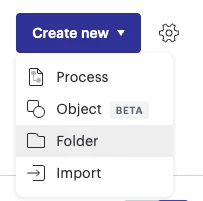
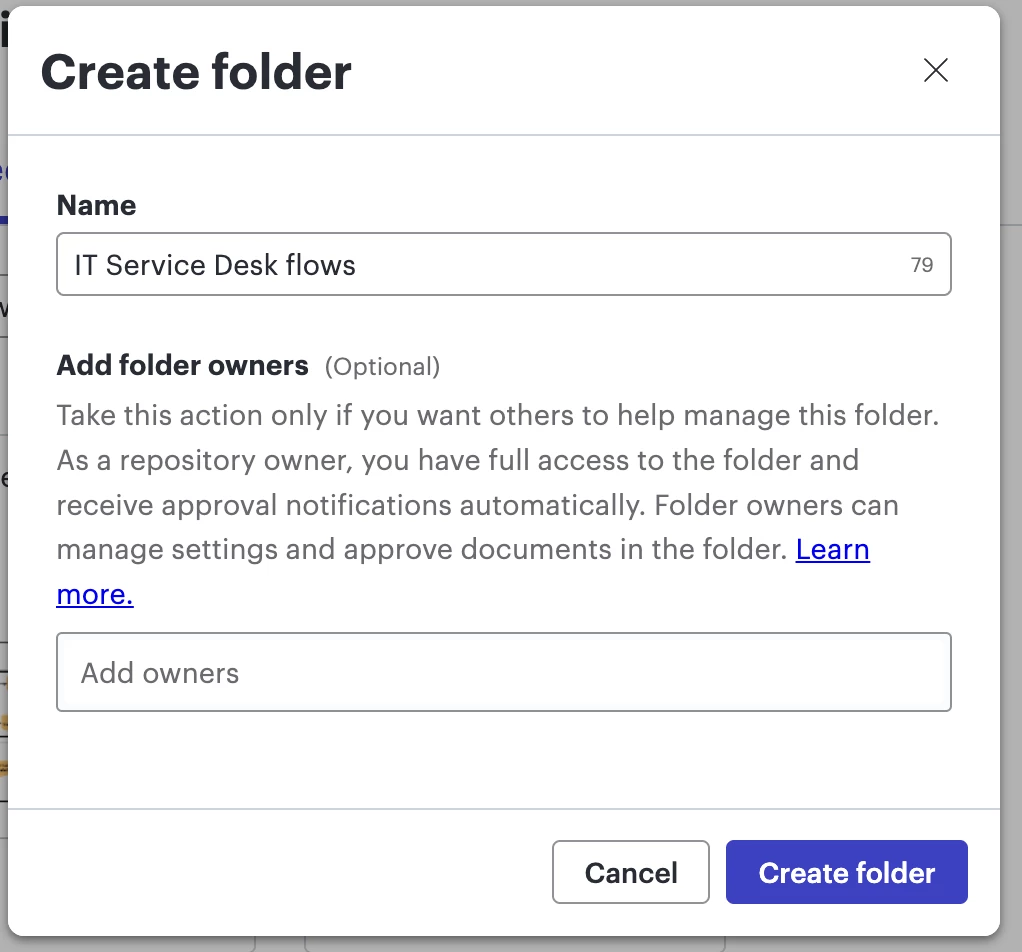
Create a new folder and assign folder owner(s):
- Open your repository and select Create new in the top right-hand side.
- From the dropdown, select Folder.
- Name your folder and assign folder owners.
- Select Create folder
Assign folder owner(s) from an existing folder:
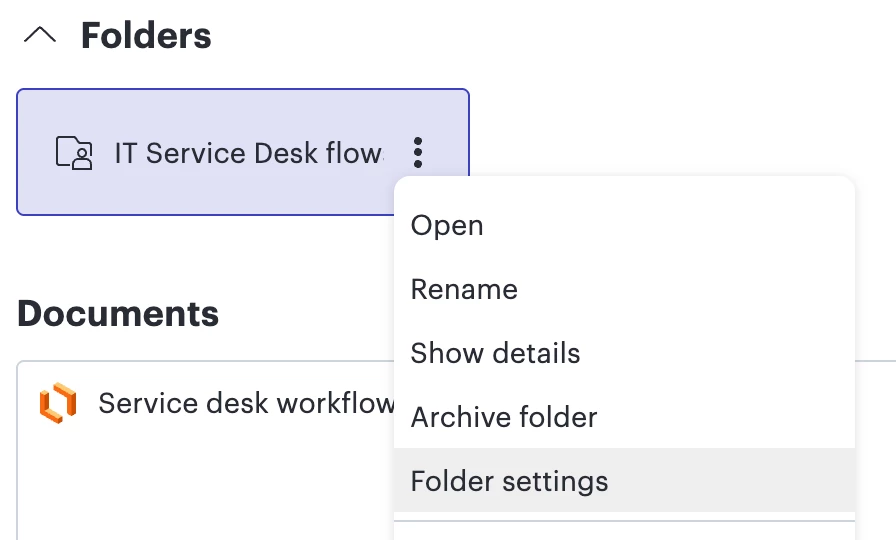
- Open your repository and locate the relevant folder.
- Select the three dots next to the folder name.
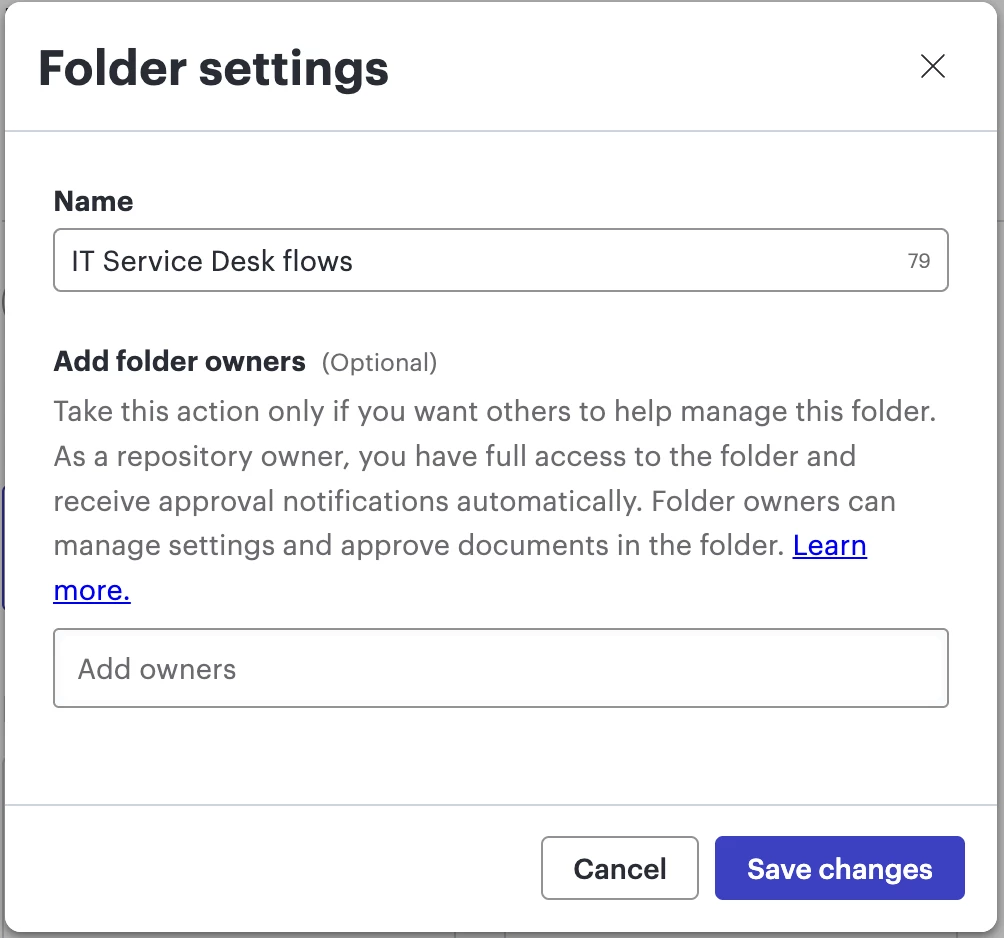
- From the dropdown, select Folder settings.
What can folder owners do?
Folder owners have the power to keep their specific folder of the repository accurate and up-to-date. They can do the following for items in the folder they own:
- Add or update documents without needing further approval.
- Approve or deny changes that others made to documentation.
- Rename documentation.
- Assign additional folder owners.
- Suggest edits to published documentation. (Note: All licensed users can suggest edits to published documents in a repository)
- Archive and unarchive documentation as described here. (Note: Folder owners can archive and unarchive documentation within their folder. They do not have access to archiving or unarchiving their entire folder, but rather that must be done by a repository owners or accelerator manager.)
💡 Best practices: How should I set up my repository folders to successfully set up my teams?
- If they’re not already, organize documents within your repository into folders. See here to learn how.
- For each folder, choose the subject matter expert(s) that can be trusted to have jurisdiction over and approve documents in their specific folder.
- If an existing repository owner is only the subject matter expert over one specific topic in the repository, consider making them a folder owner instead. This may help to:
- Reduce the number of repository owners and maximize governance of the repository.
- Decrease unnecessary noise for repository owners, ensuring they’re only notified of items relevant to their expertise.
- We do not recommend that repository owners assign themselves as the folder owner. This is a redundant step, since the repository owner gets all approval requests regardless of whether or not they’re assigned folder owner.
- We do not recommend assigning excessive folder owners.
Ready to try it out?
For more details on managing your repositories, check out our help center article.
We’d love to hear from you! How do you plan to use folder owners in your workflow?
Let us know in the comments below, or create a new topic to ask a question!
 Your privacy choices


