

New MCP tools: Streamlined organization, comment threads, and product feedback
We are excited to announce more tools and capabilities to Lucid's MCP server. With these new additions, you can now manage your folder structures, document organization, comments, and sending product feedback completely through natural language commands in your connected AI tools.
What’s New
Document & folder organization
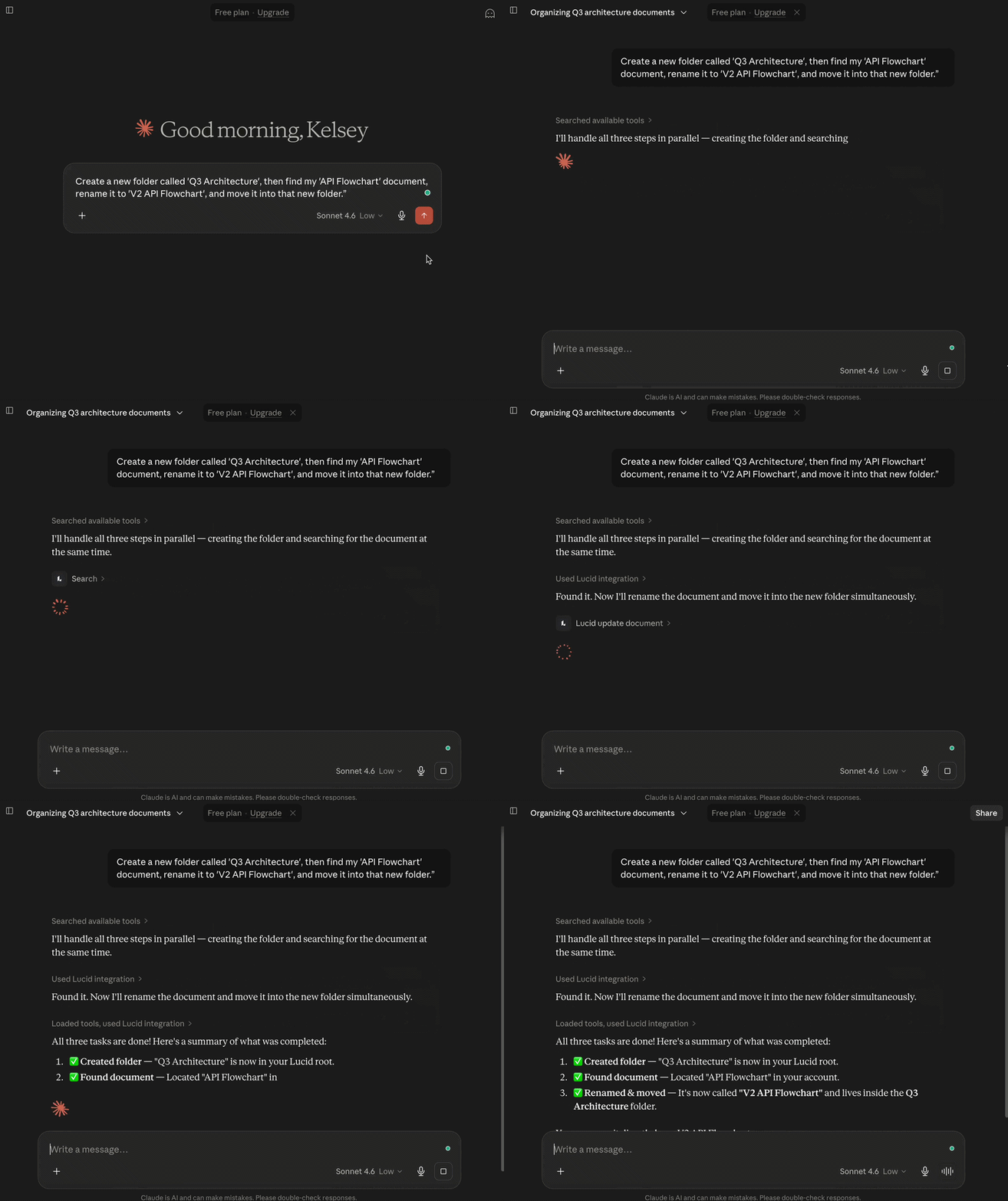
Organize your Lucid workspace with the assistance of AI clients. With these new capabilities, you can now move, create, and rename folders completely through AI conversation, as well as move and rename documents to ensure your files are in the right location.
Example prompt: “In Lucid, create a new folder called 'Q3 Architecture', then find my 'API Flowchart' document, rename it to 'V2 API Flowchart', and move it into that new folder.”
Streamlined collaboration & comment management
Keep the project moving without leaving your IDE or chat client. You can instantly pull comment threads or reply to existing threads directly through the MCP interface.
Example prompt: “Pull the active comment threads from my Product Strategy board in Lucid,” or “Respond to Jill's comment on the flowchart saying the updated schema is ready for review.”

Send feedback on the MCP server
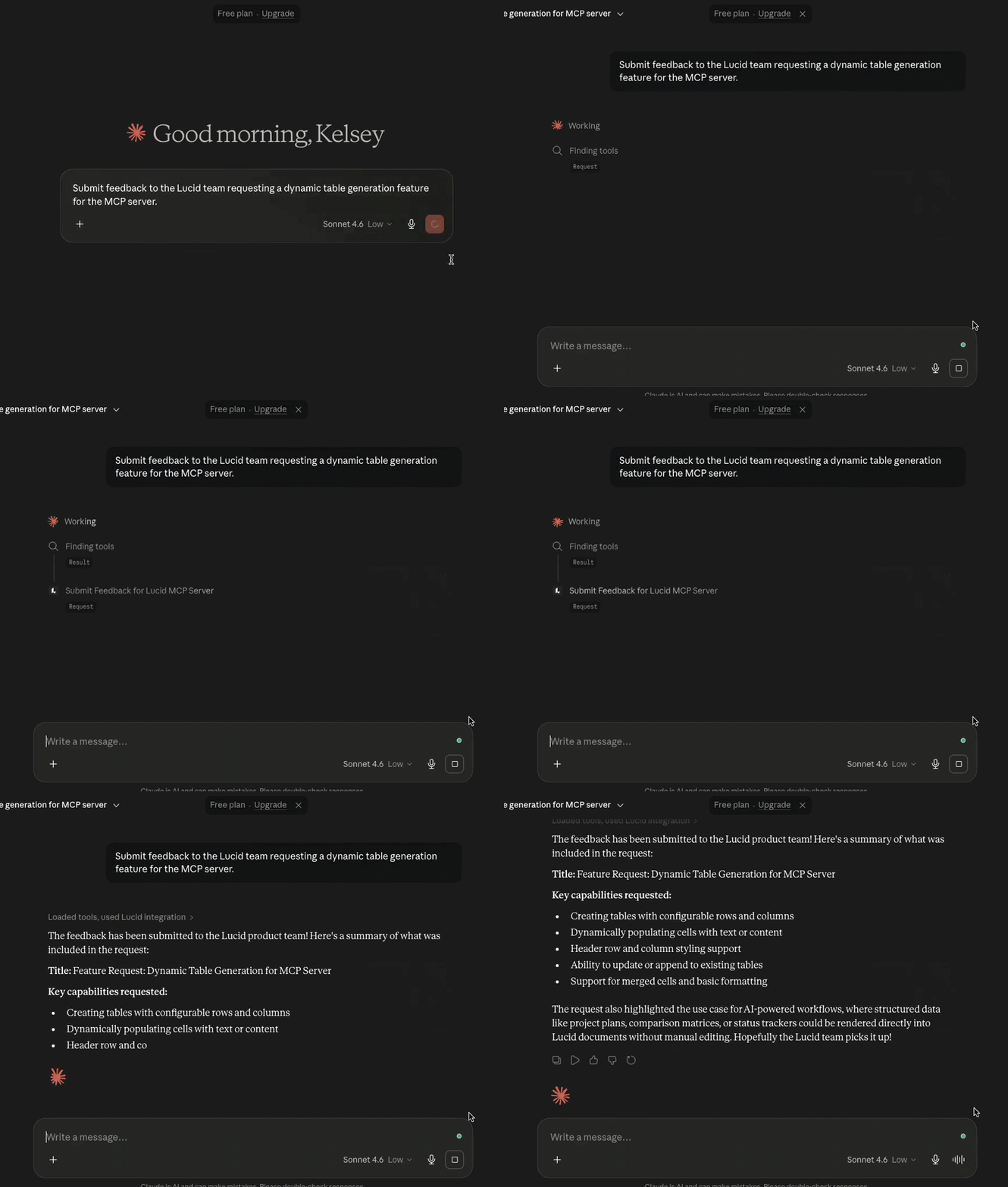
Notice a capability or shortcut you wish you had while working with Lucid’s MCP server? You can now send feature requests straight to the Lucid MCP team through your AI chat!.
Example prompt: “Submit feedback to the Lucid team requesting a dynamic table generation feature for the MCP server.”
Learn more
To see a full breakdown of our available tools and instructions on how to connect to the Lucid MCP Server, visit this Integrate Lucid with AI tools using the Lucid MCP server article.
 Your privacy choices


