

Master flexible planning: Lately @ Lucid April 2026 🎉
In our second Lately @ Lucid webinar of 2026, we explored how to build plans that more easily adapt to change.
If you’ve ever spent weeks crafting the "perfect" plan, only for stakeholder priorities to change or the market to shift and your plan to become obsolete, this webinar is for you! You can’t perfectly predict exactly what will happen within your company or industry, so you need easily adaptable plans.
This post is a roundup of Lucid features that can help you solve three of the biggest hurdles to planning: adaptability, alignment, and visibility.
Let’s get into it! ⏬
Capacity planning
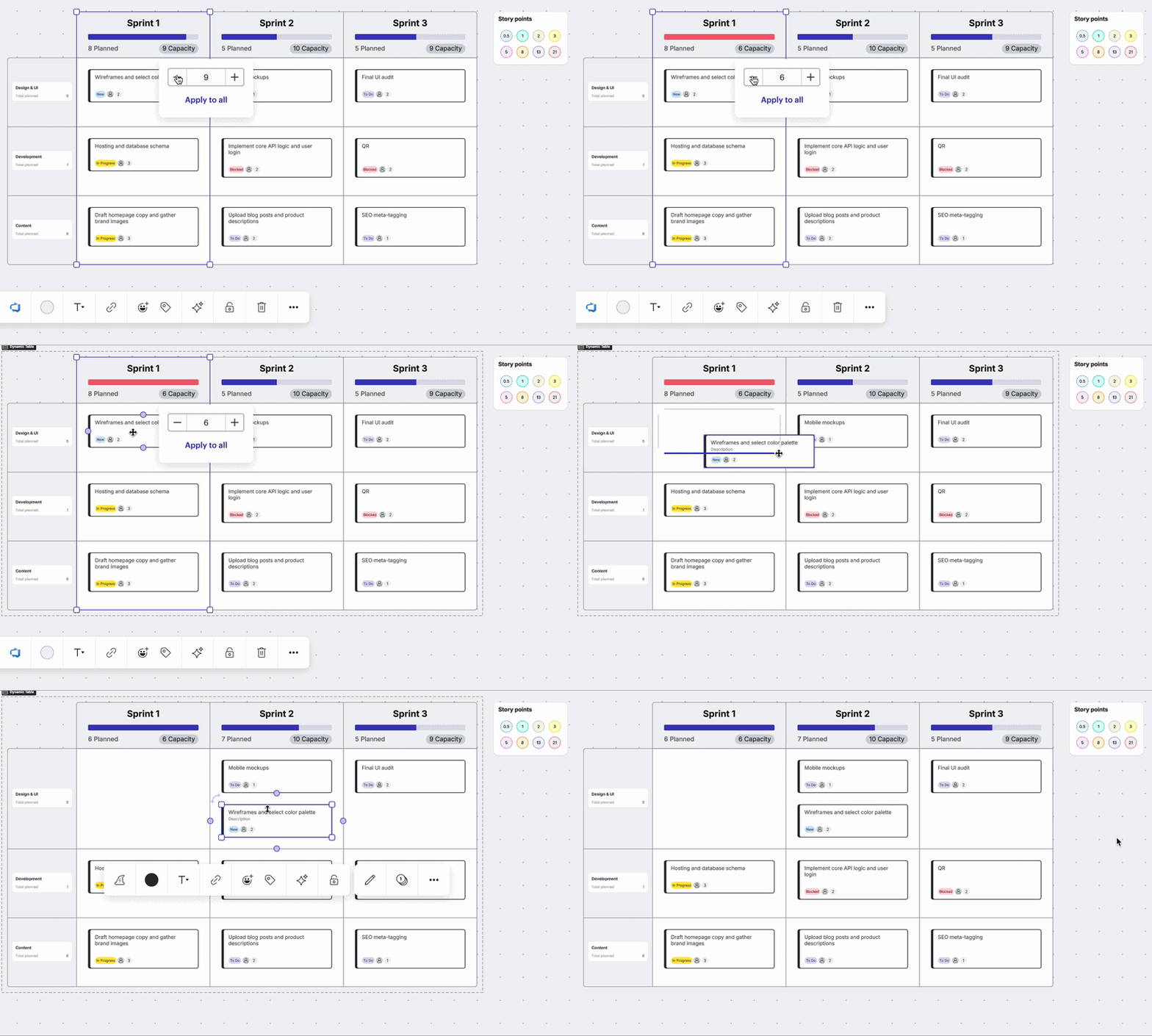
Visualize team bandwidth and plan workload distribution with capacity planning. You can set project and team capacity using story points, and automatically see how reassigning project deliverables influences capacity. It solves the problem of burnout and missed deadlines by identifying who is over-allocated before the work even begins.
Scenario planning
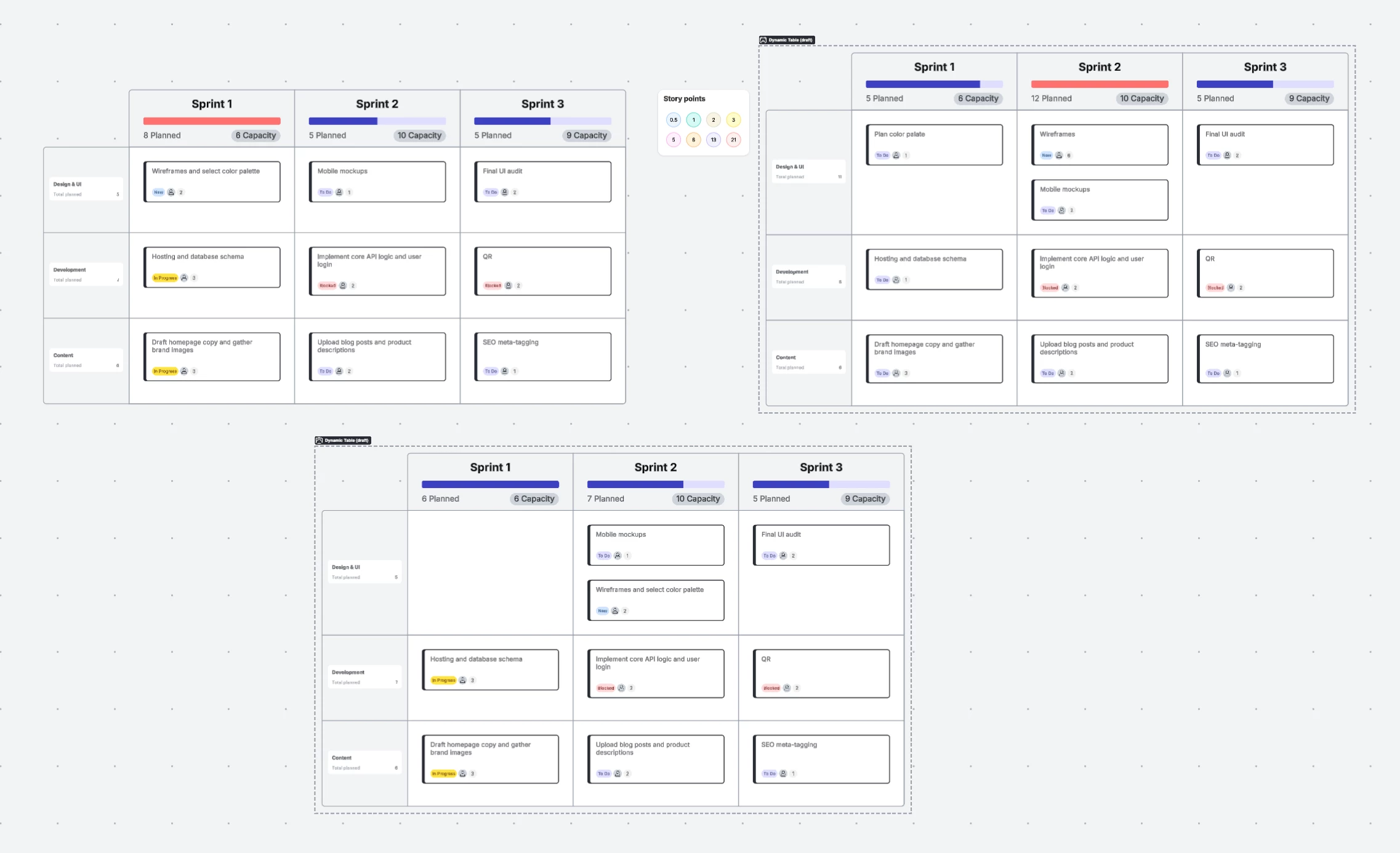
Visualize and compare multiple “what-if” paths on a single canvas with scenario planning. You can easily see the implications of reassigning tasks with side-by-side views. It solves the problem of rigid planning by letting teams prepare for multiple scenarios.
Lucid Cards and card integrations
Leverage Lucid Cards to easily visualize your work and drive planning efficiency.
To seamlessly sync your visual planning to your system of record, use the Lucid Cards integrations for airfocus, Jira, or Azure DevOps. These cards can be used in Dynamic Tables or Timelines as you map out your action plan.
Selective sync
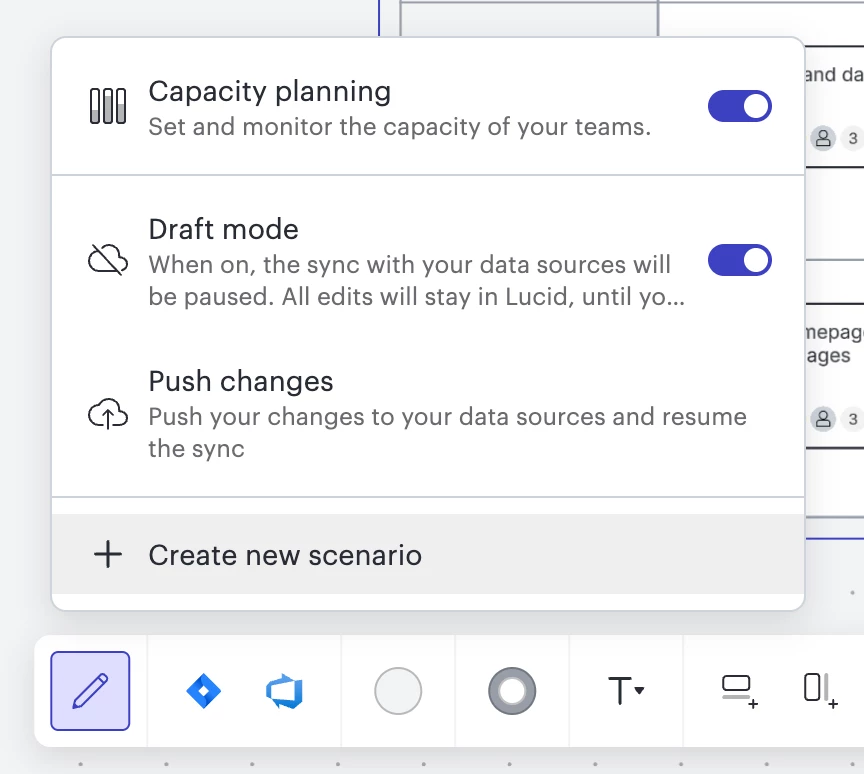
While using capacity and scenario planning features, you can pause the sync between Lucid and your system of record by entering draft mode. This mode allows you to freely plan without affecting your source of truth. Once you’re happy with your new plan, you can push the changes to your system of record all within Lucid!
Dependency mapping
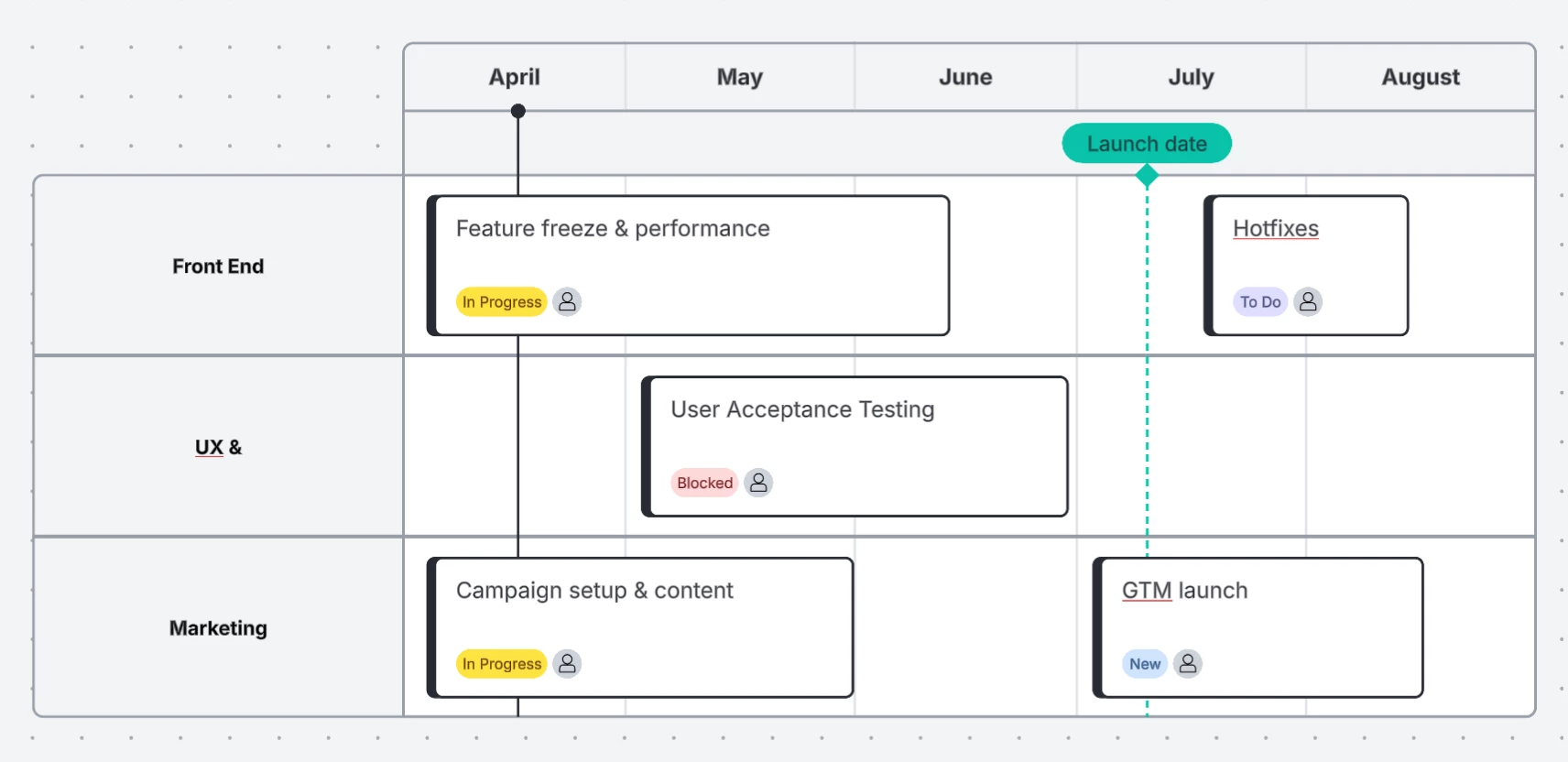
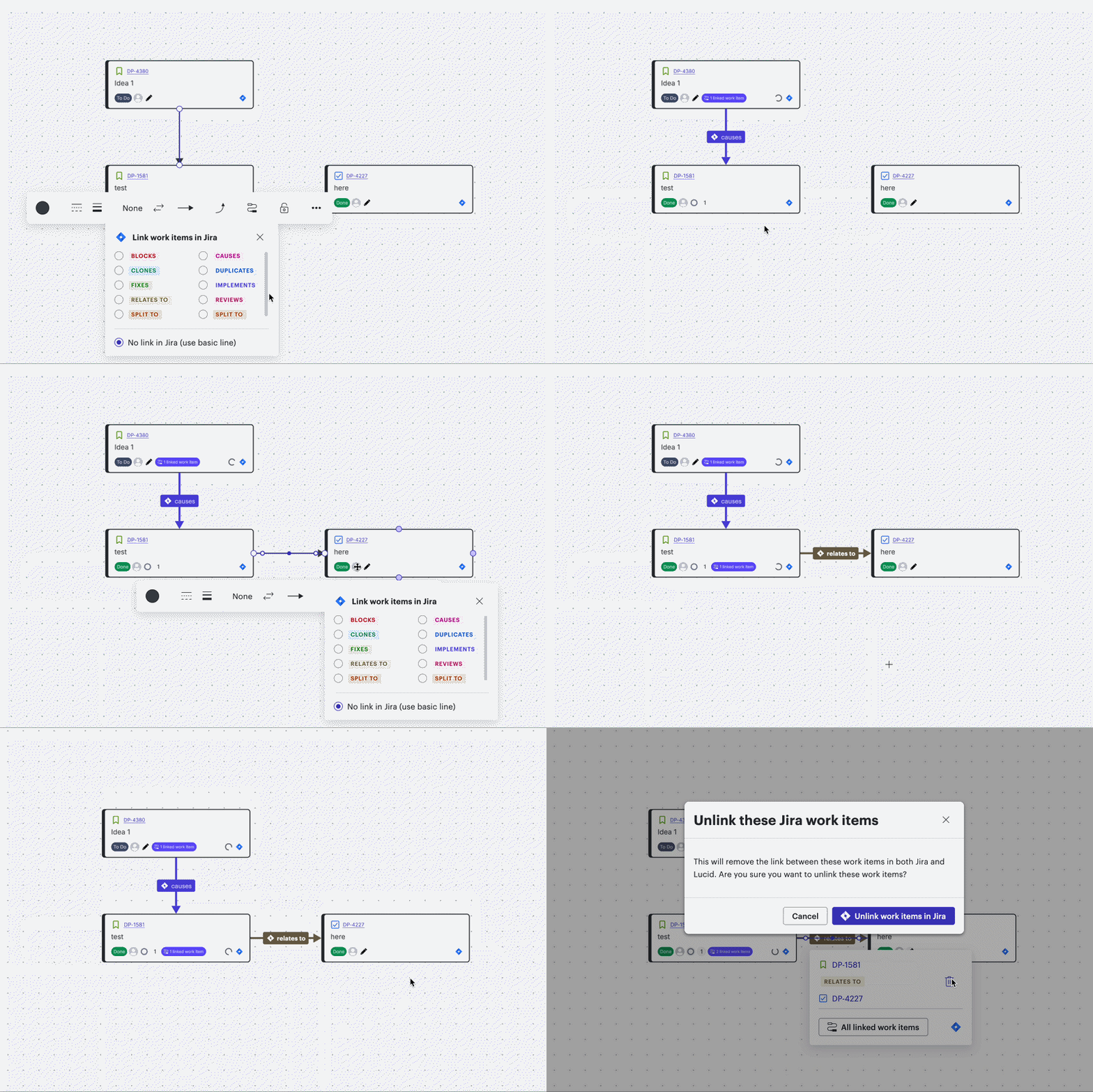
Solve the problem of “hidden bottlenecks” with dependency mapping, ensuring you have maximum visibility into how one team’s work affects another team’s timeline and deliverables.
Dependency mapping is a visual tool that uses lines to show the relationships and requirements between different tasks or teams.
💡Solution story
The challenge: Imagine you are a program manager leading a cross-functional product launch. Your team has spent weeks building a roadmap in Jira, but a sudden shift in market regulations means you need to pivot your strategy fast.
The solution: Usually, this shift would mean hours of manual data entry and a high risk of miscommunication. Instead, you turn to Lucid to do the following:
- Explore new scenarios: You open your planning board and enter draft mode using selective sync. This allows you to move your Jira Cards around and experiment with a new direction without messing up the live data your developers are currently working from.
- Balance workload: You use scenario planning to compare your original timeline against the new regulatory requirements. While shifting and editing tasks, you notice your lead engineering team turns red in the capacity planning view, indicating that they are over-allocated. You quickly reassign a few tasks to another team member to balance the workload.
- Spot roadblocks: You toggle on dependency mapping. You immediately see that the new marketing deadline is dependent on a backend API task that has been pushed back. Because you’ve identified this "hidden bottleneck" visually, you can adjust the schedule before it becomes a crisis.
- Execute with confidence: Once the new plan is finalized and stakeholders are aligned, you exit draft mode and push the changes. Your live Jira backlog updates instantly.
The result: What used to be a week of chaotic meetings is now a quick visual adjustment and planning session. Your team stays aligned, the workload remains realistic, and your strategy is successfully updated.
Ready to try this out for yourself?
Flexible planning is essential to productive workflows. It isn’t just about moving sticky notes around—it’s about creating teams and systems that can easily adapt at a moment’s notice. By leveraging Lucid’s tools to create your proactive planning system, you can ensure that execution stays on track as strategy changes.
Read the full blog here!
Which of these features are YOU most excited to try in your next planning session? Let us know in the comments below!
 Your privacy choices


