

Introducing restricted repositories: Enhanced control for your process documentation
We are excited to announce a powerful new update to the Process Accelerator, restricted repositories! 🎉
Some processes, such as sensitive HR workflows, internal financial audits, or specialized project handbooks, require a bit more privacy. With restricted repositories, you can now maintain a single source of truth for your team’s most sensitive documentation without sharing it with your entire organization.
What is a restricted repository?
A repository is a centralized collection of approved and published processes, accessible to all users on an account.
A restricted repository is a repository accessible only by users who have been invited by a accelerator manager or repository owner.
Who can view restricted repositories?
Account owners, account admins, and accelerator managers can view all restricted repositories.
Other than those roles, only users who were directly invited by a accelerator manager or repository owner can view a restricted repository.
How can I create a restricted repository?
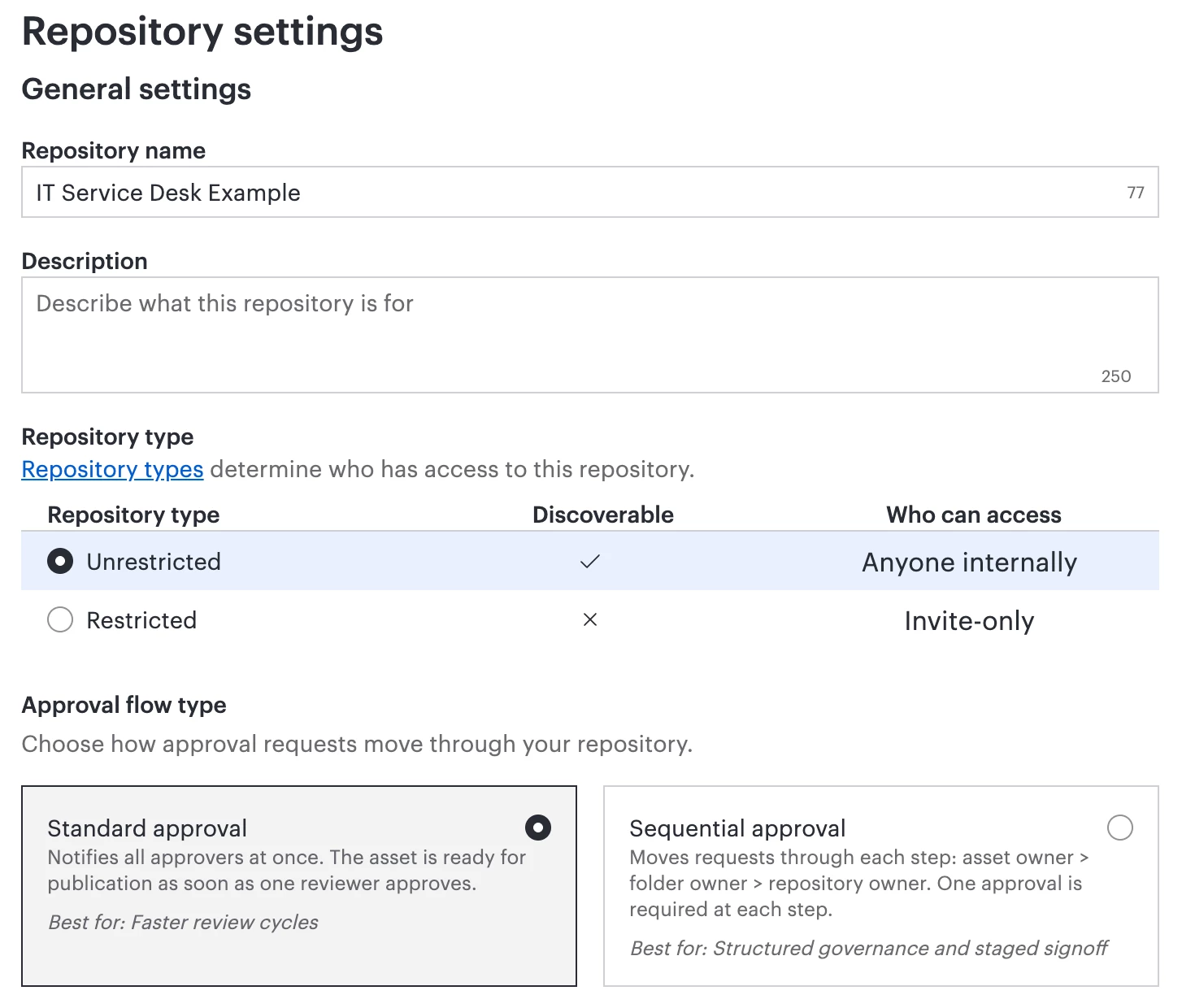
Follow the steps to create a new repository and select between the two repository types:
- Unrestricted: can be viewed by all users on your Lucid account
- Restricted: can be viewed only by users explicitly invited to the repository.
Select the ‘restricted’ option to create a restricted repository.
💡 Example Solution Story
Sarah, a Compliance Manager at a global logistics firm, uses Lucid with her team to map out internal audit procedures. These diagrams are critical for the team to follow, but they contain sensitive regulatory information that shouldn’t be searchable or viewable by other departments.
Solution: Sarah creates a restricted repository titled “Internal Compliance Standards” and invites only her core audit team as well as executive leadership.
Result:
- Heightened security:
- The documents aren’t accessible to departments that don’t need access.
- When a new hire in sales searches “Audit” in Lucid, the sensitive documents don’t appear in the results.
- Sarah can embed the diagrams into the team’s SharePoint site knowing that only those invited to the restricted repository can view the Lucid diagrams.
- Organization:
- The audit team has a source of truth where they can always find the latest, approved version of their workflows.
Questions?
To learn more about repositories in Lucid, check out this article from the Lucid Help Center: Use repositories to centralize and standardize your organization’s processes.
If you have any questions, or would like to share how you use repositories in your role, create a new topic and we’d love to hear from you!
 Your privacy choices


