Solved

How to empty trash folder: "Your admin has disabled this feature"

  • April 21, 2026
  • 4 replies
  • 23 views

Forum|alt.badge.img+2

Hi,


when I try to empty the trash folder in the team folder directory, I get the message that I do not have the rights to do that. Currently I hold the account owner role of the VILS Enterprise account. 

How this can be solved?


Best answer by Becca G

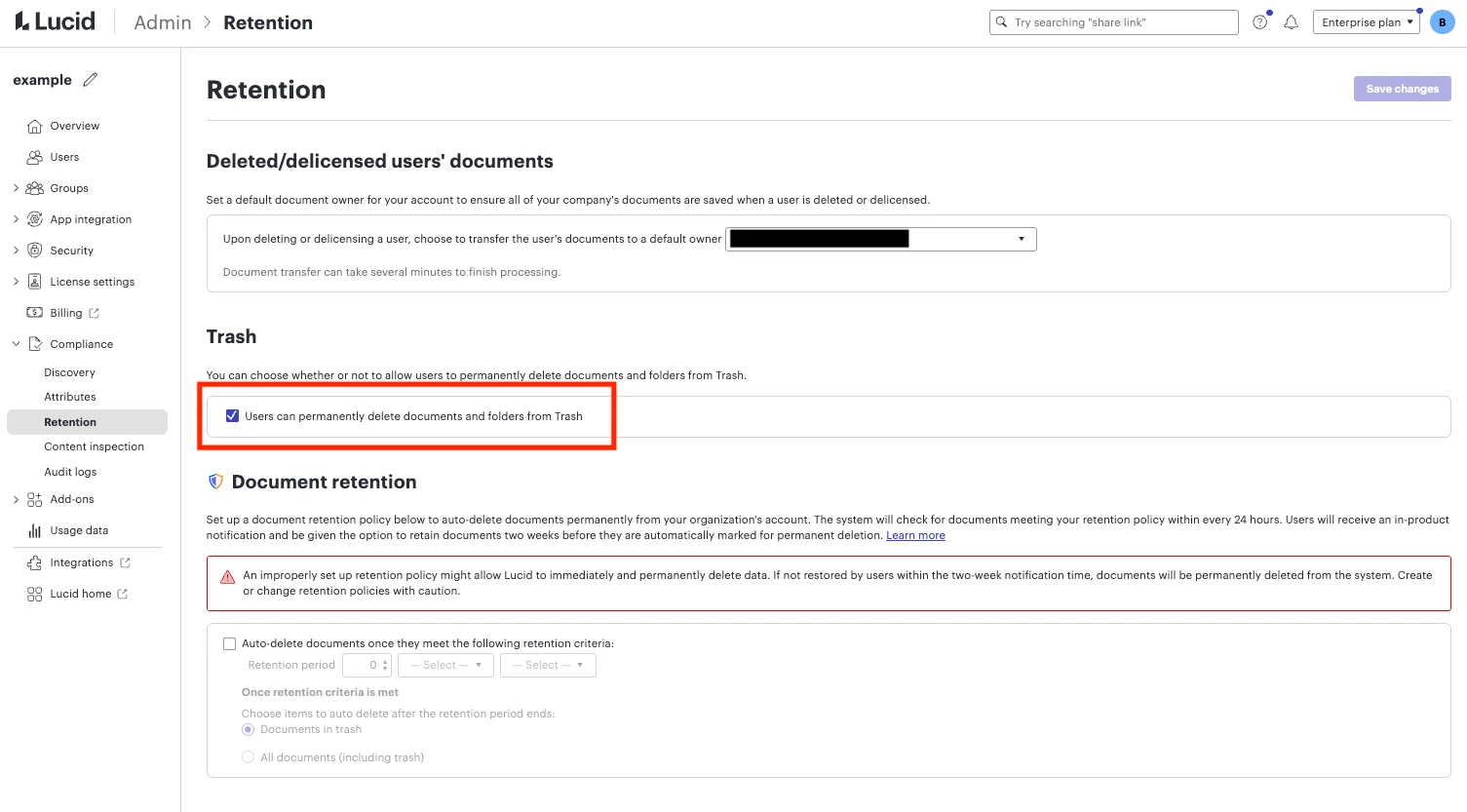
Hi ​@veerle.soetewey, thanks for the clarification. If you are an admin, could you try toggling this setting off, via the admin panel (Compliance > Retention > Trash)? 


Comments

Becca G
Forum|alt.badge.img+4
  • Lucid support team
  • April 21, 2026

Hi ​@veerle.soetewey, thanks for posting in the Community! Have you been assigned “Edit and Share” access to this team folder?


Forum|alt.badge.img+2

Hi,

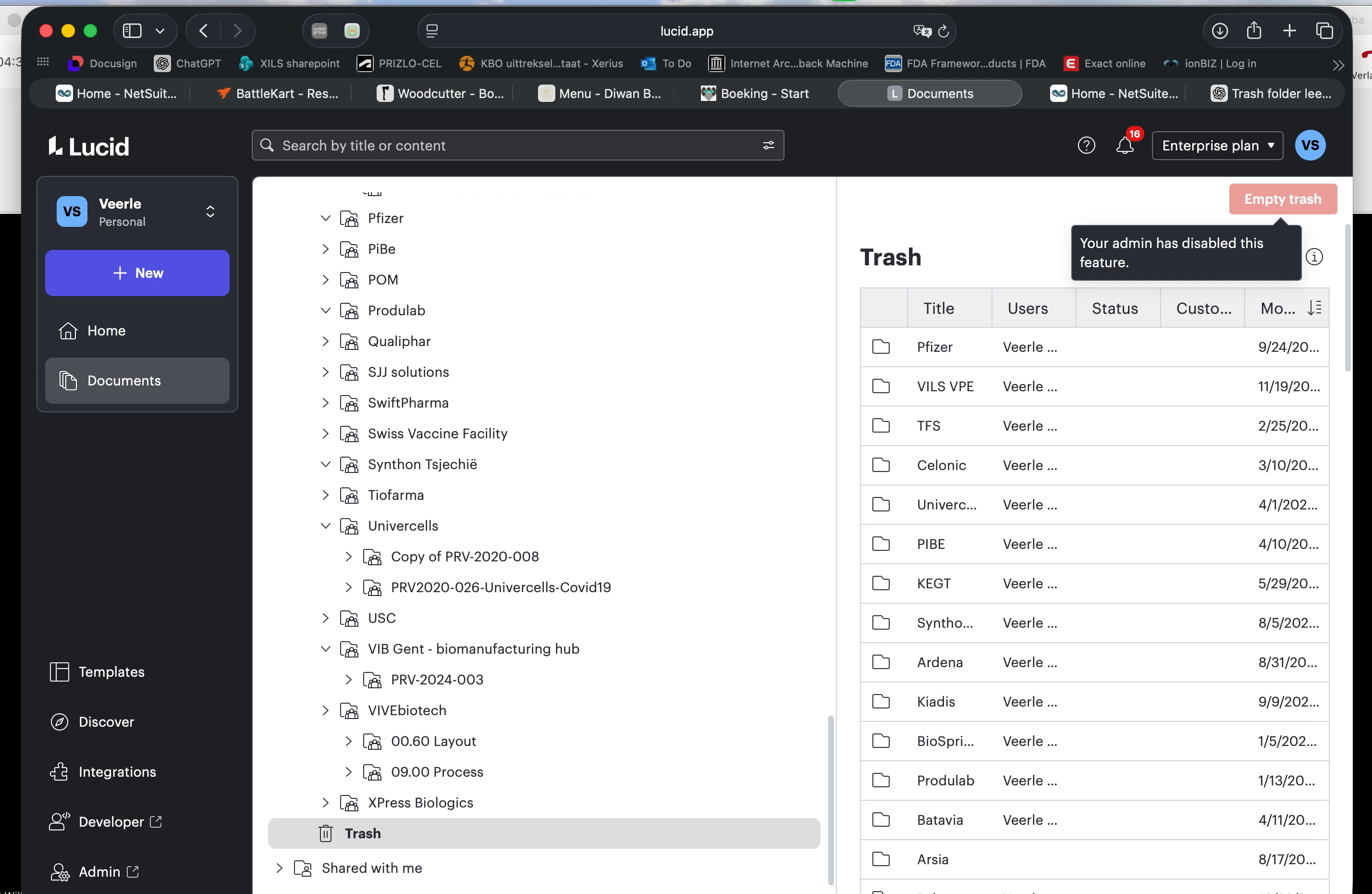
it is not a Team Folder, it is the general Trash Folder under documents (apologies for the confusion, it is a mistake in my initial post). So no rights can be attributed to it. For all the files in this trash folder, the “delete from Trash” button is disabled:


Becca G
Forum|alt.badge.img+4
  • Lucid support team
  • Answer
  • April 23, 2026

Hi ​@veerle.soetewey, thanks for the clarification. If you are an admin, could you try toggling this setting off, via the admin panel (Compliance > Retention > Trash)? 


Forum|alt.badge.img+2

Thanks, this works!