
Solved
How do I export multiple SVG icons as a list into PDF Editor?
My company has created a list of favorite symbols. Now I am wondering how I can xport them as PNG or SVG files
My company has created a list of favorite symbols. Now I am wondering how I can xport them as PNG or SVG files
Hi
Thank you for your response and for that context! Managing 300+ symbols across categories like pumps and valves is a significant task! Could you clarify a few things so I can take a closer look?
Would you mind sending a screenshot of a few of these shapes and how they are organized in your panel?
Are you looking to export the visual shape itself, or the data/attributes attached to them?
Which PFD editor are you planning to move these into?
Here is one potential workaround I wanted to recommend (see screenshots below).
First, put all of your shapes on one page (if you haven’t already), and organize them how you would like.
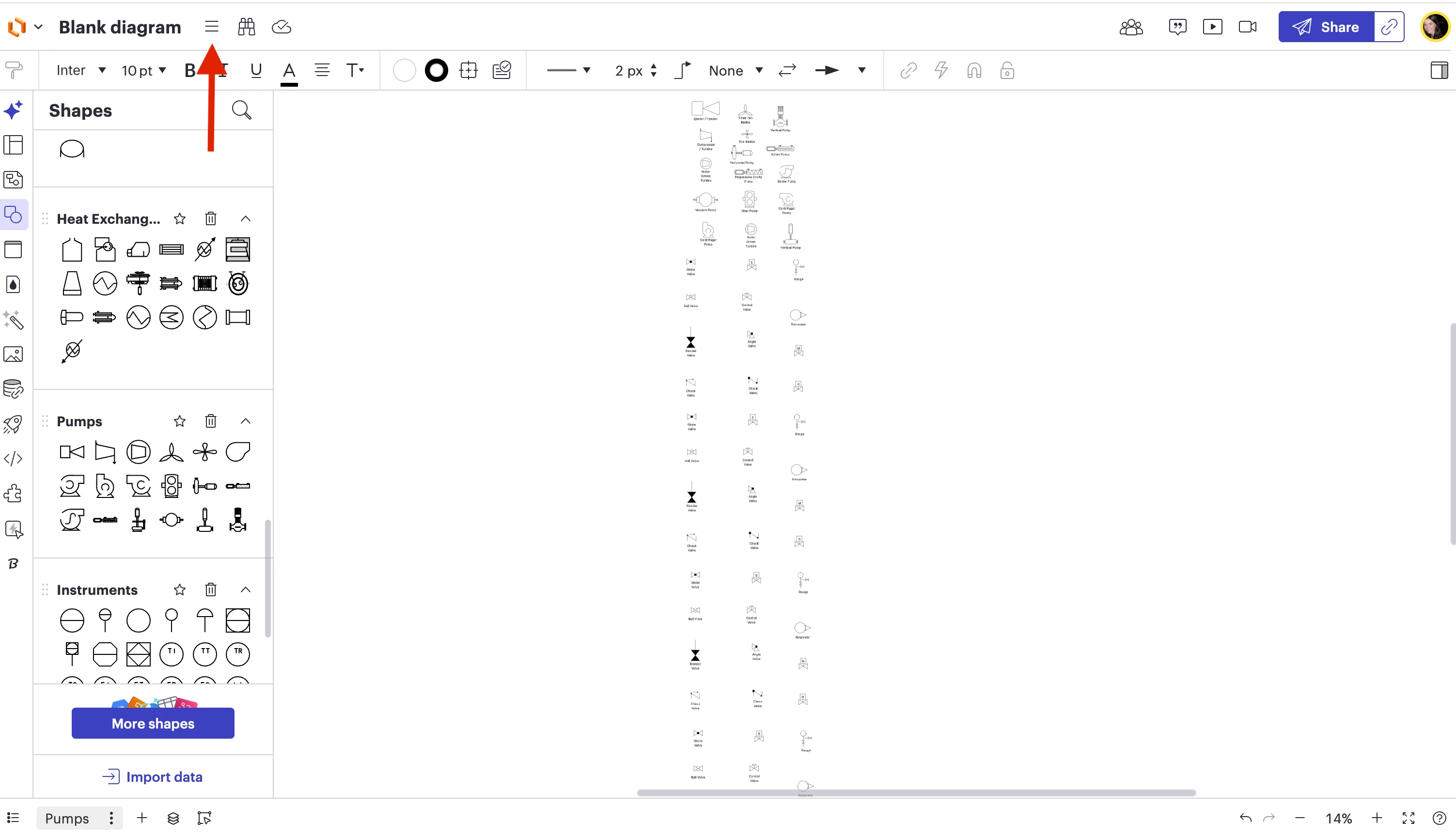

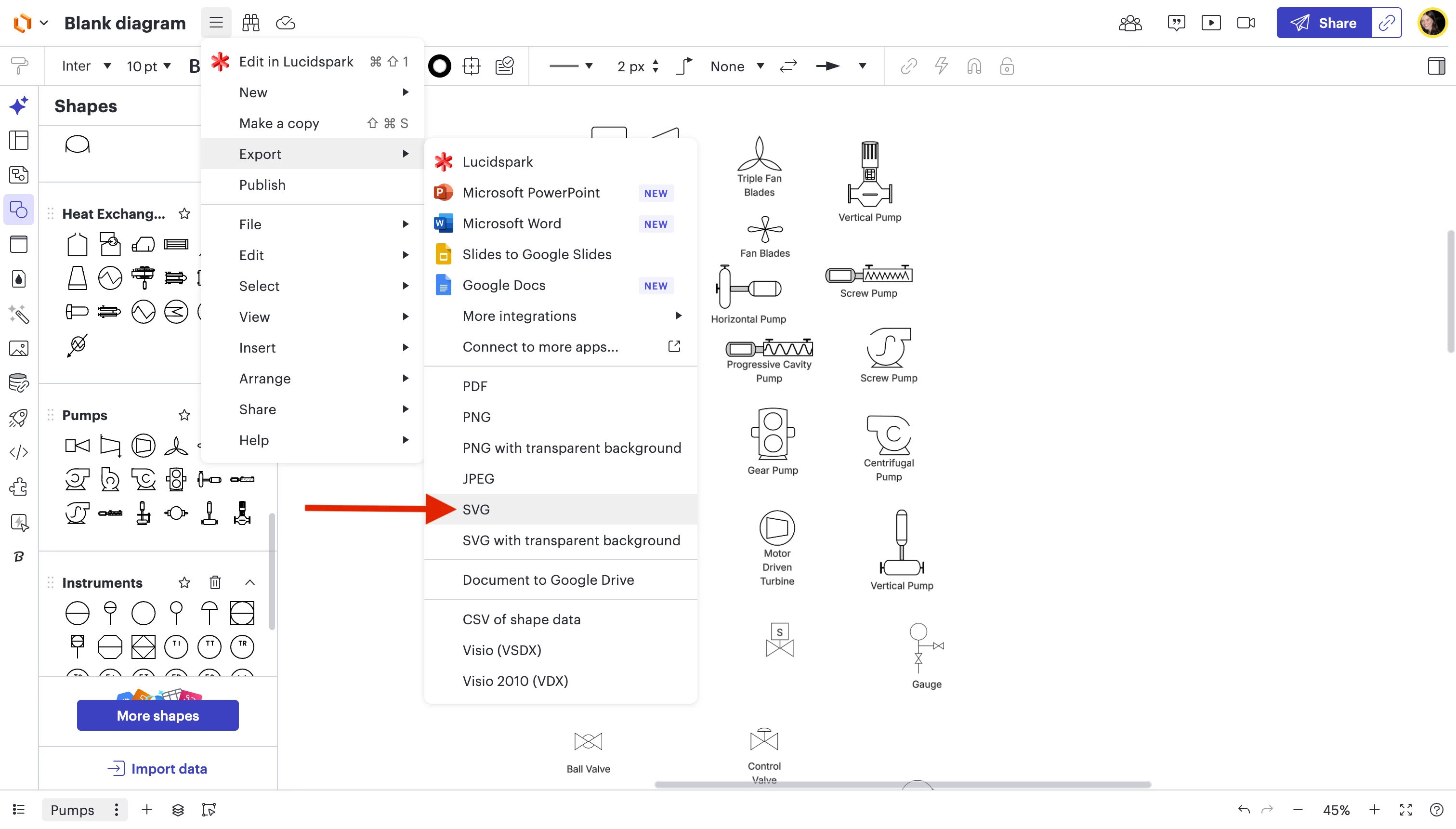
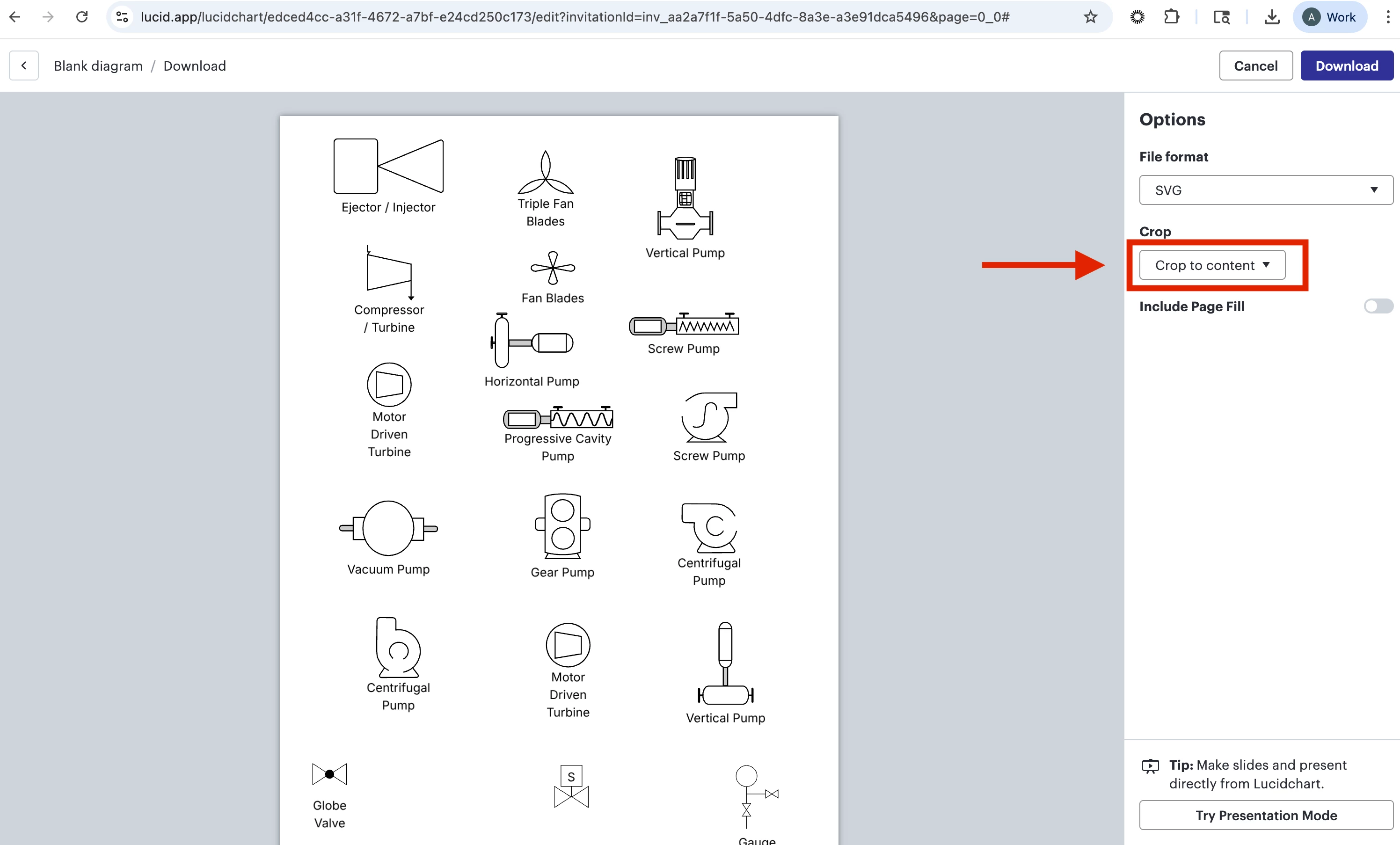
This will create an SVG file with one big list of all your shapes, and will remove any whitespace around the contents of your document, ensuring the file is trimmed tightly to the shapes rather than the full canvas size.
A Lucid or airfocus account is required to interact with the Community, and your participation is subject to the Supplemental Lucid Community Terms. You may not participate in the Community if you are under 18. You will be redirected to the Lucid or airfocus app to log in.
A Lucid or airfocus account is required to interact with the Community, and your participation is subject to the Supplemental Lucid Community Terms. You may not participate in the Community if you are under 18. You will be redirected to the Lucid or airfocus app to log in.
Enter your E-mail address. We'll send you an e-mail with instructions to reset your password.
 Your privacy choices


