
Question

Failed to load legacy macro with Confluence Data Center Connector

  • July 9, 2026
  • 3 replies
  • 38 views

Forum|alt.badge.img+1

Yesterday we updated the Lucidchart Connector for Confluence (Data Center 9.2.9) plug-in from 1.32.1 to 1.34.1.  We did this because Lucid was throwing exceptions due to changes in their backend services that essentially dropped support for 1.32.1.

There were some pretty extensive functional changes between the versions and no documentation about what changed.

Now we are randomly receiving errors both when our users add new diagrams to Confluence pages or when loading pages with existing diagrams.  The error reads:
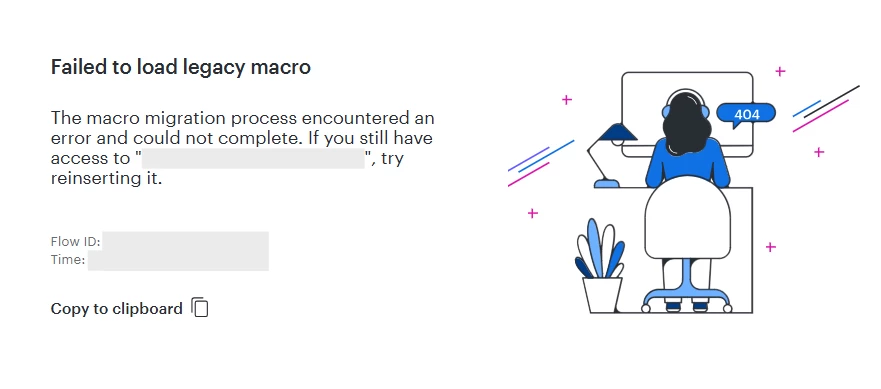
Failed to load legacy macro

The macro migration process encountered an error and could not complete. If you still have access to “[Name of Diagram]”, try reinserting it.

We have no idea what this “macro migration” is talking about.  We’ve been using the integration since Dec 2025 and there are no articles about this topic.

Has anyone else experienced this issue or have recommendation?
 

Comments

Humas1985
Lucid Legend Level 10
Forum|alt.badge.img+24
  • Lucid Legend Level 10
  • July 9, 2026

Hi ​@raywilliams 

Based on the timing, this appears more likely related to the connector upgrade from 1.32.1 to 1.34.1 than to the diagrams themselves. The ‘Failed to load legacy macro’ message suggests the newer connector is trying to migrate older embedded Lucid macros when the page loads, and that migration is failing.

Could you confirm whether this happens only with diagrams created before the upgrade, or also with newly inserted diagrams? If possible, please check the Confluence application logs for any Lucid connector or macro migration errors around the time the page loads. That should help us determine whether this is a migration issue or a regression in the newer connector.

Thanks


Forum|alt.badge.img+1
  • Author
  • July 9, 2026

This happens to diagrams created prior to having to update to 1.34.1.  I am able to verify this by reviewing the attachments for the Confluence page for any that were created using the Bulk Converter for Gliffy Diagrams.  Also, looking at the storage format of the page, the “new” macro uses different attributes that the previous version.  We have thousands of diagrams that can no longer load.  I’m wondering if we will have to write a script that forcibly rewrites the storage format to match the new macros.

We used template templates for many of our diagrams prior to Lucid.  With Gliffy these diagrams were stored locally as attachments.  So even though they shared the same diagram name, we didn’t have to worry about uniqueness.  When Lucid performed its bulk conversion, we lost the page-specific context and the converted diagrams kept their attachment names.  So, before I had a specific system page containing a diagram named “Domain Diagram”.  Now if have a page that says the macro cannot be “updated” and I need to relink the “Domain Diagram”.  Which given how Lucid converted them, I now have several hundred diagrams with that name.


Forum|alt.badge.img+1
  • Author
  • July 9, 2026

Point of clarification.  We were on 1.32.1 previously.  Lucid service began reporting that that version was no longer supported and none of our diagrams would load.  We upgraded to 1.34.2 and newly created diagrams will load and about 60% of our previous diagrams no longer load.  I can roll back to the old broken or keep the new broken.  But either way, we are broken.