Is there a way to hide a specific active org admin from the “Sent to” recipient suggestions/pop-up without disabling their account or removing admin privileges? We want them to keep access but not appear in the auto-suggest “Sent to” list. Attached is what the user gets when requesting an edit license for LucidChart.
Thanks for posting in the Lucid Community and great question!
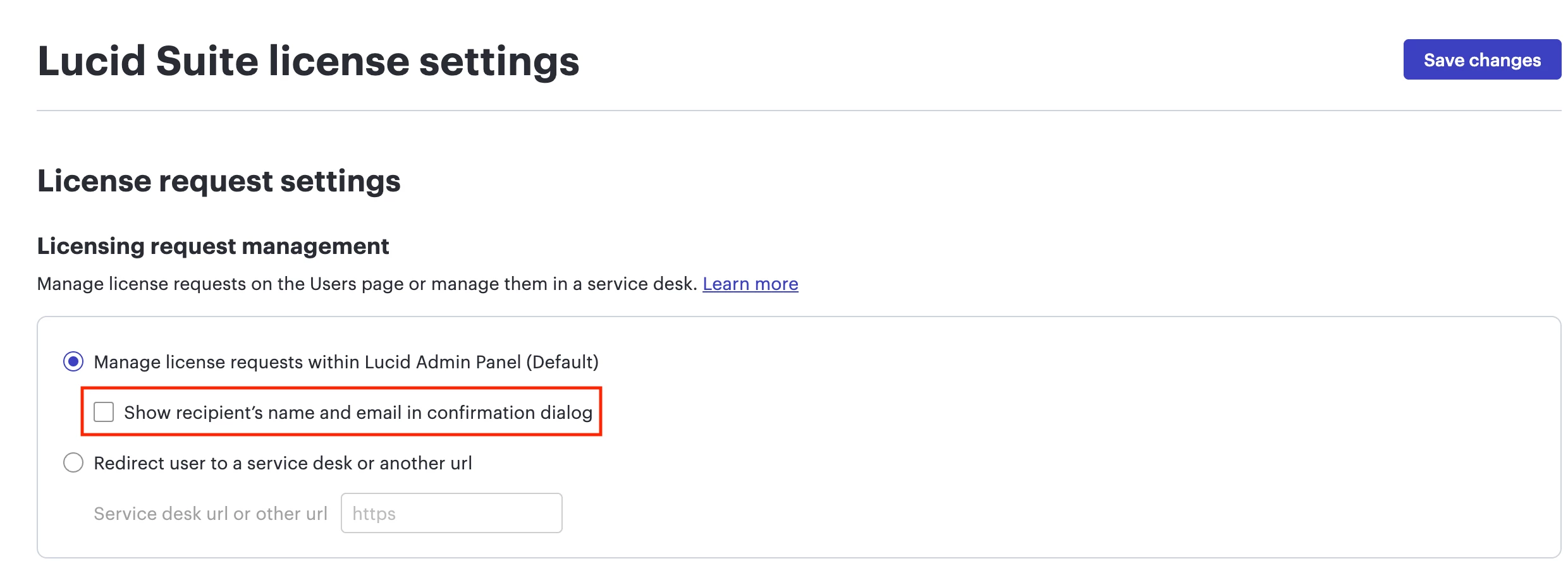
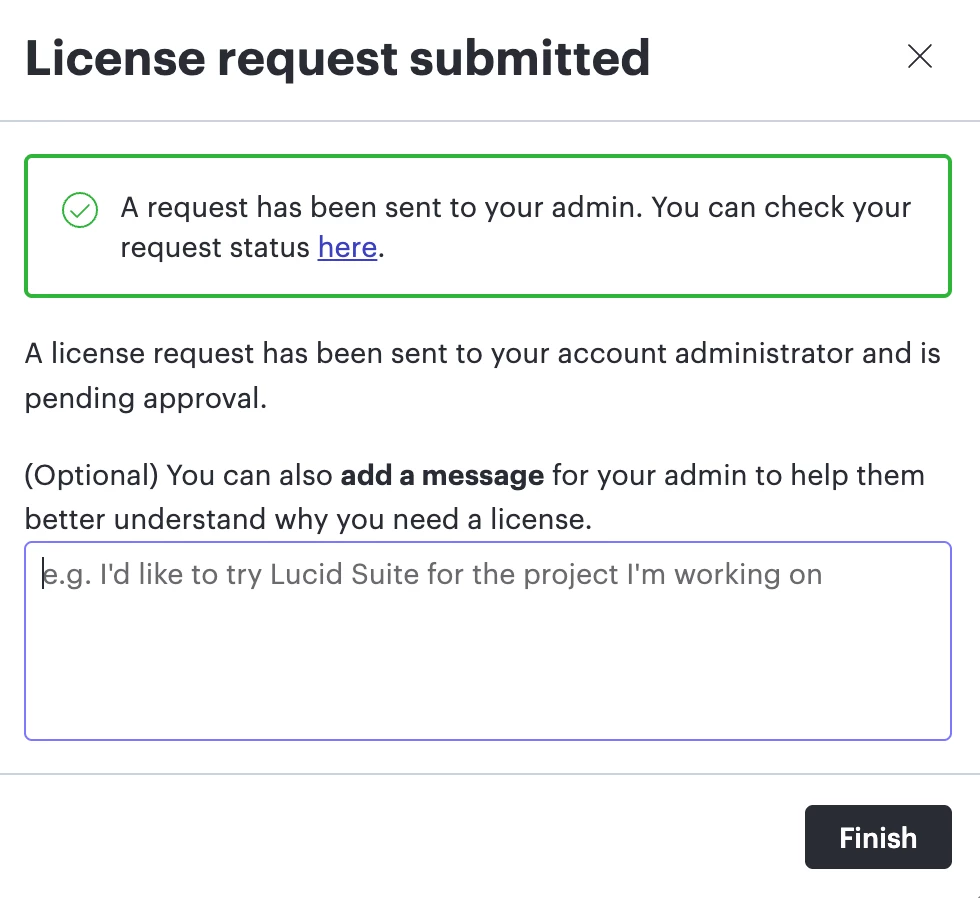
In the Admin Panel under License Settings > Lucid Suite Settings, you can scroll down and uncheck the box that says "Show recipient’s name and email in confirmation dialog" then click Save changes. This will change the notification behavior so that instead of listing a specific admin's name and email, the user will see a generic message stating that the request has been sent to their account admins.
Please see the additional dialogue below:
Please note that this is an account-wide setting. It will hide all admins’ names from the pop-up, not just one specific person.
Will you adjust this setting in your account and see if it updates the request dialogue correctly?
I hope this helps and please let me know if you have any additional questions.
Thanks for posting in the Lucid Community and great question!
In the Admin Panel under License Settings > Lucid Suite Settings, you can scroll down and uncheck the box that says "Show recipient’s name and email in confirmation dialog" then click Save changes. This will change the notification behavior so that instead of listing a specific admin's name and email, the user will see a generic message stating that the request has been sent to their account admins.
Please see the additional dialogue below:
Please note that this is an account-wide setting. It will hide all admins’ names from the pop-up, not just one specific person.
Will you adjust this setting in your account and see if it updates the request dialogue correctly?
I hope this helps and please let me know if you have any additional questions.
I'm happy to hear that you were able to update that setting. It's my pleasure to help! Please don't hesitate to let me know if there is anything else I can do for you.
This community is dedicated to supporting your work in Lucid's products. If other questions arise, or if you'd like to share how you use Lucid, you can create a new topic!
A Lucid or airfocus account is required to interact with the Community, and your participation is subject to the
Supplemental Lucid Community Terms.
You may not participate in the Community if you are under 18. You will be redirected to the Lucid or airfocus app to log in.
A Lucid or airfocus account is required to interact with the Community, and your participation is subject to the
Supplemental Lucid Community Terms.
You may not participate in the Community if you are under 18. You will be redirected to the Lucid or airfocus app to log in.


 Your privacy choices


