Hi all! i recently had to make quite a few manual entries to some of our org charts & now I need to add connecting lines for the new additions. when I follow the instructions provided by Lucid, it does not apply the lines for me. Does anyone have any tips/tricks? Thank you in advance!
Hi @GerlingL, sorry you’re having trouble here! I noticed you mentioned this same issue in the post below. Just in an effort to make this thread as helpful as possible, my response here may be the same. Feel free to respond either within this thread or within the post linked below, whichever one you’d prefer.
Would you mind providing a detailed description of how you’ve added objects to your org chart? Would you mind sending me a screenshot of the portion of the diagram that you’d like to connect?
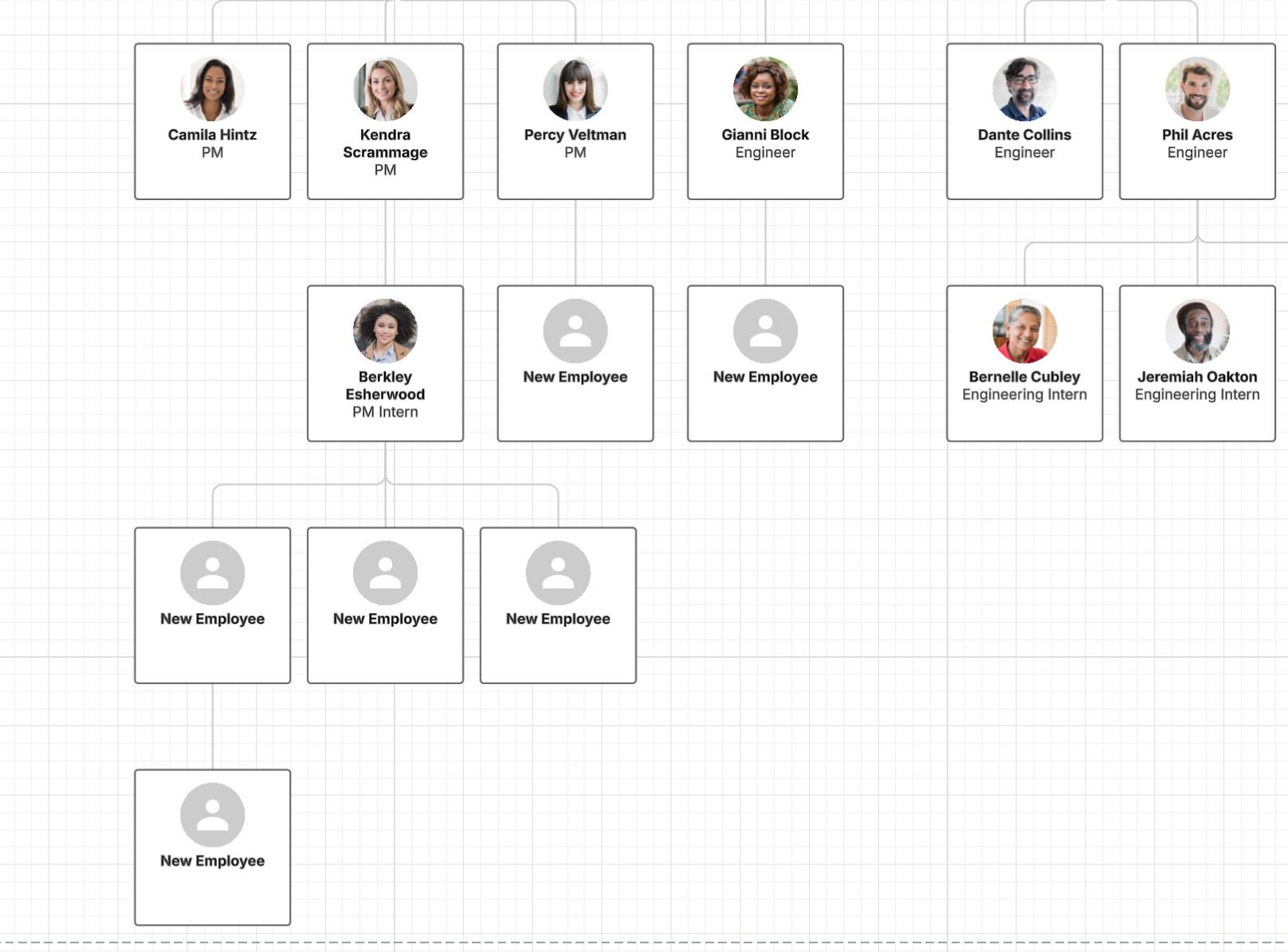
After importing employee data into your org chart, you should still be able to manually add new employees as shown below.
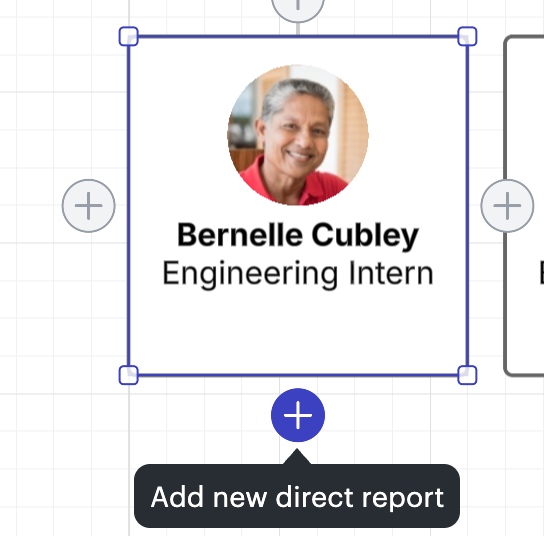
You can do so by going to an existing employee, hovering over the shape until you see the + signs, and selecting a plus sign to add a direct report, manager, or team member.
Hi @GerlingL, thank you for your response and I apologize for the delay here. To clarify - using the screenshot that you’ve provided below as an example, should Jennifer, Lonny, Miles, Nate, and Roberta all report directly to JC? And you would not like for them to be connected to one another in a vertical line, is that correct?
Is the example below what you are hoping to achieve?
Thank you for your help and patience! Details on what you are hoping your org chart layout to look like will help me to continue looking into this.
A Lucid or airfocus account is required to interact with the Community, and your participation is subject to the
Supplemental Lucid Community Terms.
You may not participate in the Community if you are under 18. You will be redirected to the Lucid or airfocus app to log in.
A Lucid or airfocus account is required to interact with the Community, and your participation is subject to the
Supplemental Lucid Community Terms.
You may not participate in the Community if you are under 18. You will be redirected to the Lucid or airfocus app to log in.


 Your privacy choices


