

This seems very similar to this post, but that did not seem to get to a resolution, so I’m opening another for my scenario:
We are using the Azure DevOps Cards extensively and we have started seeing issues with Area Paths showing up as numbers rather than the Display Name.
For example, this area path should be showing “Redwood”
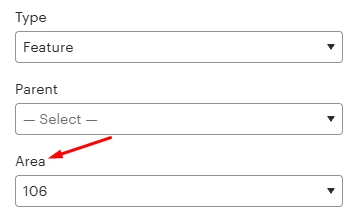
We have tried the following, but none of these have changed the behavior we are seeing:
- Unlink/relink to ADO
- Create a new fresh Lucid Spark board from scratch
- Try in multiple different browsers (Chrome, Edge, Firefox)
We are getting the same “number” in all cases. The part that is confusing is that some area paths DO work and show the display name correctly. But most of them in our system are showing only as numbers.
As further background, I can see the area paths in the import screen by display name. For example:
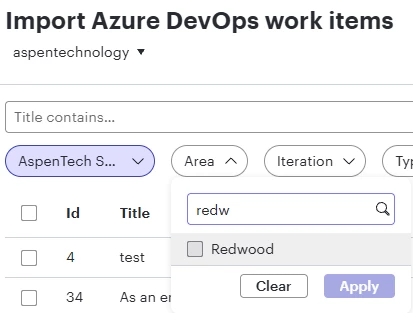
I can also inspect with F12 web browser console and see the actual area paths coming back in the payloads from ADO.


 Your privacy choices


