View Documents without Triggering Changes

  • October 21, 2021
  • 1 reply
  • 7 views

Robert P102
Forum|alt.badge.img+3

I've noticed that any time we view a document it creates a new version even though there are no changes.  This makes it difficult to identify the current version of the document.

How can we manage read only access even though we have write permissions so we can maintain a consistent awareness of the current document state?


Comments

Abigail M
Forum|alt.badge.img+7
  • Lucid support team
  • October 25, 2021

Hi Robert

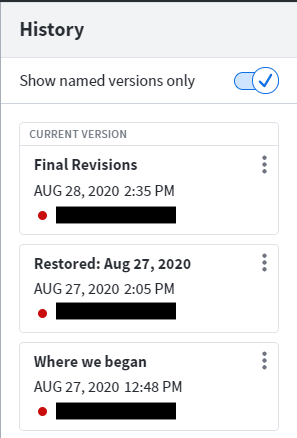
Thanks for posting in the community! Our Revision History feature is designed to store a new version each time the document is saved. You can navigate these versions more easily by naming each version you would like to access in the future. You can name specific versions on the Revision History by clicking on the three dots to the right of each tile and then typing in a name. You can then choose to see only versions you have named by toggling "Show named versions only".

If anyone else has questions about Revision History you can find an overview in this Help Center article.

Hope this helps!