Answer

Unable to load fonts to Lucidchart

  • May 7, 2024
  • 1 reply
  • 85 views

Forum|alt.badge.img

Hi,

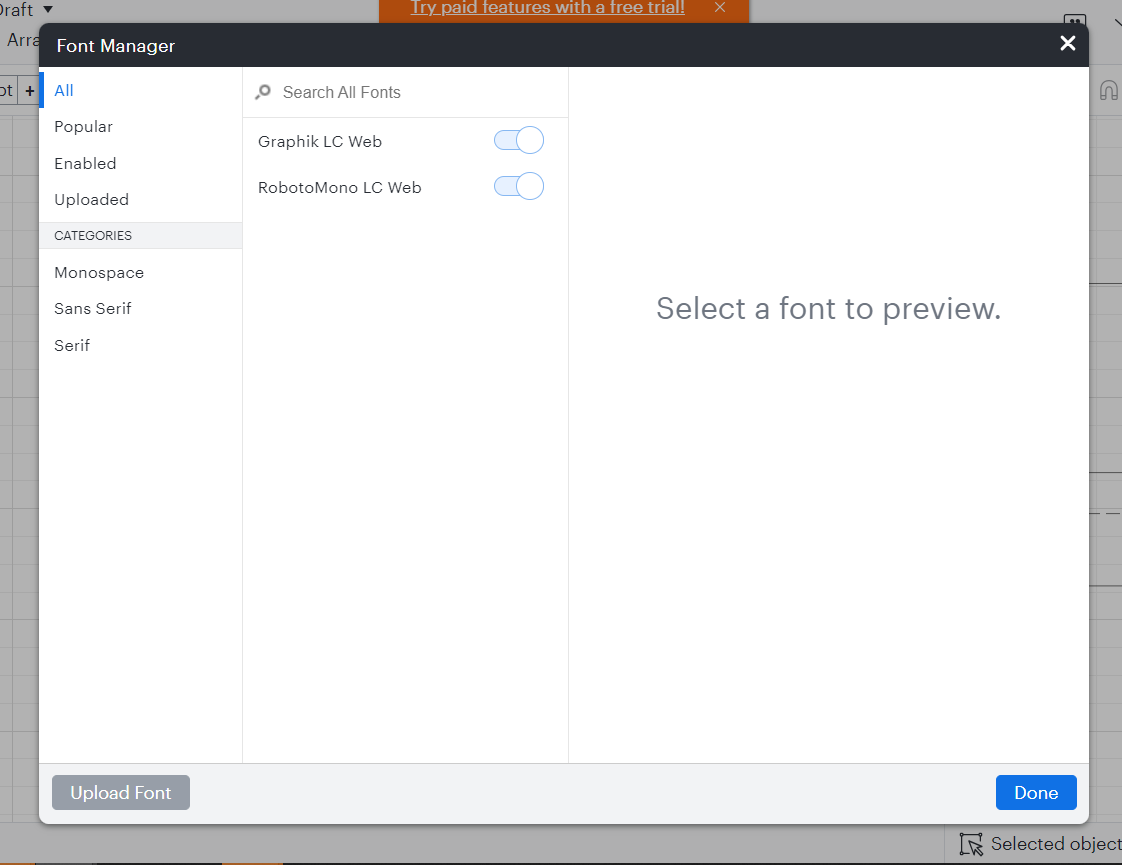
Trying to use Lucid for the first time and started from a suggested template and have the error "We were unable to load fonts. Contact Support". 

Launched in Chrome 
Launched in Chrome Incognito - issue persists
There are no fonts to select at all. Font manager is empty.


Best answer by Kelsey Gaag

Hi @Rees

Thank you for posting in the Lucid Community! Could you also try connecting to a different network or disconnecting from your VPN (if applicable)? Sometimes account performance issues can be related to internet security/speed or browser issues.

If the issue persists, Can you provide the following so I can take a closer look?

  • A screenshot of the associated Javascript Console output after reproducing the issue. You can open your Javascript Console by pressing Ctrl+Shift+J (if your computer is a Windows/Linux) OR Cmd+Opt+J (if your computer is a Mac).


Comments

Kelsey Gaag
Forum|alt.badge.img+16
  • Lucidite
  • Answer
  • May 8, 2024

Hi @Rees

Thank you for posting in the Lucid Community! Could you also try connecting to a different network or disconnecting from your VPN (if applicable)? Sometimes account performance issues can be related to internet security/speed or browser issues.

If the issue persists, Can you provide the following so I can take a closer look?

  • A screenshot of the associated Javascript Console output after reproducing the issue. You can open your Javascript Console by pressing Ctrl+Shift+J (if your computer is a Windows/Linux) OR Cmd+Opt+J (if your computer is a Mac).