Answer

Moving swim lanes distorts connectors in Lucidchart

  • April 10, 2019
  • 2 replies
  • 58 views

Robert M102

I have a large and complex chart.  I'm using swim lanes to keep things organized.
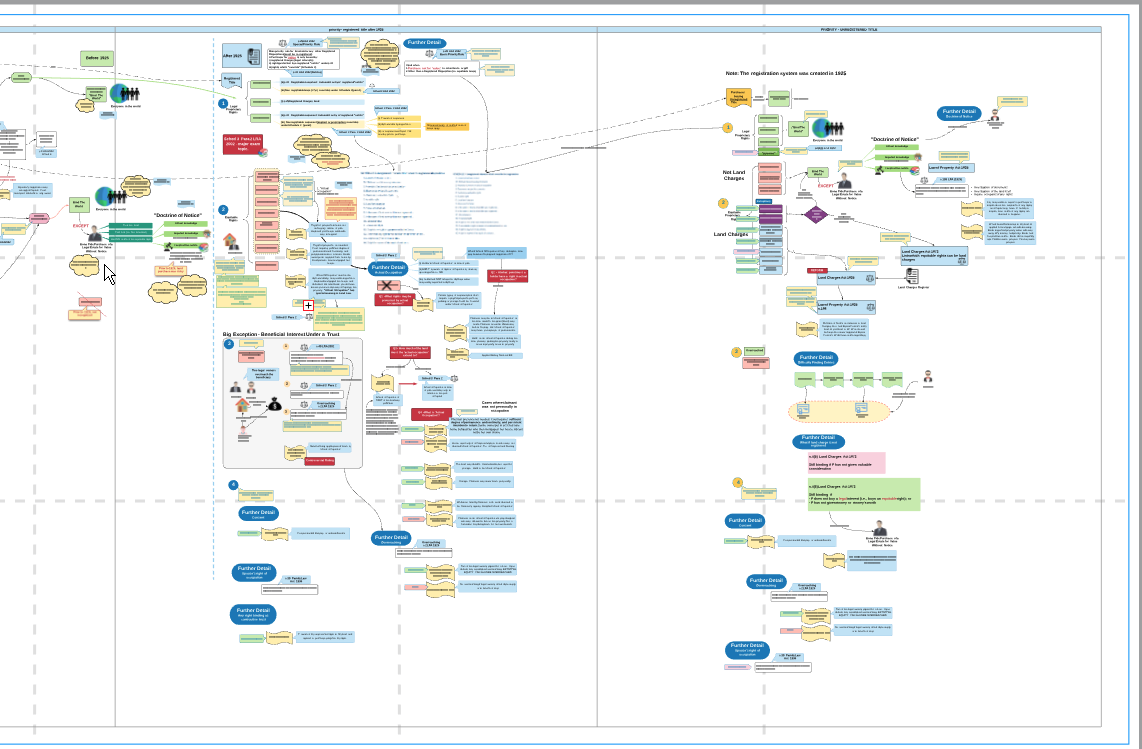
 

When I move a swim lane left or right some of the connectors/lines move some seem anchored to the background


Before moving the swim lane:



After moving the swim lane.  Most everything moves except some of the anchor points of connectors remain stationary.:
 

Best answer by Paula C101

Hi Robert

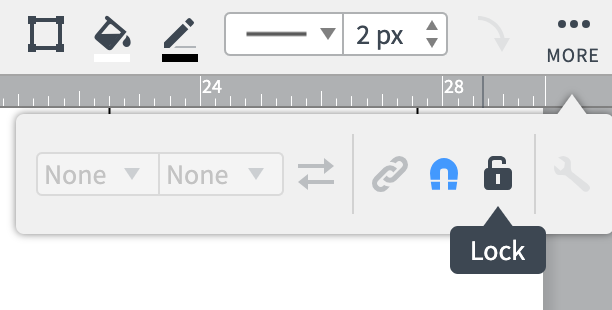
Thanks for posting in the Lucidchart Community! It sounds like you are looking for the magnetize feature. To magnetize objects together so that they move in unison  highlight the shapes and select the three dots and "MORE" option on the properties bar as shown in this screenshot: 


Then click the magnet icon so it turns blue. This will make all the shapes move in unison when you move one. You can also lock the shapes together but then you will not be able to edit them until you unlock the shapes. 

Feel free to let me know if you have additional questions! 


Comments

Paula C101
  • Lucidite
  • Answer
  • April 10, 2019

Hi Robert

Thanks for posting in the Lucidchart Community! It sounds like you are looking for the magnetize feature. To magnetize objects together so that they move in unison  highlight the shapes and select the three dots and "MORE" option on the properties bar as shown in this screenshot: 


Then click the magnet icon so it turns blue. This will make all the shapes move in unison when you move one. You can also lock the shapes together but then you will not be able to edit them until you unlock the shapes. 

Feel free to let me know if you have additional questions! 


DGray
  • February 24, 2020

This happened to me also but it was not the magnetize feature that was causing the issue.  When you draw a box around a field of random icons some icons are not grabbed or worse the swim lane itself is captured so shifting groups of items together messes up your diagram.  After using the mouse to box around the items that you want to use press control and click on any additional connectors that you want to move also.  In my scenario I drew the grouping box around my process items and then held control while clicking on the perimeter of the swim lane to deselect the swim lane.  I was then able to shift my icons to the right without moving the swim lane.  Hope this helps.