Answer

Lucidchart: "Navigation mode" option not present in View menu

  • August 16, 2023
  • 4 replies
  • 83 views

Rob P101

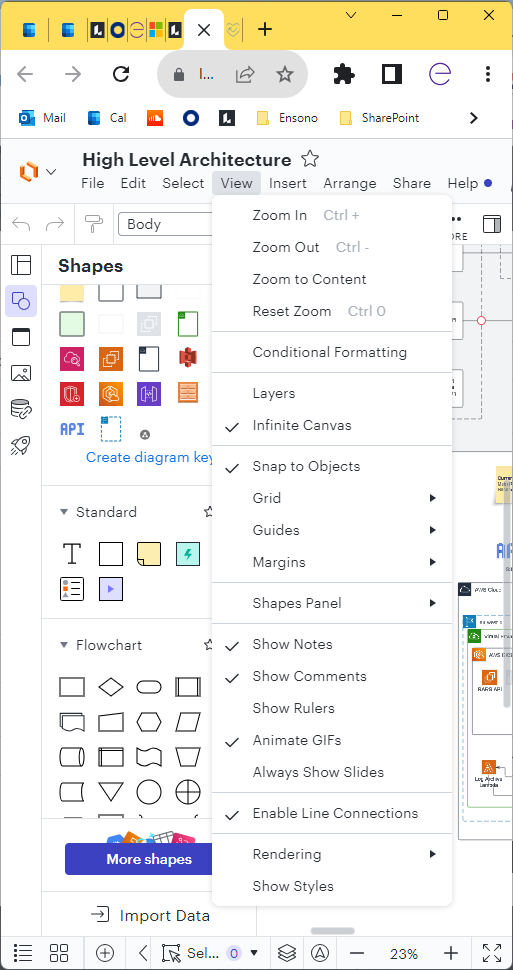
The "Navigation mode" option is not present in my View menu. 
I need this to switch the mouse scroll-wheel behaviour from zoom to scroll. 
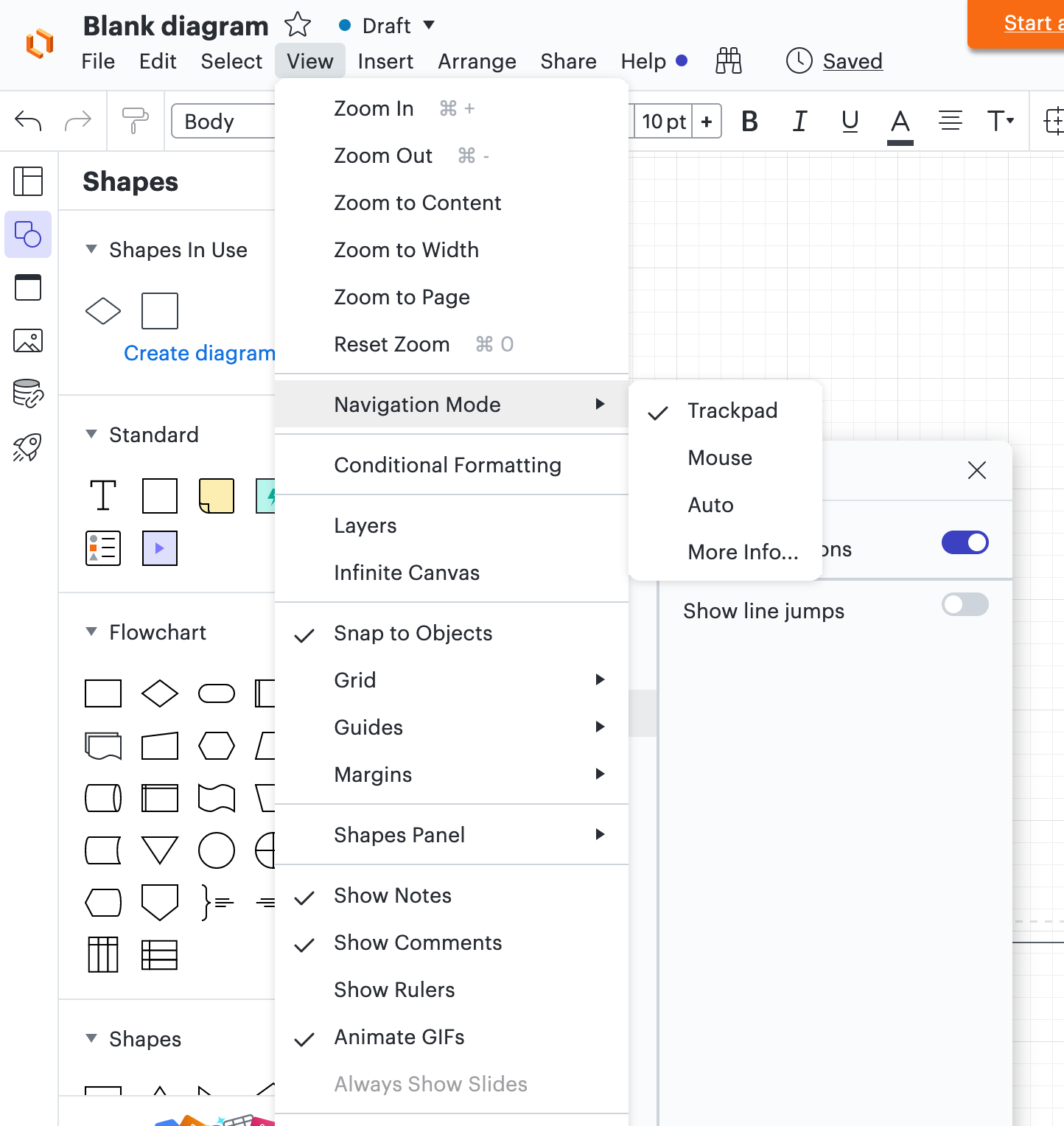
Attached: two grabs. One from my colleague showing the option. One from me showing the option is missing. We are both Enterprise users on the same account. 
This is driving me mad constantly zooming when I want to scroll. Please advise!
Best answer by Rob P101

Aha!
I've tried a different machine running Win 10 pro (both my machines are MS surfaces) also running Chrome V 115.0.5790.171 and "Navigation mode" appears!
I've switched the nav mode to trackpad and it works the way I want - but only on that machine. Changes don't affect my primary machine. So it's OS related?

Comments

Phillip W
Forum|alt.badge.img+16
  • Lucid support team
  • August 16, 2023

Hey Rob

Thanks for posting in the Lucid Community! Would you mind confirming what type of browser you are using? Could you also confirm if this happens on any other browser or just this one? Would you mind also clarifying if this is happening on all your documents or just this one? 

Thank you for your help and patience! 


Rob P101
  • Author
  • August 17, 2023

I'm using Chrome Version 115.0.5790.171 (Official Build) (64-bit) on Win11

I've just tried on Edge and I see the same thing - see below

I've also just tried creating new docs on both browsers and both show the View menu as screen capped below - no "Navigation Mode" option.

Thanks for getting back :-) 


Rob P101
  • Author
  • Answer
  • August 17, 2023

Aha!
I've tried a different machine running Win 10 pro (both my machines are MS surfaces) also running Chrome V 115.0.5790.171 and "Navigation mode" appears!
I've switched the nav mode to trackpad and it works the way I want - but only on that machine. Changes don't affect my primary machine. So it's OS related?


Phillip W
Forum|alt.badge.img+16
  • Lucid support team
  • August 17, 2023

Hey Rob

Nice! Yes if this works as expected on a different device that means there is something OS related that is interfering with proper functionality of Lucidchart. 

Glad to hear you got this working -- let us know if you have any additional questions!