Here’s a question!
Microsoft Dataverse currently hosts our Dynamics 365. We are trying to create an ERD of the relevant parts of D365 and present it LucidChart (we don’t use all the functions of Dynamics). There isn’t a standard database connector for Microsoft Dataverse, so the only way we can currently see of building our ERD and keeping it updated is manually. Does anyone know of an alternative way of doing this?
Someone has suggested we can get the entities into Excel and then into Lucid, but this seems a rather long-winded & manual approach.
Guidance gratefully accepted.

Lucid ERD import & Microsoft Dynamics (Dataverse)
Best answer by Ambar D
Hi
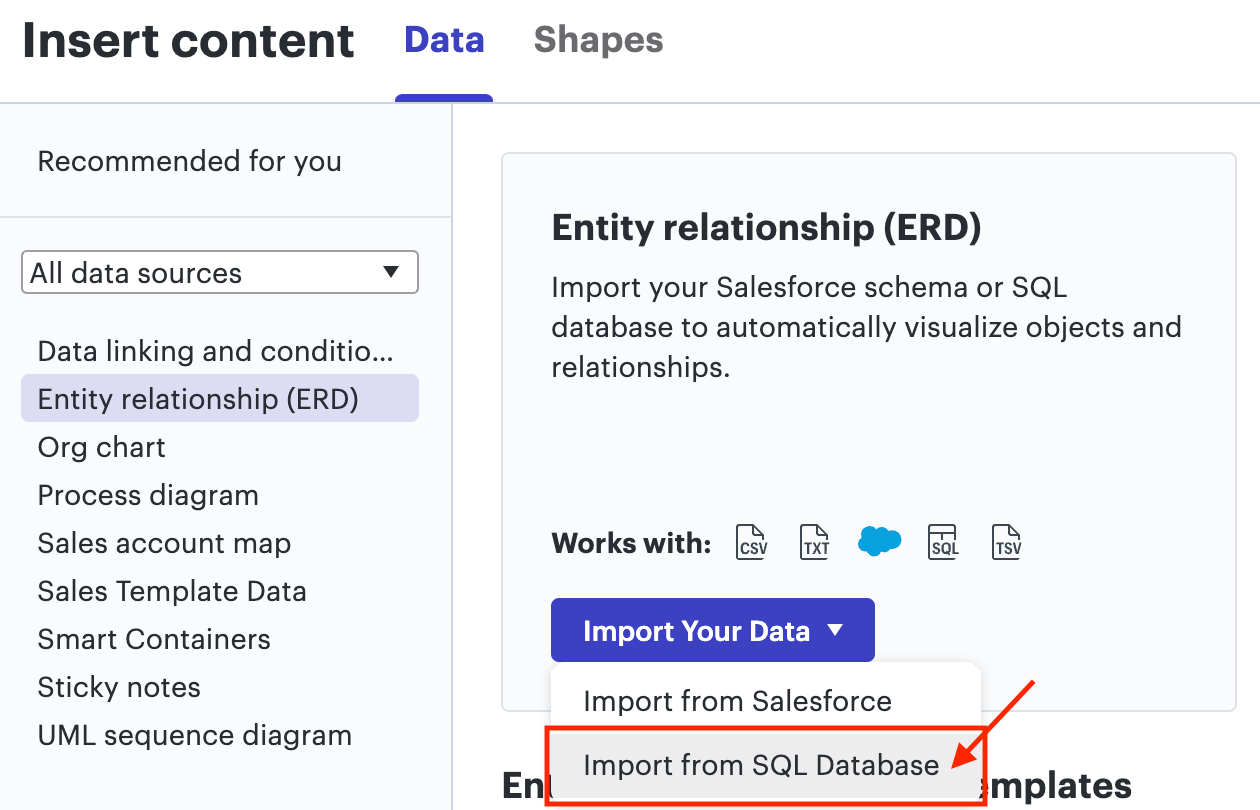
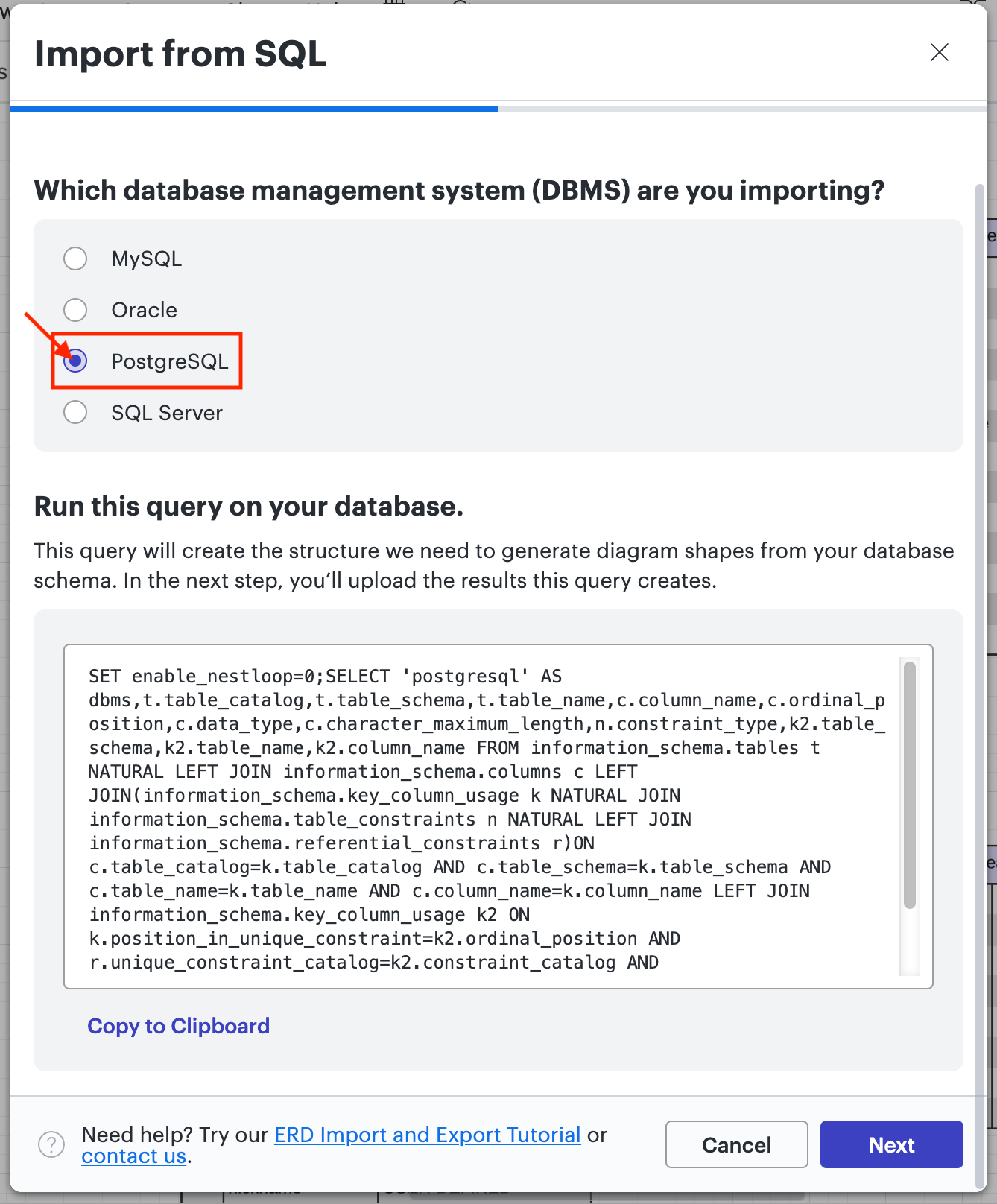
Thanks for following up! A workaround alternative to manually building your ERD is to format your data as a PostgreSQL, using the attached document for reference. If you can export your data from Microsoft Dataverse in the attached format, you can then upload your data as shown below.
- From a Lucidchart board, select File > Import > Data > Entity relationship (ERD) > Import from SQL Database

- Select PostgreSQL > Next > and follow the prompts to upload your files

I hope that is helpful! Please let me know if you have any further questions! I would be happy to help find another solution for you.
Create an account in the community
A Lucid account is required to interact with the Community, and your participation is subject to the Supplemental Lucid Community Terms. You may not participate in the Community if you are under age 18. You will be redirected to the Lucid app to log in.
Log in to the community
A Lucid account is required to interact with the Community, and your participation is subject to the Supplemental Lucid Community Terms. You may not participate in the Community if you are under age 18. You will be redirected to the Lucid app to log in.
Log in with Lucid
Enter your E-mail address. We'll send you an e-mail with instructions to reset your password.