

Id like my org chart to be laid out vertically in efforts to save space, however when i drag the boxes below the manager, i end up with a striaght line. How can i add a curved line to show that all 4 bottom boxes report to the top manager?
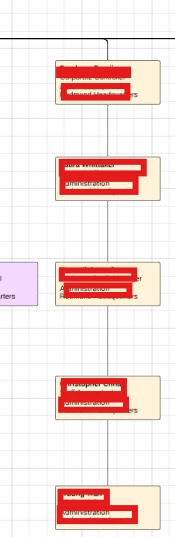
Id like my org chart to be laid out vertically in efforts to save space, however when i drag the boxes below the manager, i end up with a striaght line. How can i add a curved line to show that all 4 bottom boxes report to the top manager?
Best answer by Leianne C
Hi
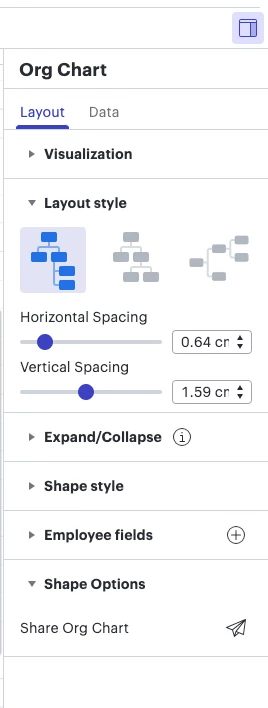
Thank you for your help and patience. Please let us know if you have any questions!
A Lucid or airfocus account is required to interact with the Community, and your participation is subject to the Supplemental Lucid Community Terms. You may not participate in the Community if you are under 18. You will be redirected to the Lucid or airfocus app to log in.
A Lucid or airfocus account is required to interact with the Community, and your participation is subject to the Supplemental Lucid Community Terms. You may not participate in the Community if you are under 18. You will be redirected to the Lucid or airfocus app to log in.
Enter your E-mail address. We'll send you an e-mail with instructions to reset your password.






 Your privacy choices


