Answer

Hover tooltip on images

  • July 16, 2024
  • 2 replies
  • 124 views

Forum|alt.badge.img+1

I’d like to be able to hover over images and see text or a value assigned to that image. I’ve seen a post on this already that says you have to use conditional formatting, but it appears out-of-date as the instructions on how to implement no longer apply due to Lucid Chart UI changes. Hoping someone where can help.

 

Best answer by Leianne C

Hi @zoomlmk, thank you for posting in the community! Would you mind confirming if you are using Lucidchart or Lucidspark? This will help me take a closer look. 

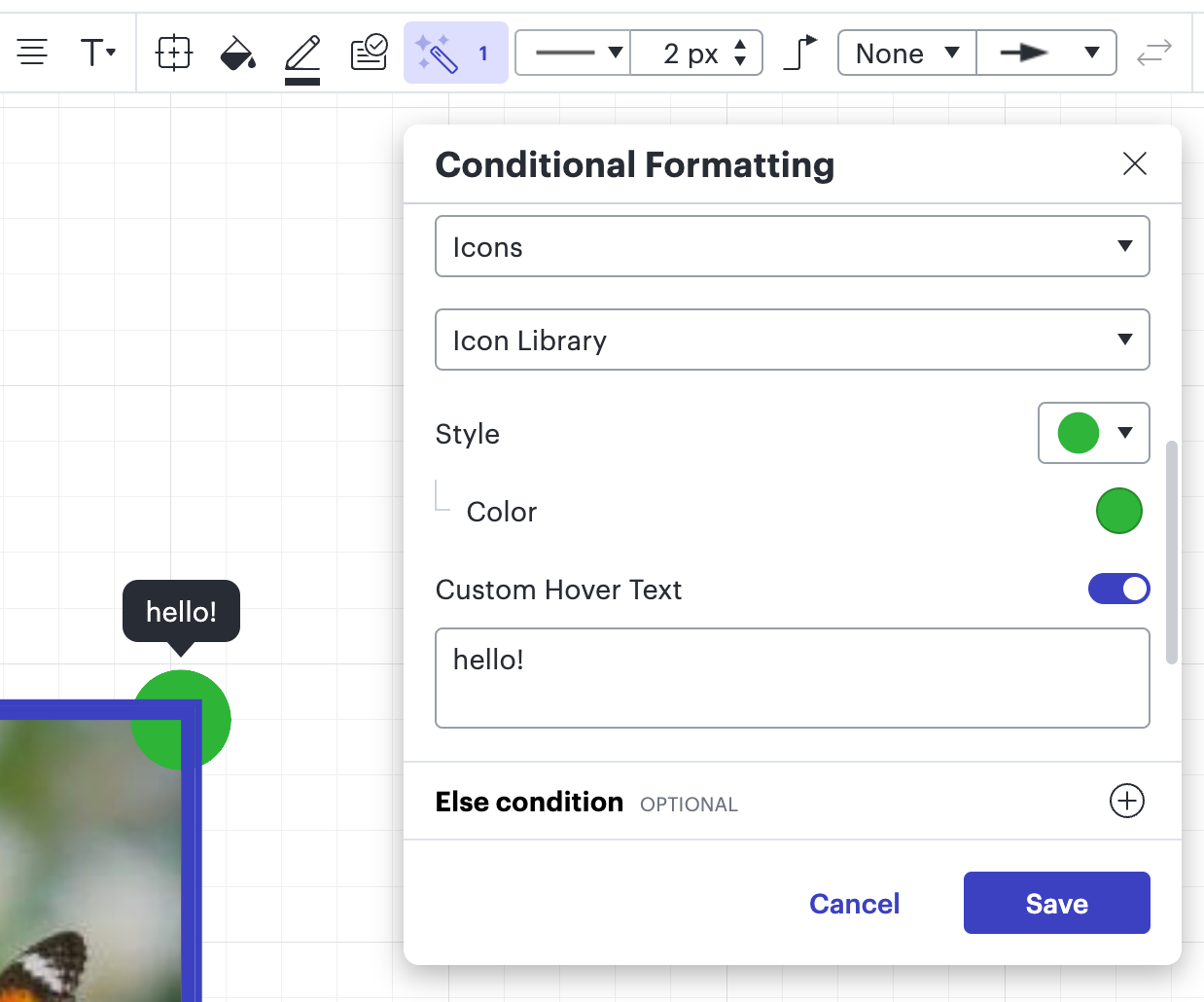
Conditional formatting is still available in Lucidchart and you can make a rule to add an icon with custom hover text to display on hover. 


Thanks in advance for your help! Please let me know if you have any questions. 

Comments

Leianne C
Forum|alt.badge.img+15
  • Lucid support team
  • Answer
  • July 19, 2024

Hi @zoomlmk, thank you for posting in the community! Would you mind confirming if you are using Lucidchart or Lucidspark? This will help me take a closer look. 

Conditional formatting is still available in Lucidchart and you can make a rule to add an icon with custom hover text to display on hover. 


Thanks in advance for your help! Please let me know if you have any questions. 


Forum|alt.badge.img+1
  • Author
  • July 19, 2024

This is exactly what I needed. Thank you!