So I've created a diagram but it only occupies a fraction of a page. When I go to export to SVG the SVG file is of the entire page and my diagram is tiny bit of that. Can I export my diagram only which I've designated as a group or selected?

Export only portion of Lucidchart diagram without excess whitespace
Best answer by Micah
Hi! Lucidchart’s functionality has changed over the years since this post was created, and I wanted to share some updates for anyone else who comes across this post:
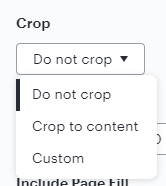
First, when exporting, you can choose cropping options to focus on the portion of your diagram that you want to include:

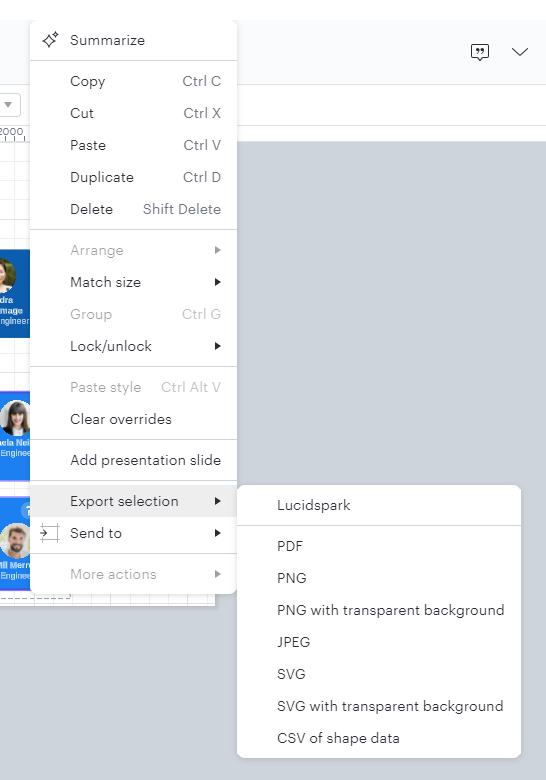
Additionally, you can now also select a portion of your diagram, right-click, and choose Export selection , then a file format of your choice, to more precisely export only certain objects.

Create an account in the community
A Lucid account is required to interact with the Community, and your participation is subject to the Supplemental Lucid Community Terms. You may not participate in the Community if you are under age 18. You will be redirected to the Lucid app to log in.
Log in to the community
A Lucid account is required to interact with the Community, and your participation is subject to the Supplemental Lucid Community Terms. You may not participate in the Community if you are under age 18. You will be redirected to the Lucid app to log in.
Log in with Lucid
Enter your E-mail address. We'll send you an e-mail with instructions to reset your password.