How do I alter the spacing between the text and the line (especially at the beginning of the word - see image).
If this is not possible can I stop the line impinging the text?
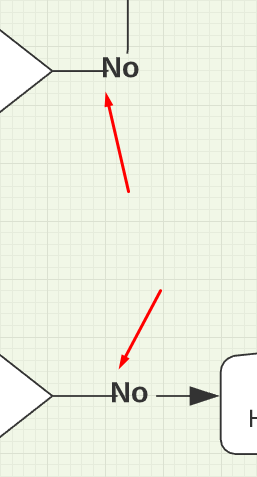
How do I alter the spacing between the text and the line (especially at the beginning of the word - see image).
If this is not possible can I stop the line impinging the text?

Best answer by Emma D
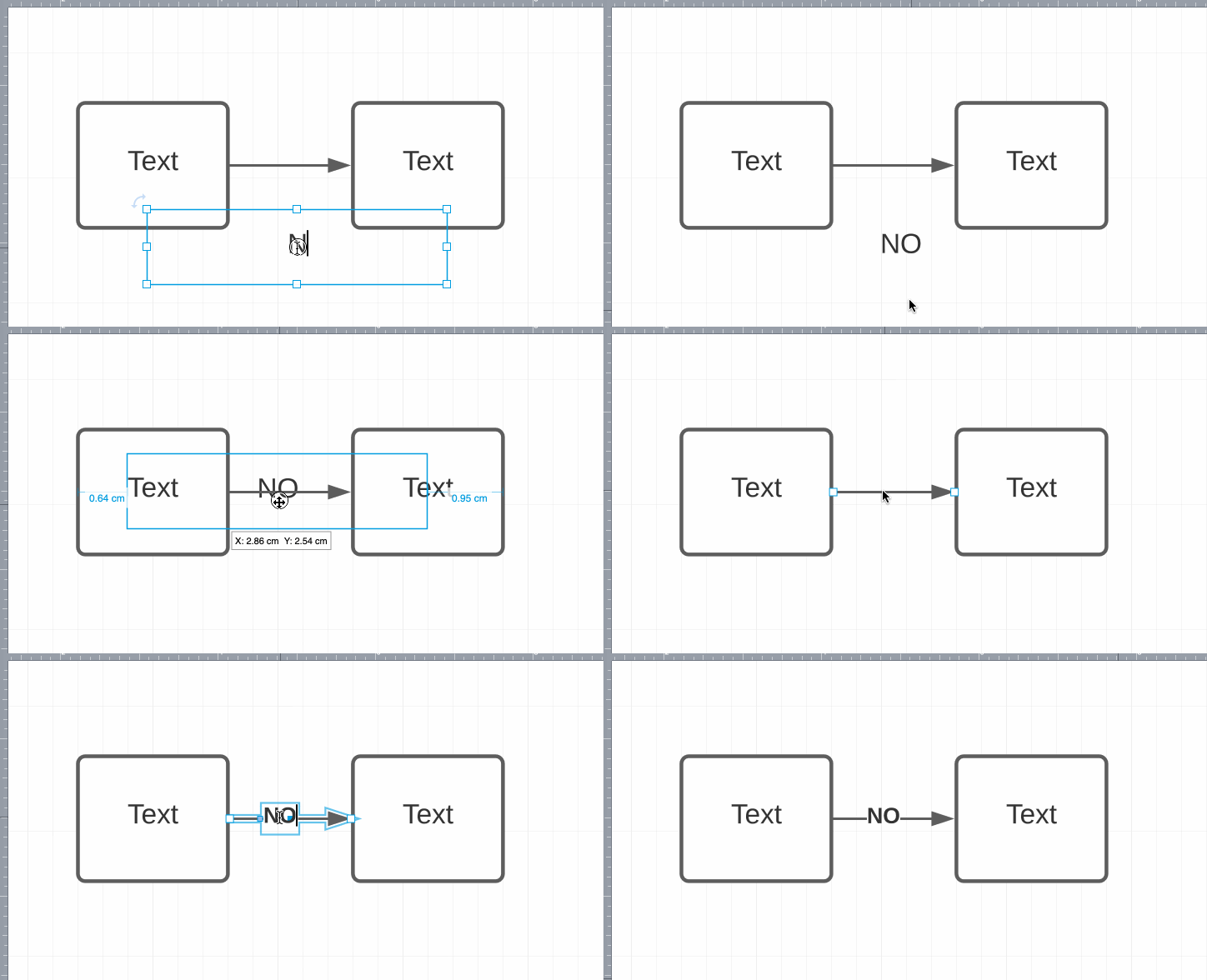
Hi Bruce thanks for posting! Can I confirm whether you added the text by double clicking on the line itself or by creating a text box on the canvas? If you double click the line the text should automatically space itself correctly.

A Lucid account is required to interact with the Community, and your participation is subject to the Supplemental Lucid Community Terms. You may not participate in the Community if you are under age 18. You will be redirected to the Lucid app to log in.
Enter your E-mail address. We'll send you an e-mail with instructions to reset your password.