September 11, 2024
Solved

Data linked connections between objects?

Is it possible to create connectors between objects that are defined by a column via data linking?

Ie. would like to define a “Parent Object” column to define the connection between a current row and a parent object.  It would very much be like a Org Chart data sheet between a manager and a direct report.

Kelsey Gaag
Lucidite
October 14, 2024

Hi @Brian C102, 

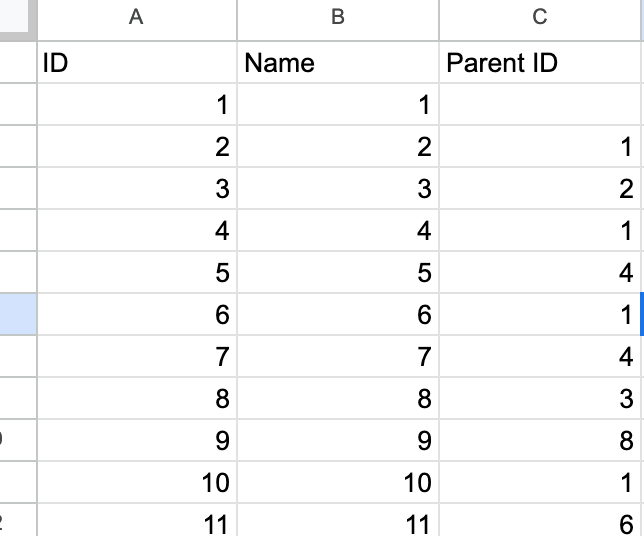
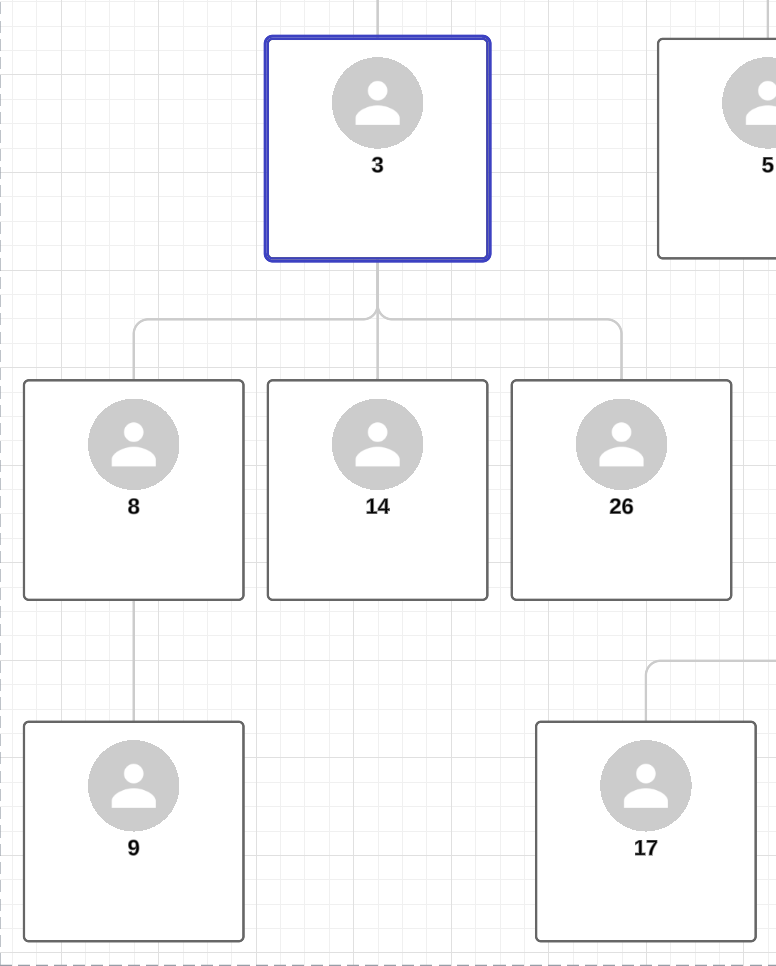
Thanks for the follow up! I think that you could achieve this through our Org Chart function. In our Org Chart Data Import, one of the identifiers Lucid asks for to construct your Org Chart is the supervisor ID. If you created a spreadsheet or Google Sheet with three rows: ID, Name, and Parent ID, the org chart will draw relationships between the ID and the connecting Parent ID. Does this help achieve your goal?


Comments

Kelsey Gaag
Lucidite
September 13, 2024

Hi @Hot Rod, 

Thank you for your post! To clarify, are you wanting to connect shapes with lines from data? What kind of diagram are you looking to create? 

Translate
Brian C102
October 11, 2024

I have a similar request to visualize an account hierarchy using linked data. Each row has an Id and a ParentId field. It would be great to dynamically draw lines between the shapes based on a match of ParentId to Id.

Translate
Kelsey Gaag
Lucidite
October 14, 2024

Hi @Brian C102, 

Thanks for the follow up! I think that you could achieve this through our Org Chart function. In our Org Chart Data Import, one of the identifiers Lucid asks for to construct your Org Chart is the supervisor ID. If you created a spreadsheet or Google Sheet with three rows: ID, Name, and Parent ID, the org chart will draw relationships between the ID and the connecting Parent ID. Does this help achieve your goal?


Translate
Brian C102
October 15, 2024

Yes, I took a second look at the Org Chart; and,  got it to work!  Thank you for the suggestion.

Importantly, the cards do not have to display a photo (which is a required field in Org Chart template.) Being able to remove the image attribute from the style makes this chart what I am looking for.

Translate
Kelsey Gaag
Lucidite
October 15, 2024

Hi @Brian C102, 

Glad you were able to get it to work! As for the photo section in the cards, you can easily remove this by clicking on the Org Chart to open the Contextual Panel and then going to Shape style. In this section you can find Shape styles without the image sections to fit your needs!


Translate