August 18, 2024
Solved

Creating ER diagrams

  • August 18, 2024
  • 3 replies
  • 136 views

I want an ER diagram with tables :1)tbl_admin:admin_id,username,email,password.2)tbl_faculty:faculty_id,faculty_name,dob,gender,house_name,place,city,department,f_phone_no.3)tbl_student:student_id,student_name,dob,gender,house_name,place,city,s_phone_no.4)tbl_course:course_code,course_name,subject_name,semester_name,faculty_id.5)tbl_assignment:assignment_id,course_code,student_id,assignment_marks.6)tbl_attendance:attendance_id,student_id,date,period1,period2,period3,period4,period5,attendance_marks.7)tbl_mark:mark_id,course_code,student_id,exam_marks,marks_obtained.8)tbl_report:report_id,faculty_id,student_id,generated_date,total_marks.then relations are :.And then it can be read from top to bottom and left to right


[Admin] --manages--> [Faculty]
[Admin] --manages--> [Student]
[Admin] --views--> [Assignment]
[Admin] --views--> [Attendance]
[Admin] --views--> [Report]
[Faculty] --teaches--> [Course]
[Student] --enrolled in--> [Course]
[Student] --views--> [Assignment]
[Student] --views--> [Attendance]
[Student] --views--> [Report]
[Student] --attends--> [Course]
[Course] --has--> [Attendance]
[Student] --takes exam--> [Mark]
[Faculty] --generates--> [Report]

Best answer by Humas1985

Hi @Fathima C S 

To create a diagram in Lucidchart, after into a new document and drawing entities, represented by rectangles, to symbolize tables. Within each rectangle, add attributes, or columns, to provide further detail. Identify primary keys with a PK symbol and foreign keys with an FK symbol.

Next, establish relationships between entities by drawing lines or connectors, labeling each connection with a clear description of the relationship type, such as "manages" or "teaches".

Finally, organize the layout to ensure a logical flow, arranging entities so that relationships unfold from top to bottom and left to right, creating a clear and easy-to-follow visual representation.

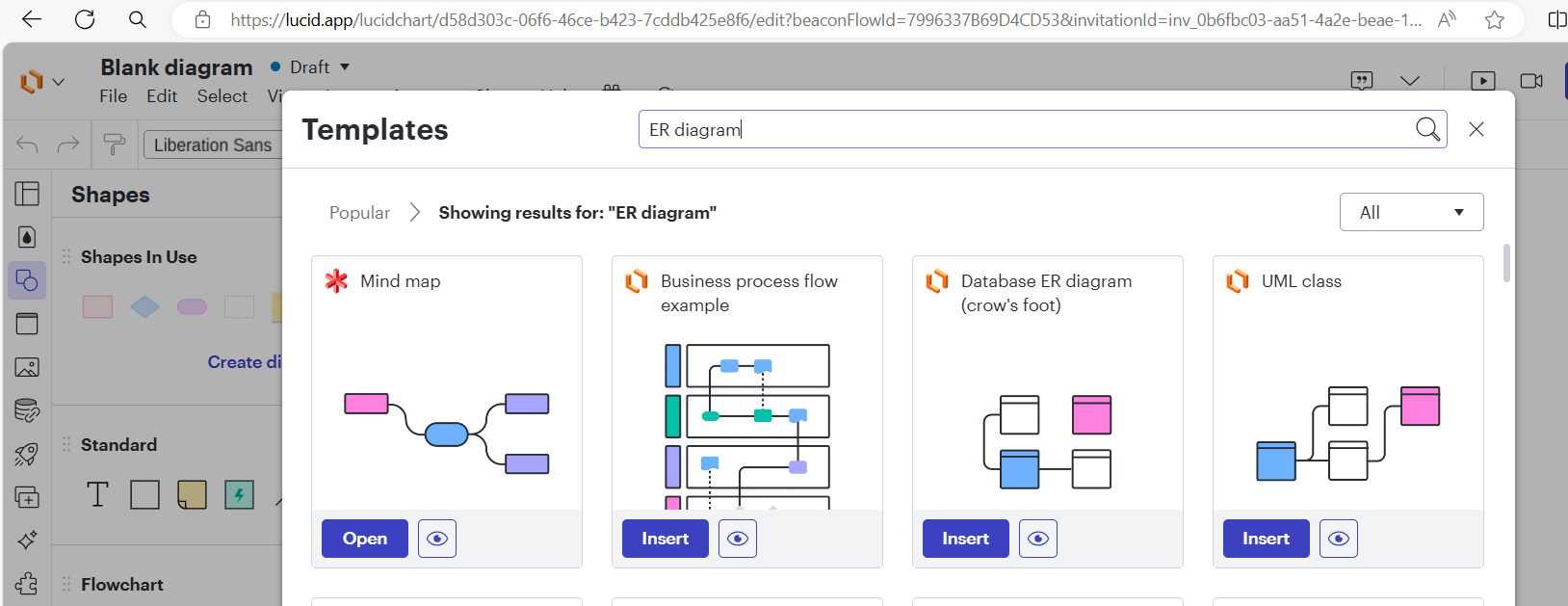
 Get a head start with pre-designed templates that are ready to use

For more help - please refer the below help article:

ER Diagram (ERD) - Definition & Overview | Lucidchart

Create an Entity Relationship Diagram in Lucidchart – Lucid


Hope this helps - Happy to help further!!
Thank you very much and have a great one!
Warm regards

Comments

Humas1985
Lucid Legend Level 10
Humas1985Lucid Legend Level 10Answer
Lucid Legend Level 10
August 18, 2024

Hi @Fathima C S 

To create a diagram in Lucidchart, after into a new document and drawing entities, represented by rectangles, to symbolize tables. Within each rectangle, add attributes, or columns, to provide further detail. Identify primary keys with a PK symbol and foreign keys with an FK symbol.

Next, establish relationships between entities by drawing lines or connectors, labeling each connection with a clear description of the relationship type, such as "manages" or "teaches".

Finally, organize the layout to ensure a logical flow, arranging entities so that relationships unfold from top to bottom and left to right, creating a clear and easy-to-follow visual representation.

 Get a head start with pre-designed templates that are ready to use

For more help - please refer the below help article:

ER Diagram (ERD) - Definition & Overview | Lucidchart

Create an Entity Relationship Diagram in Lucidchart – Lucid


Hope this helps - Happy to help further!!
Thank you very much and have a great one!
Warm regards

Huma || Lucid Legend
August 19, 2024

COuld you create an ER diagram for me


Micah
Lucid community team
August 20, 2024

@Fathima C S Hi Fathima, we aren’t able to offer that level of support to you here in our community but would be glad to answer any specific questions you have about creating an ER diagram using Lucidchart. Please let us know how we can help!